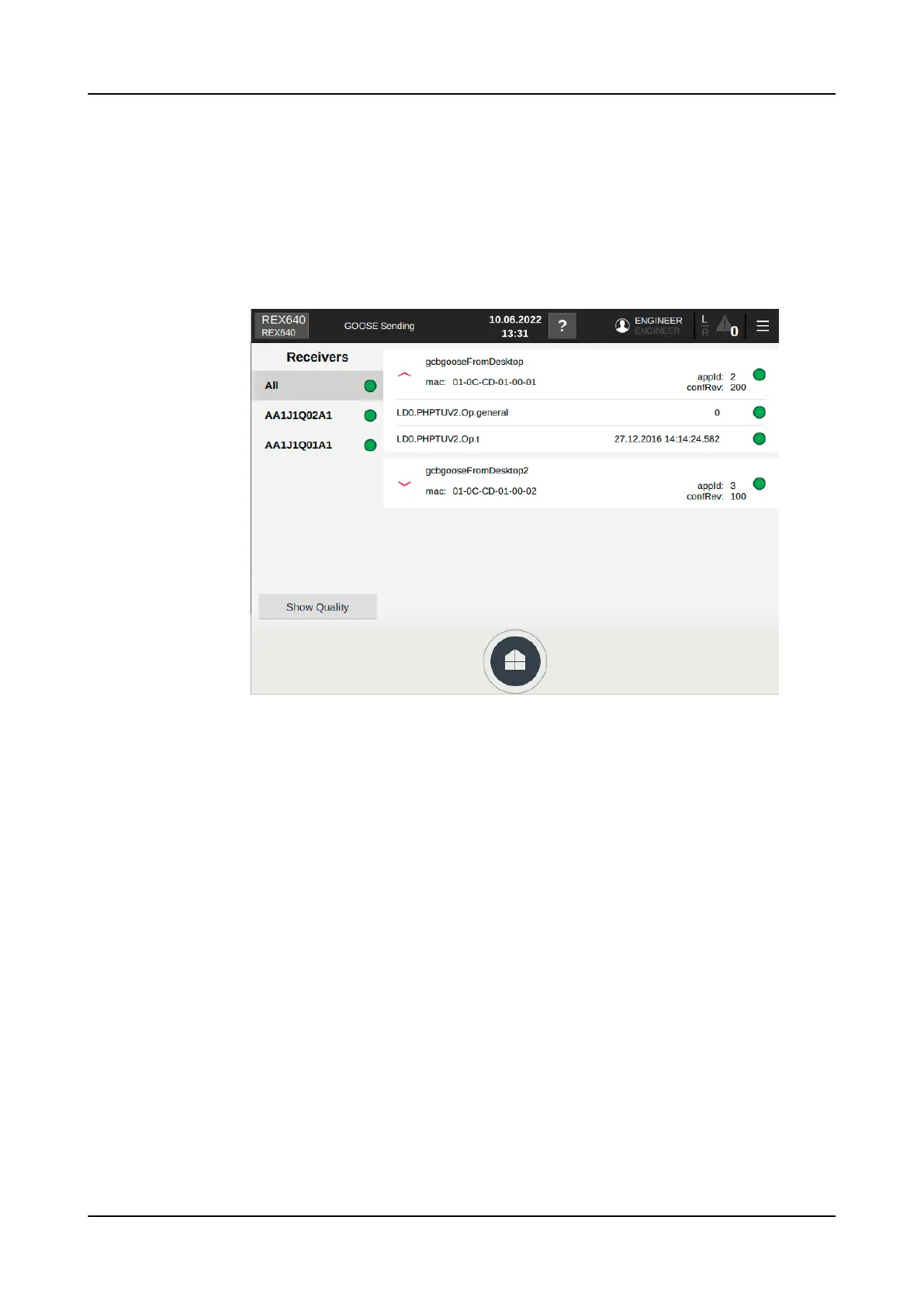
2. On the GOOSE Sending page, check the status of the relay's configured GOOSE
control blocks and the values of the sent data.
The left side of this page shows a list of the devices where the relay sends
GOOSE messages. In the system there may be more devices, but these devices
are according to relay configuration the ones subscribing the data from the
relay. The right side of the page shows the GOOSE data that the relay sends to
the network. The data set consists of value and quality attributes. The sent data
has status indicators where green means all OK, yellow warning and red error.
Figure 127: GOOSE Sending page
Commissioning
1MRS759118 D
146 REX640
Operation Manual












 To Next Page