ABEM Terraloc Pro 2
39
4.5.3 The Context Menu
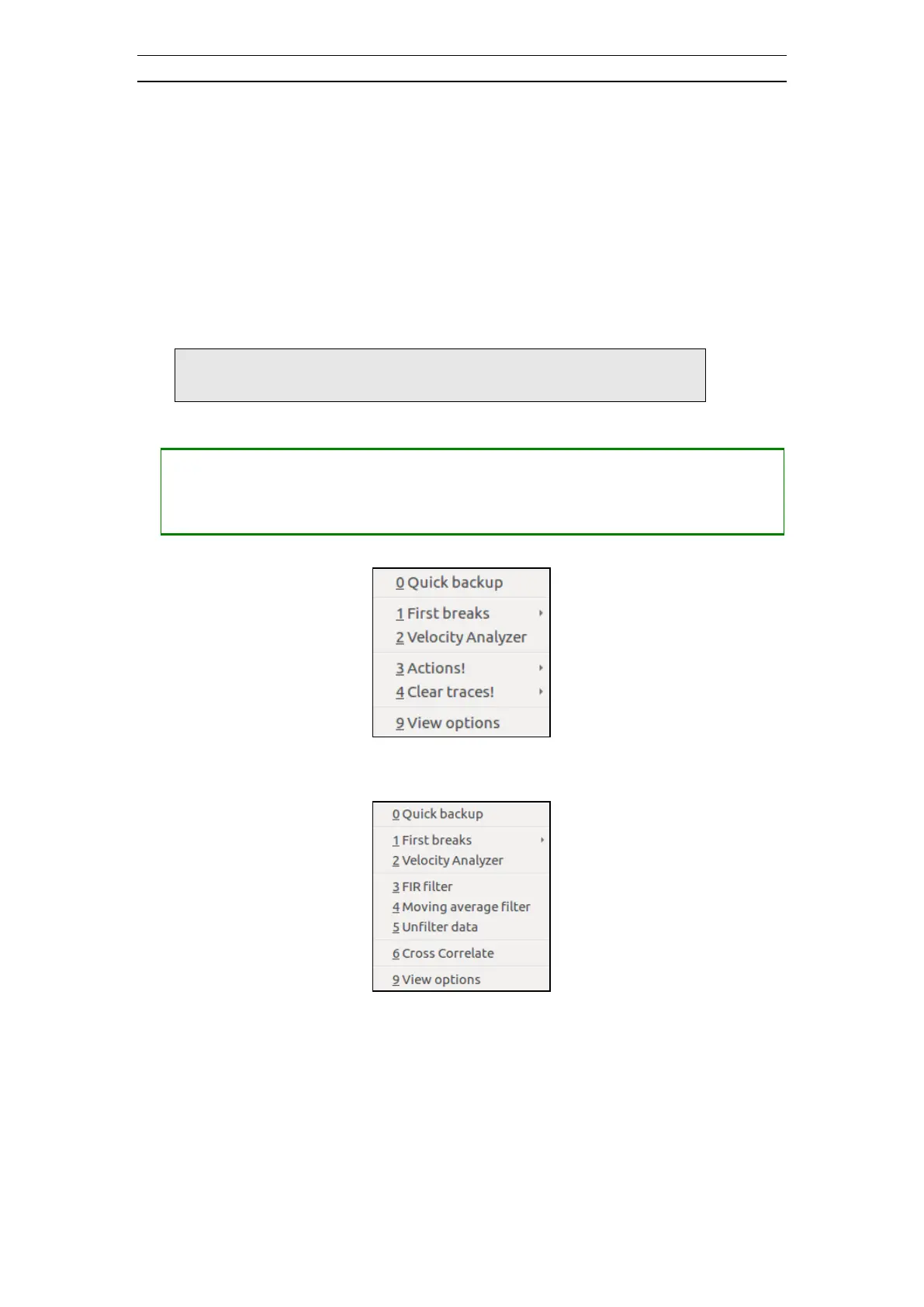
The Context Menu exists in two similar versions, a compact and a data version. The
compact version is shown when no data exists in the current record (Figure 35). The
data version is shown when a previously saved record is opened (Figure 36).
The compact Context Menu duplicates some menu items from three submenus of the
Main Menu (Process, View and Actions) and also from the Clear Traces pop-up menu.
See chapter 4.5.1 and 4.5.4 for specifics on each menu sub item.
The data Context Menu on the other hand duplicates the entire Process submenu as well
as some menu items from the View submenu and also the Clear Traces pop-up menu.
Note! The
Context Menu
will not be shown if no record is
created or opened
• Opening the Context Menu
Figure 35 The Compact Context Menu
Figure 36 The Data Context Menu
See chapter 5.1 for more on the First breaks submenu functions.
4.5.4 The Clear Traces Menu
Used to clear one or more traces of recorded data. In contrast to the Delete last shot
command these clear traces commands will clear all stackings, if any.



 To Next Page