― Press <SHIFT> + <1> to set all traces to a checked value
― Press <SHIFT> + <0> to set all traces to a non-checked value
4.6.9 The Layout Geometry Dialog
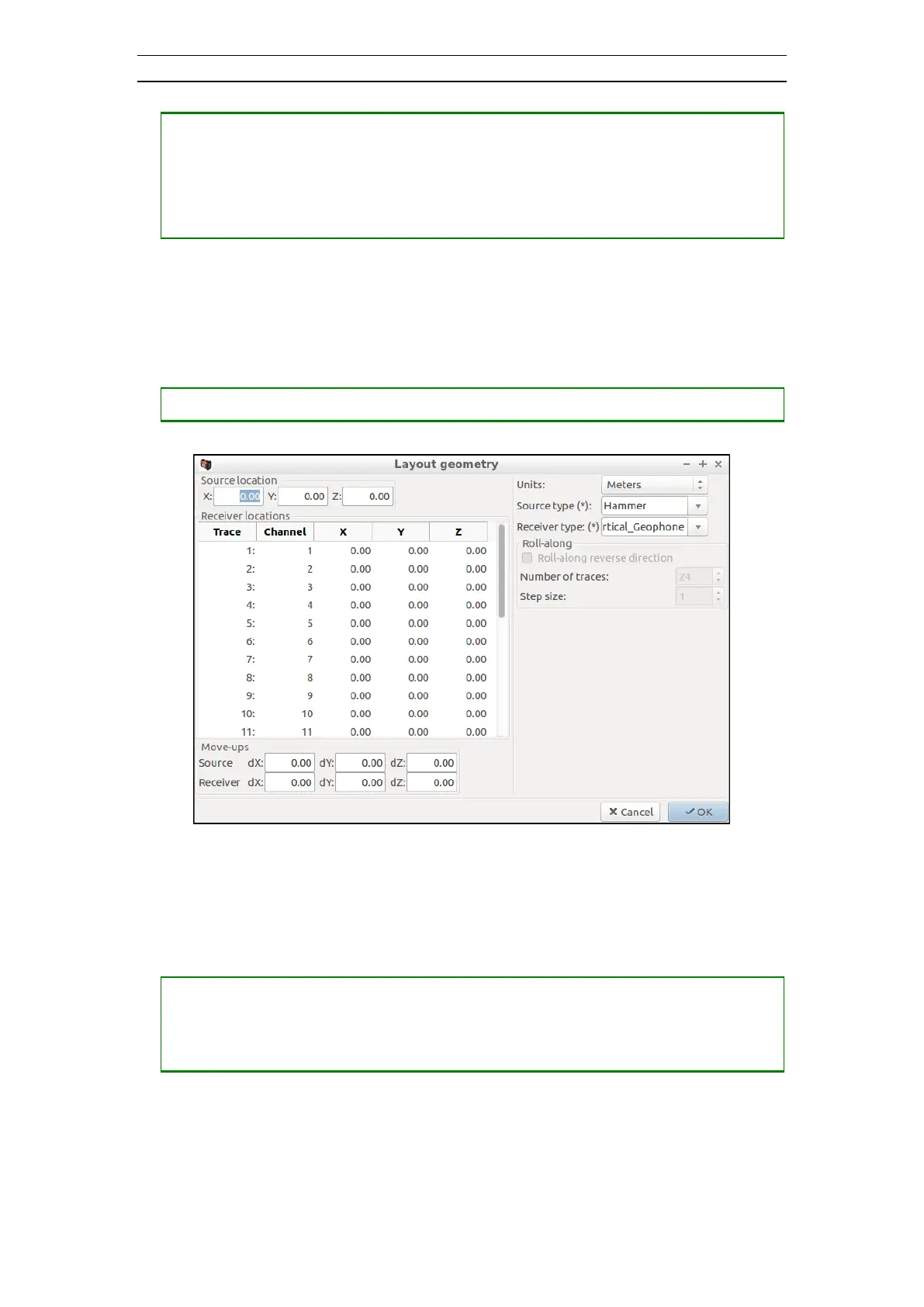
The Layout Geometry dialog is divided into five different sections (Figure 53). Each
section is described separately below.
• Opening the Layout Geometry dialog
Figure 53 The Layout Geometry Dialog
Source location
X, Y, and Z are coordinates of the source location.
• Changing a value
― Press <TAB> to select the X, Y or Z value to be changed
― Press <NUMBERS> and possibly <-> and <.> to construct a valid value
― Press <TAB> to set the value and move to the next value
Receiver locations
X, Y, and Z are coordinates for the receivers.



 To Next Page