23
MOBILE PHONE
You can communicate with friends and family through your own mobile phone, using your Lightwriter.
You can make phone calls, read and send text messages all through your Lightwriter.
QUICK TIP - Before you start, make sure your phone has sufficient signal, credit and battery life.
BLUETOOTH ICONS KEY:
Bluetooth on, but not connected
Bluetooth incoming
Bluetooth connected
Bluetooth outgoing
PAIR WITH YOUR MOBILE PHONE
1. On your Lightwriter, go to Shift-Menu > Mobile Phone > Bluetooth Activation and make
sure the Bluetooth is On.
2. On your Phone, make sure your Bluetooth is enabled and then view the list of available
devices, to make sure you can see your Lightwriter.
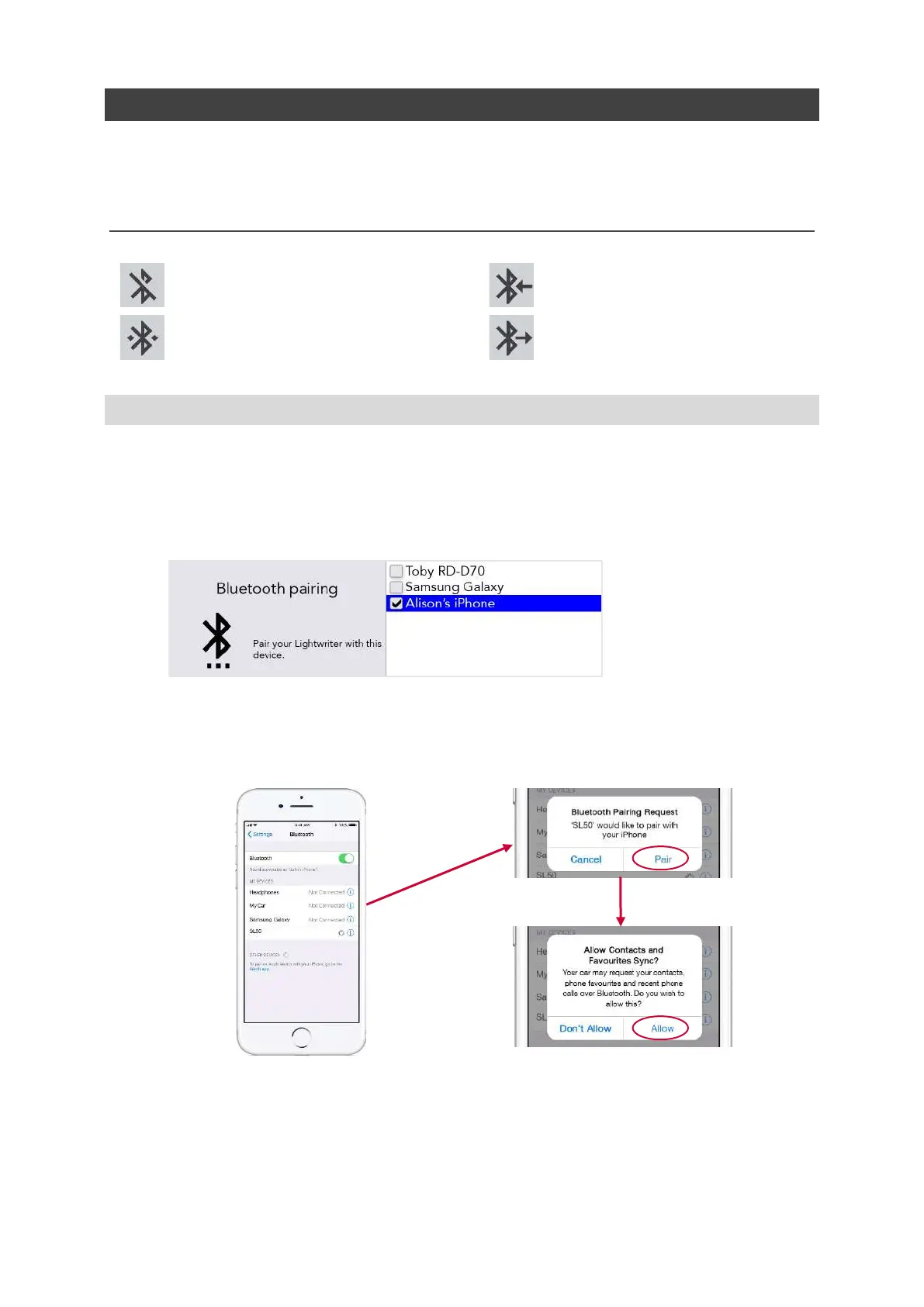
3. On your Lightwriter, go to Shift-Menu > Mobile Phone > Bluetooth Pairing. After a short
moment, a list of nearby Bluetooth devices should appear on the Lightwriter screen:
4. Select the phone you would like to pair with (you should only pair with one phone at a time).
5. On your Phone, check for confirmation of the connection. Depending on the make and
model of phone, you may need to confirm the Pair, and then Allow the Lightwriter to sync
with your contacts:
Note - Screens will differ between different phone models.
QUICK TIP – It may take a minute to sync with your phone after pairing before you can start to use the
phone and SMS functions.
www.sentient-healthcare.ie



 To Next Page