24
ACCESS YOUR CONTACTS
Once you are paired with your phone you will be able to browse through your contacts.
Go to Shift-Menu > Mobile Phone > Phone Call or Send SMS.
In the top box, press Left and Right Arrow keys to browse through your contacts, or simply type in
the phone number from scratch.
SEARCH CONTACTS
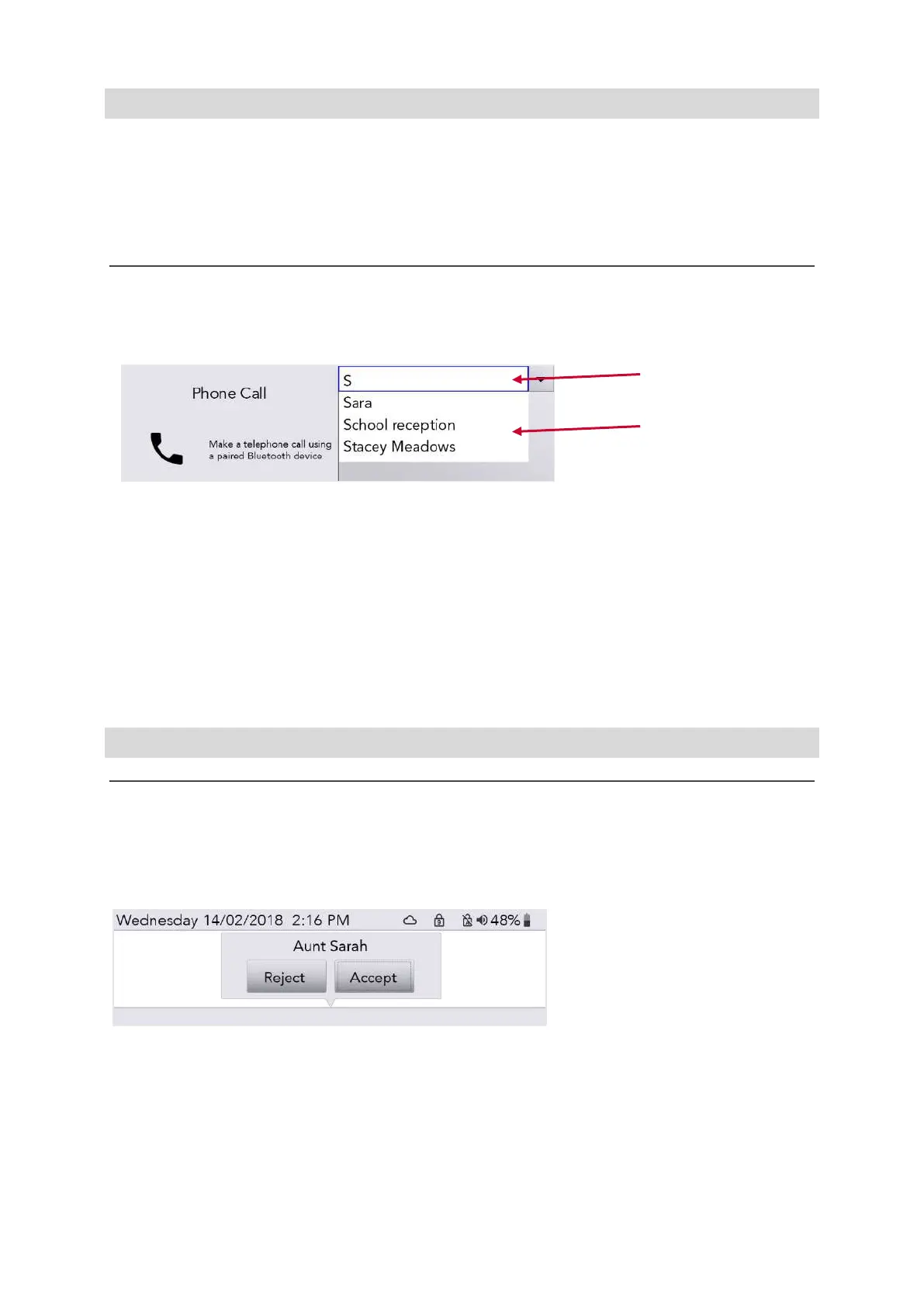
It is likely that you have a long list of contacts. To search for someone specific, start typing their name
to refine your search:
Typed text
Search results
You can scroll up and down through the search results list using the Left and Right Arrow keys. Press
Enter to pick your chosen contact, or Delete to clear your typed letters.
Pressing Power will bring you back into the previous menu.
You are now ready to make phone calls and send text messages!
QUICK TIP – You cannot edit any contacts on your phone from your Lightwriter.
PHONE CALLS
ANSWER A PHONE CALL
If you are paired with your phone and someone calls you, your phone will ring as normal.
To make it easier to recognise, your Lightwriter will also play exactly the same ringtone as your
phone, and display an incoming call screen:
To answer a call, use Left and Right Arrow keys to select ‘Accept’ or ‘Reject’ and press Enter to
confirm.
To finish a call, press Menu > Hang up
QUICK TIP - Once paired, you do not always need to use your Lightwriter! You can choose either to
answer the call using your phone as normal, or answer using your Lightwriter.
www.sentient-healthcare.ie



 To Next Page