48
IMPORTING AND EXPORTING DATA
You can insert a USB stick into your Lightwriter to import and export data such as your own dictionary,
keyboard layout, and backups.
You can use the USB stick provided in the box with your Lightwriter, or
you can use your own.
Your Lightwriter should be compatible with most USB sticks, however
some USB sticks may have a thicker casing and will not fit in the port
without an extension lead. See Troubleshooting if you need more help
with using a USB stick.
QUICK TIP – You can personalise your communication further by importing long phrases and even
speeches. See both Notes and Fast Phrases for more information.
BACK UP AND RESTORE YOUR LIGHTWRITER
It’s a good idea to have a backup of your all system settings, especially if you have a very specific
setup that you have spent some time configuring.
This is also useful if you have a specific ‘profile’ set up that you want to install for a specific user / user
type. It will store everything from your voice preferences to your volume settings.
BACK UP YOUR SYSTEM SETTINGS
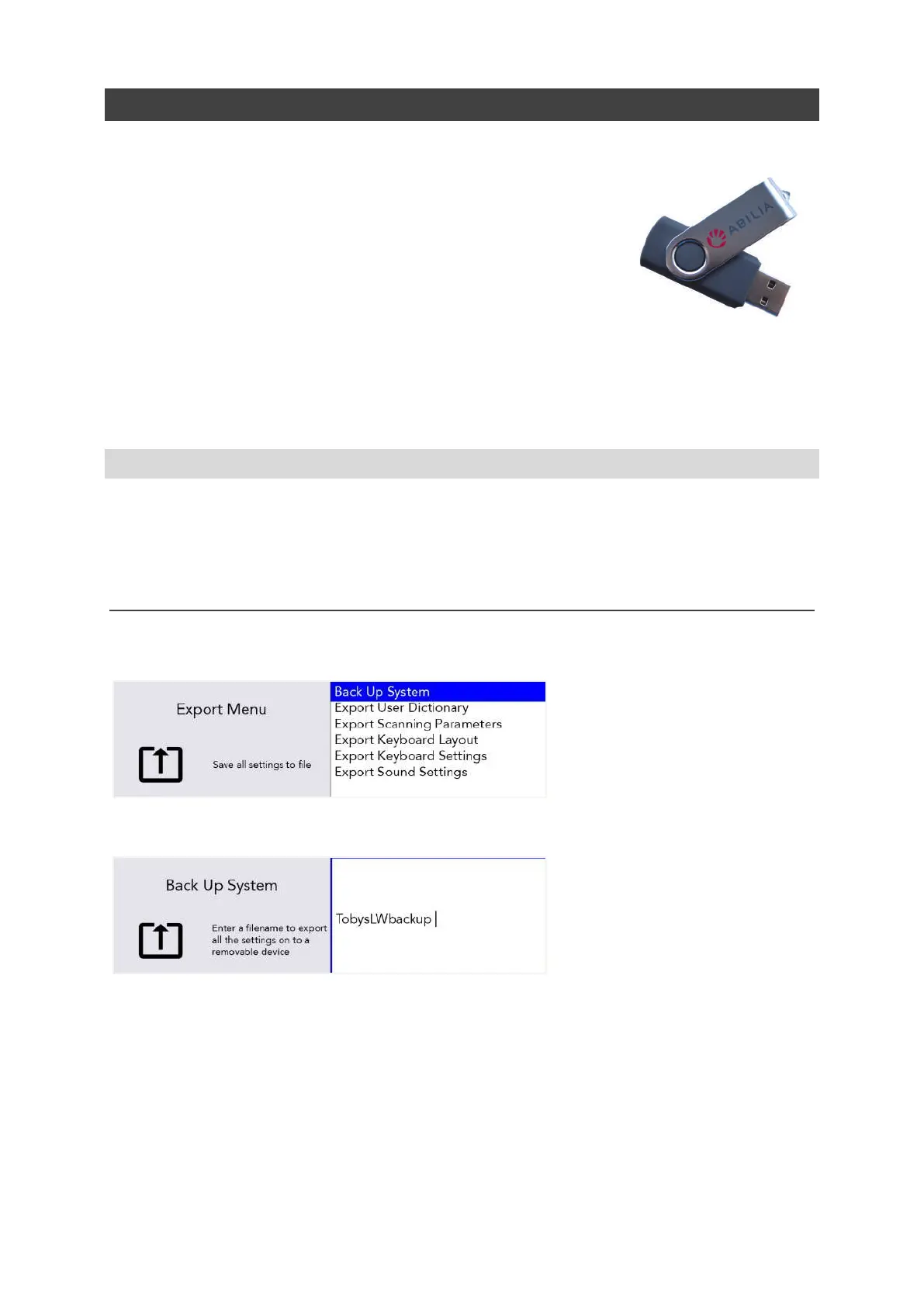
Go to Shift-Menu > System > Export > Back Up System.
Type in a name for your backup file and press Enter.
Your Lightwriter will now copy a file to your USB stick. The file will be called yourfilename.allsettings
www.sentient-healthcare.ie



 To Next Page