30
YOUR KEYBOARD
It is important that you feel comfortable when you are using your keyboard, as this is how you control
your Lightwriter. You can use a different keyguard, or even select a different keyboard layout to make
it easier to use.
It is also important that you keep the keyboard clean, otherwise the keys may become sticky or
unresponsive over time.
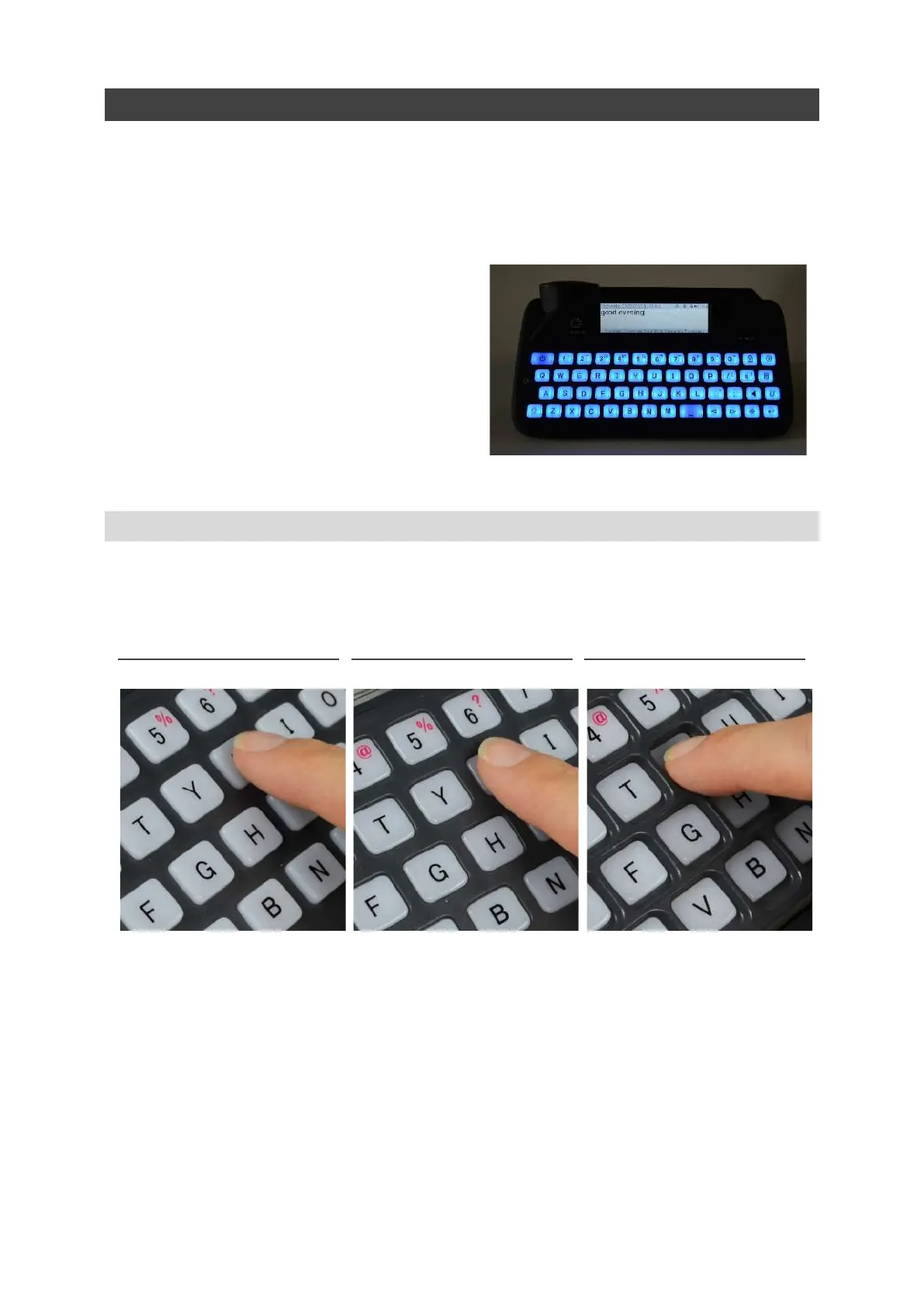
Your keyboard will automatically light up in
dull conditions to help you see the keys. To
adjust this, see Settings.
You can also change the Minimum Key Press
and Repeat Delay, see Settings.
CHANGING YOUR KEYGUARD
Keyguards raise the area around your keys to help to guide your fingers to the correct keys when you
are typing.
Your Lightwriter is supplied with three keyguards of different depths.
The Standard Keyguard will already be fitted to your Lightwriter.
If you need to change your keyguard it just takes a few minutes. You may need someone to help you
with this if you find precise hand movements difficult. You will need the Toolkit which was provided in
the box with your Lightwriter.
STANDARD KEYGUARD FLUSH KEYGUARD DEEP KEYGUARD
www.sentient-healthcare.ie



 To Next Page