25
MAKE A PHONE CALL
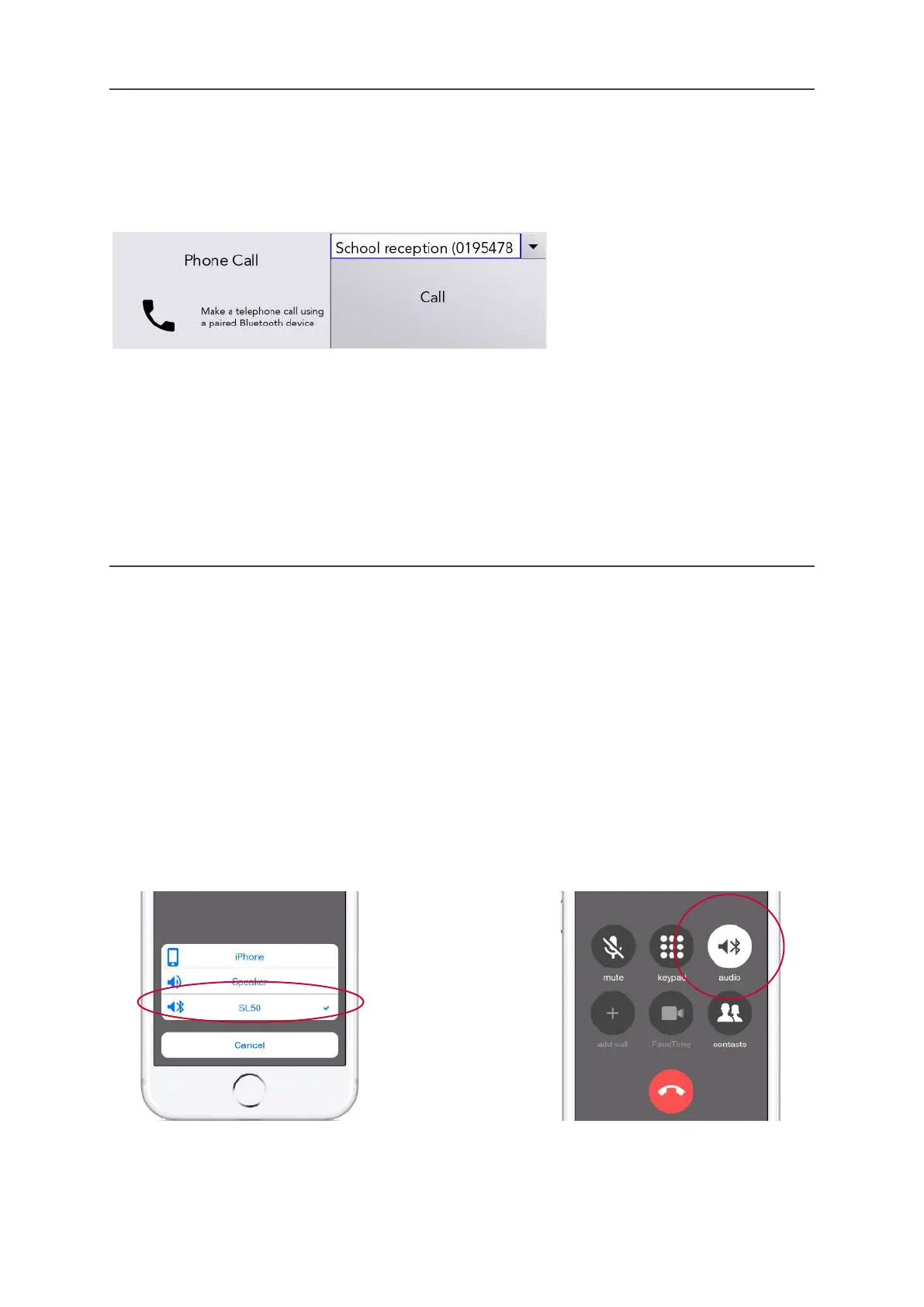
To make a phone call from your Lightwriter, simply go to Shift-Menu > Mobile Phone > Phone call.
Start typing a name to browse your phone book (or you can type in a new number from scratch).
Use the Left and Right Arrow keys to scroll through your contacts.
Press Enter to confirm number, then Enter to make the call.
QUICK TIP - Save some Fast Phrases that are useful when making phone calls, aimed at those who are
not expecting a Lightwriter user. For example, “Hello, I am using a voice synthesiser as I cannot
speak, please do not hang up as I need to make an appointment.”
To finish or cancel a call, press Menu > Hang up
THINGS YOU CAN DO DURING YOUR CALL
Your Lightwriter has a built-in microphone, so you can talk and make sounds during the call, as well as
use the type and talk functions on your Lightwriter.
You can also use your Menus as normal whilst on a call. Remember there is a shortcut to Volume from
any screen: press and hold Sound combined with Left and Right Arrow keys to change the volume
level.
QUICK TIP - You can also adjust the individual incoming and outgoing volumes in Advanced
Settings.
Switch between your phone and Lightwriter
Before, or during an ordinary phone call on your paired device, you can decide to start
communicating through your Lightwriter. Use the Bluetooth icon any time during a call:
Note - screens will
differ between
different phone
models.
Incoming and outgoing call options. During call options.
www.sentient-healthcare.ie



 To Next Page