38
Reset your Lightwriter settings
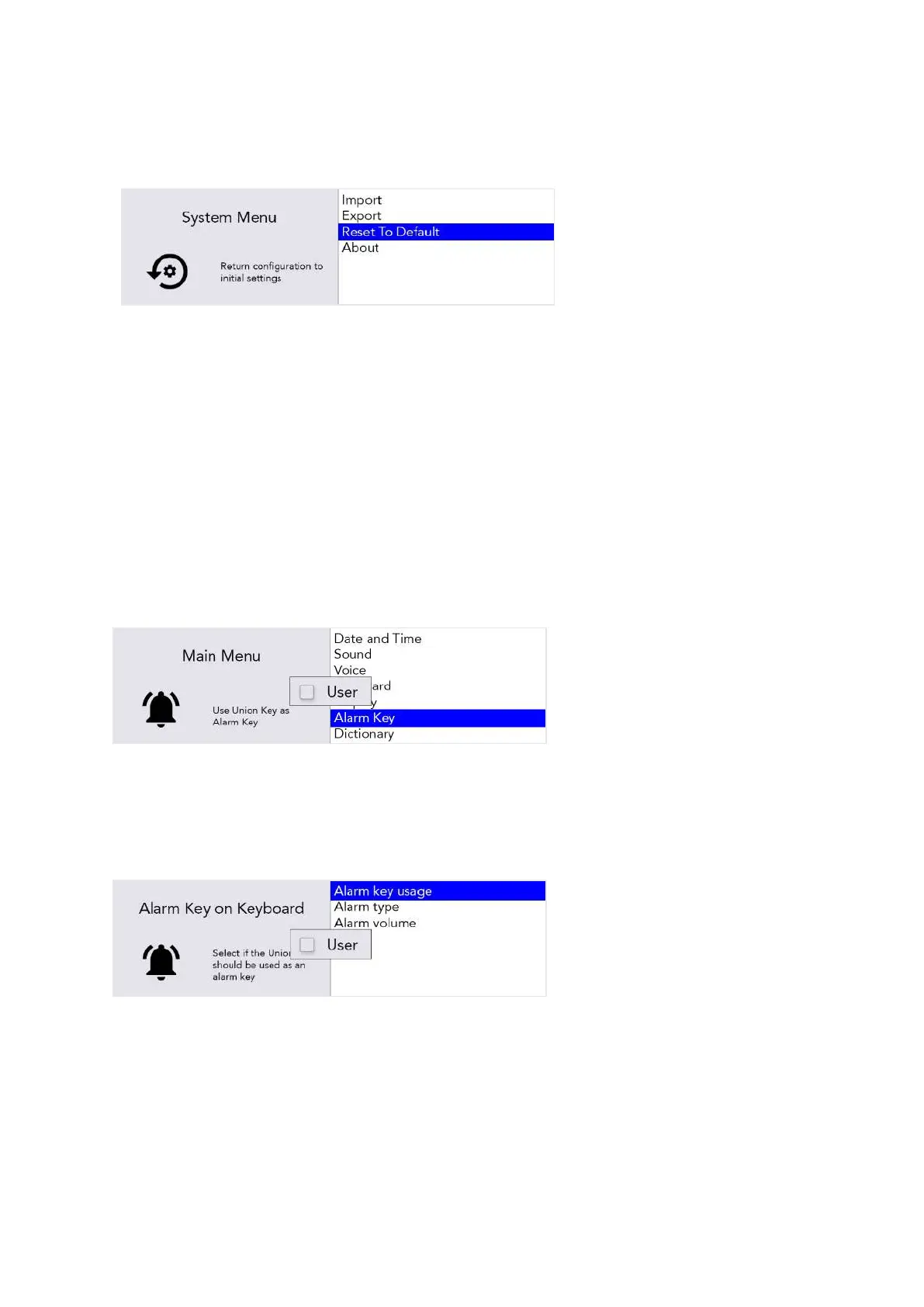
You can revert the entire machine to factory settings (Default) in: Shift-Menu > System > Reset To
Default.
Tip – You may want to back-up
some of your settings before
doing a full reset. See
Importing and Exporting
Data.
After resetting, you may need to set up your language, time and date settings (see Settings in
Detail).
Changing your menu layouts
If you would like to add or remove any menu items between the Advanced User Menu and the User
Menu, then it can be done easily:
For example, to add ‘Alarm Key’ settings to your User Menu, scroll down to Alarm Key in the
Advanced User Menu.
Press the letter ‘U’ on the keyboard once to make the ‘User’ box appear, and once again to tick the
box:
Alarm Key will now appear in the User Menu. However, you will need to repeat the process for any
submenu items you would like to copy into the User Menu.
For example, in the Advanced User Menu, highlight the submenu Alarm key usage. Press the letter
‘U’ on the keyboard once to make the ‘User’ box appear, and once again to tick the box:
www.sentient-healthcare.ie



 To Next Page