61
11. Radio remote control
Theradioremotecontrolhasbeendevelopedspeciallytocontrolthedoorlockactuator.Ittrans-
mitsthecontrolcommandsencodedwithancodechangeprocessandthusoffersaveryhigh
protectionagainstthetheftofthecode(”tapping”andsubsequenttransmissionoftheradiosignal
bypersonswithoutauthorisationforaccess).
Neitherisitpossibletomakeacopyoftheradioremotecontrolinthewaythatthisisveryeasily
possiblewithaconventionalkey.
Iftheradioremotecontrolislost,nonewcylinderlockoranewlockingsystemisnecessary.Itis
sufcienttodeletethelostradioremotecontrolfromthememoryofthedoorlockactuator.
+
Donotfailtoobservetheinstructionforhandlingthecodechangesysteminsection
”14Miscellaneous”.
Therstremotecontrolregisteredforthedoorlockactuatoristheso-called”Master”
remoteforwhichthestorageplace„1“hasbeenreserved.Youcanonlyprogramme
”normal”remotesorothercomponents(likee.g.theradiocontrolledkeyboardABUS
CFT1000)usingthis”Master”remotecontrolatalaterdate.
Thisspecialfeatureoftherstregisteredremotecontrolservestoincreasesecurity.
Nootherremotecontrolorothercomponents(likee.g.theradiocontrolledkeyboard
ABUSCFT1000)programmingprocedurecanbenamelycarriedoutonyour”CFA
1000”withoutthe“Master”remotecontrol,evenwhen,forexample,avisitormayknow
theprogrammingprocedureoffbyheart!
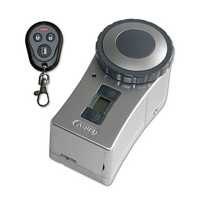
Thereisaradioremotecontrolwithinthescopeofdeliveryofthedoorlockactuator.Atotalofup
tonineradioremotecontrolsonthedoorlockactuatorcanberegistered.
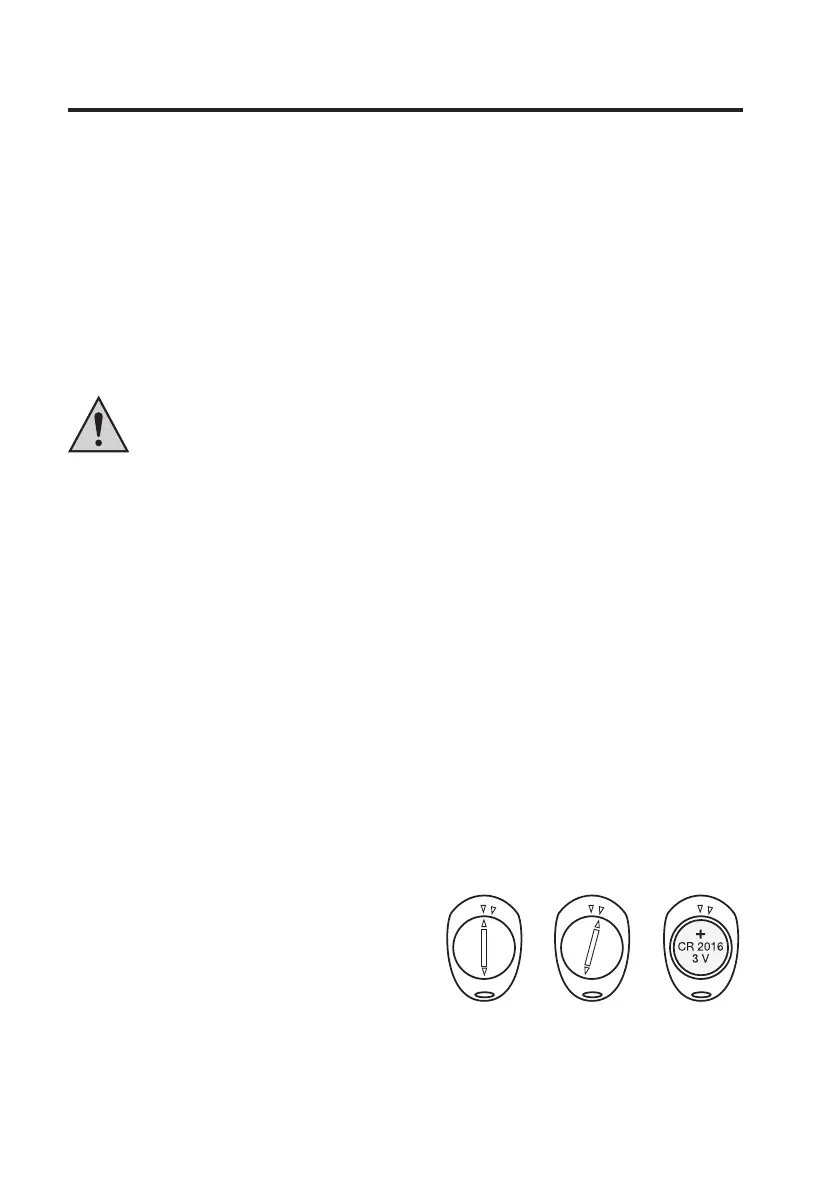
a) Inserting battery
• Openthebatterycompartmentonthebackoftheremotecontrolbypullingoffthecoverofthe
batterycompartmentlittletotherightintheclockwisedirection,e.g.,usingacoin.
• Removethecoverofthebatterycompartment.Insertabuttoncellofthetype”CR2016”with
thecorrectpolarity(thepluspoleofbatteryhastopointoutwards).
• Replacethebatterycompartmentcoverandlockitagainbyturningittotheleft(anticlockwise
direction).
1 Closed
2 Open,thecovercanberemoved
3 Batteryinserted(pluspointsoutwards)


 To Next Page