69
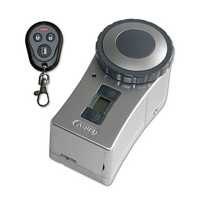
d) Replace Master remote control
Anotherremotecontrolcanofcoursebeprogrammedasthe”Master”remotecontrolshouldthe
”Master”remotecontrolbelostorbecomefaulty.
• Disassemblethedoorlockactuatorfromthedoor(removetwohexsocketheadscrewswith
theincludedAllenkeyandremovefromthefasteningelement).
• Pressthe„Unlocked“buttonforapprox.2seconds.
• „X”appearsonthedisplay,thesymbolsforradioreceptionand”Unlock”ash.
• Turnthehandwheelapprox.10revolutionstowards”Lock”.
• Storageplace”1”willbeshowninthedisplay(noselectionofanotherstorageplaceispossib-
le!).
• Pressadesiredkeyinthenew”Master”remotecontrolforapprox.1second.
• ”OK”isshowninthedisplay.
+
Please Note:
Ifthenew”Master”remotecontrolhasalreadybeenprogrammedtoanotherstorage
place,thiswillautomaticallybereleased/deleted.
• Nowcarryoutacompletelynewinitialisationofthedoorlockactuatorafterassemblingthe
actuatorasshowninchapter10.


 To Next Page