65
12. Operation
a) Locking
Therearetwopossiblewaysoflocking:
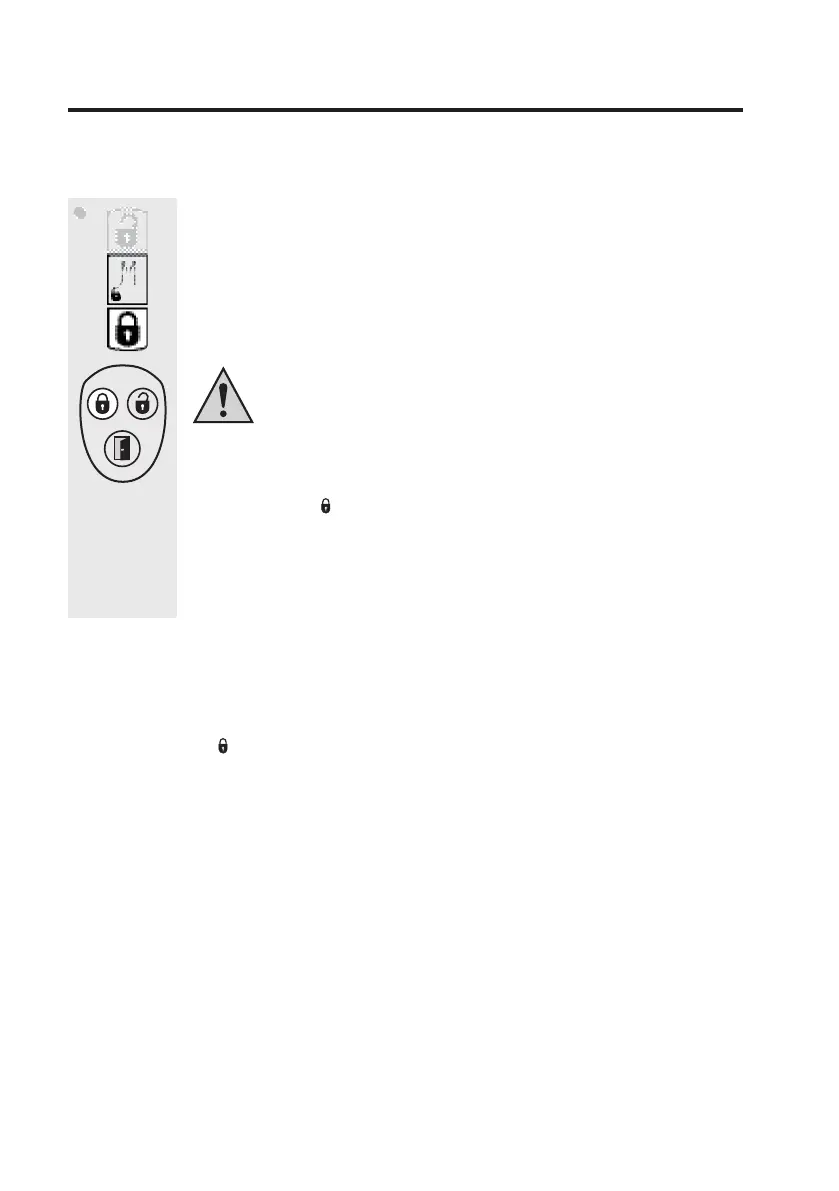
• Pressthebutton”Lock”ontheremotecontrol(lowerbutton).”M”isfadedin
tothedisplay.
• Pressthebutton”Lock”(leftupperbutton)ontheradioremotecontrolfor
aboutonesecond.Theradiotowersymbolappearsinthedisplaybrieyand
thememoryslotnumberoftheradioremotecontrolusedisfadedin.
Unintendedlockingandunlockingproceduresareavoidedwhere
possiblebypressingthekeyontheradioremotecontrolforalonger
time(i.e.bybrieypressingakeywhentransportingtheremotein
abagetc.)Thisisofcoursethecaseforall3keysontheremote
control.
Thelockingboltislaunchedintothepreviouslydeterminedlockingposition,the
symbol„Locked“( )appears.Alongeraudiosignalsoundsonthedoorlock
actuatoraftercompletingthisprocedure.
Ifthelockhasinthemeantimebeenturnedbyahandwheelontheinsideor
byakeyontheoutside,thentheactuatordoesnotmovetotheprogrammed
position ”Locked” for safety reasons, but it is turned towards „Locked” till it
reachesthestop.
+
Please Note:
Ajamminglockis,iftheneedmaybe,(afterpreviousmanualoperationsonthehand
wheelorwiththekey)recognisedas„Locked”totheendstop.Inthiscasethesymbol
„Locked“( )couldbeshownandtheacousticacknowledgementsignalsoundedout,
althoughthelockisnotcompletelylocked.
Youmaybeabletoovercomethejammingofthelockbyrepeatedlockingattempts
ifthisis justadisturbanceoccurringinnormaloperations(i.e.duetotemperature
inuences).


 To Next Page