58
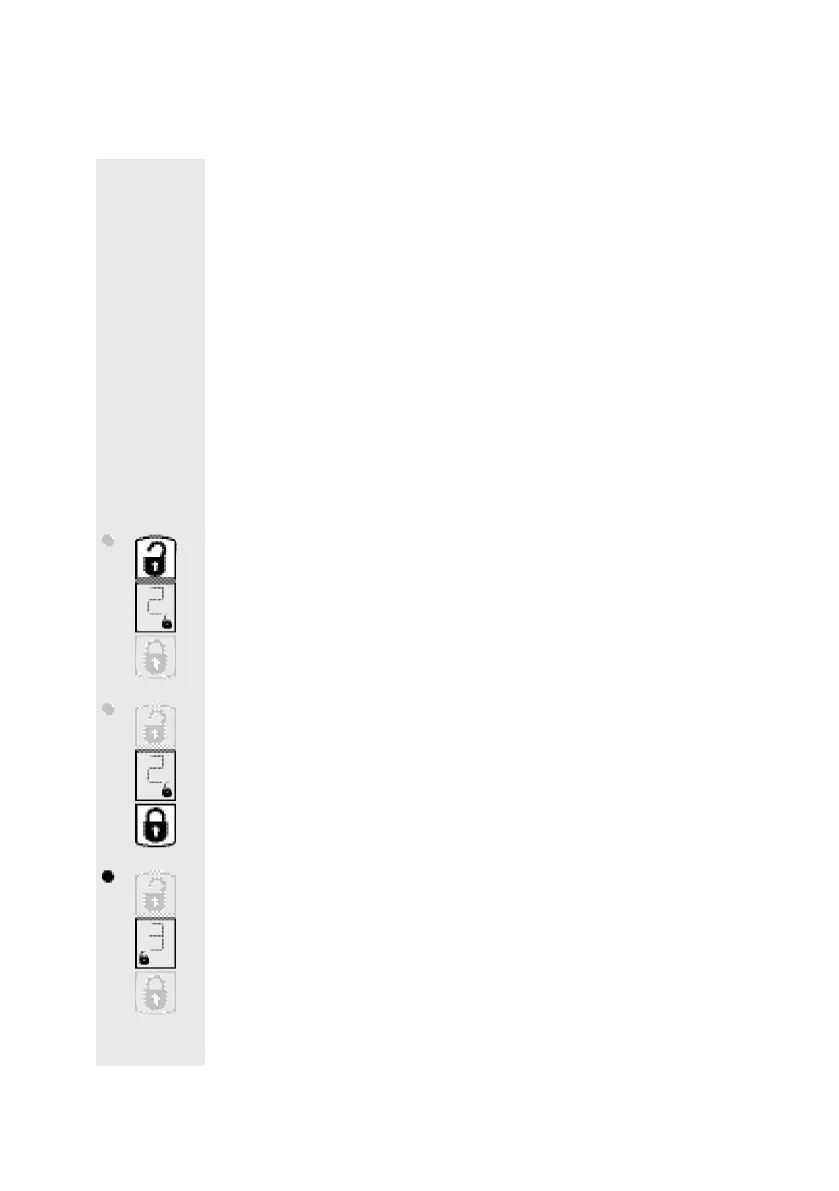
b) Select ”Unlocked” / ”Locked” position,
Select door catch hold time
• Waitfor the rst initialisation drive to nish.The actuator hits repeatedly
againstthestoptowards”Unlock”.Thedoorcatchshouldnowbecompletely
retracted.
• Theactuatormovestowardstheautomaticallyrecognisedpositionof“Un-
locked”attheendofthisprocedure.
Thissettingcanbeadjustedin90°stepsifnecessaryinordertoadjustthe
actuatortosuitindividualtasks.
1.Thesettingcanbefurthersettowards”Unlocked”forthepredominantuse
asadooropenerinordertominimisethetimerequiredforretractingthedoor
lockcatch.
2.Youcancontinuesettingittowards”Lock”foritspredominantuseoflocking
andunlockinginordertoreducethedistanceandthuslowerbatteryconsump-
tion.Thisissensibleon,forexample,doorsthathaveoutsidehandles.
Setting „Unlock“ position:
• Press„Unlock”buttonbriey;thedrivemoves90°respectivelytowards„Un-
lock“ (thismovementiscanberepeatedanumerousamountoftimes)
• Press„Lock”buttonbriey;thedrivemoves90°respectivelytowards„Lock“
(thismovementcanberepeatedanumerousamountoftimes)
• Pressthe„Setup”buttonbriey.„3“appearsinthedisplaytosignifymenu
item3(setting„Locked“).


 To Next Page