37
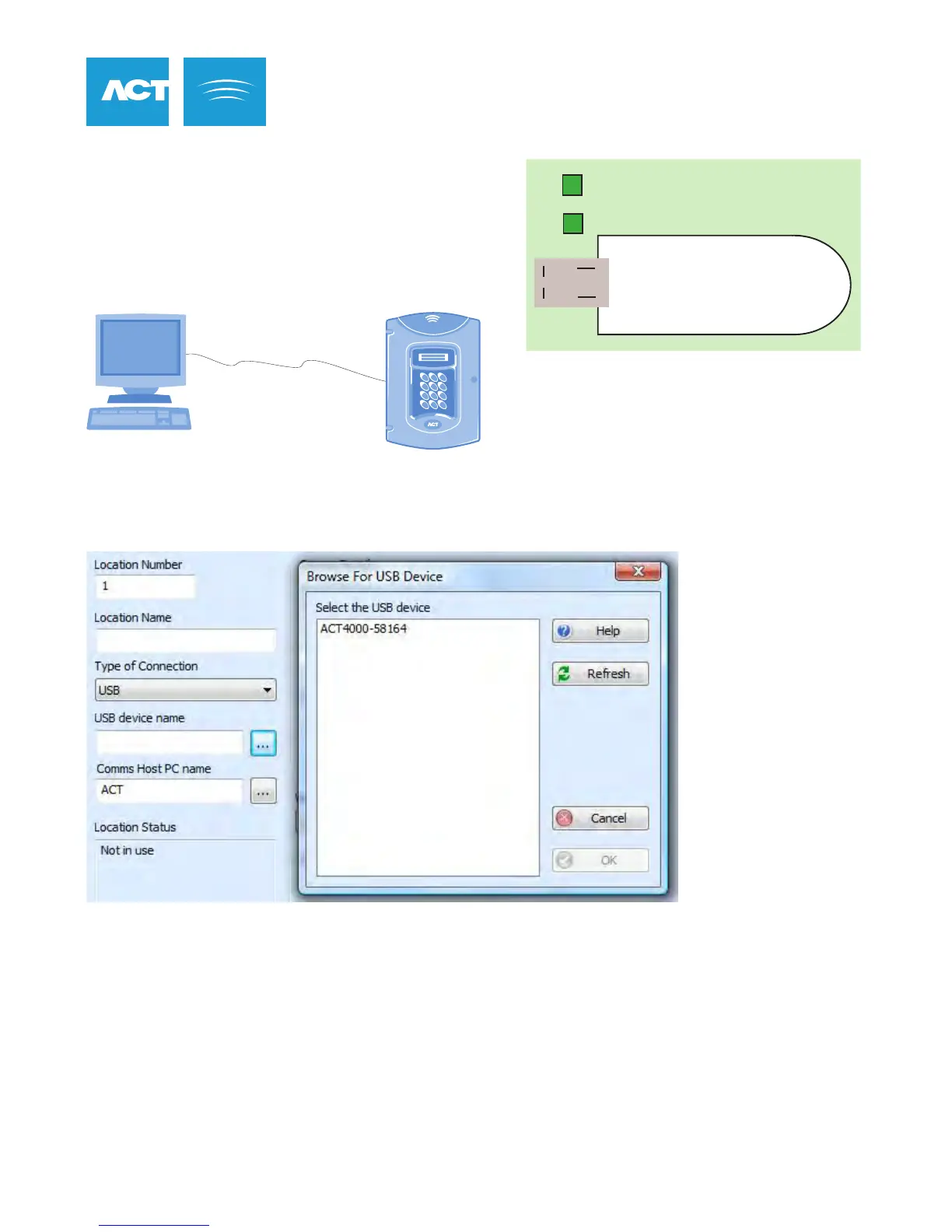
ACTpro 4000 USB Settings
ACTpro 4000 supports USB connection from a PC.
Connect the PC to the Mini USB connector at the
top of the pcb.
Both LEDs above the connector should be on.
1. From ACTWin, go to the Locations screen.
2. Click on Type of Connection and select the USB option.
3. Select the USB device that matches the ACTpro 4000 NetBIOS name. The NetBIOS name is printed on a
label on the ACTpro 4000. It can also be viewed from the TCP/IP menu from the keypad and display.
4. Click OK.
5. Set up a controller with this location.
6. You can now connect to the ACTpro 4000
USB Configuration
ACTpro 4000
ACTWin pro PC
ACTpro 4000
USB Cable
USB



 To Next Page