39
Autodiscover
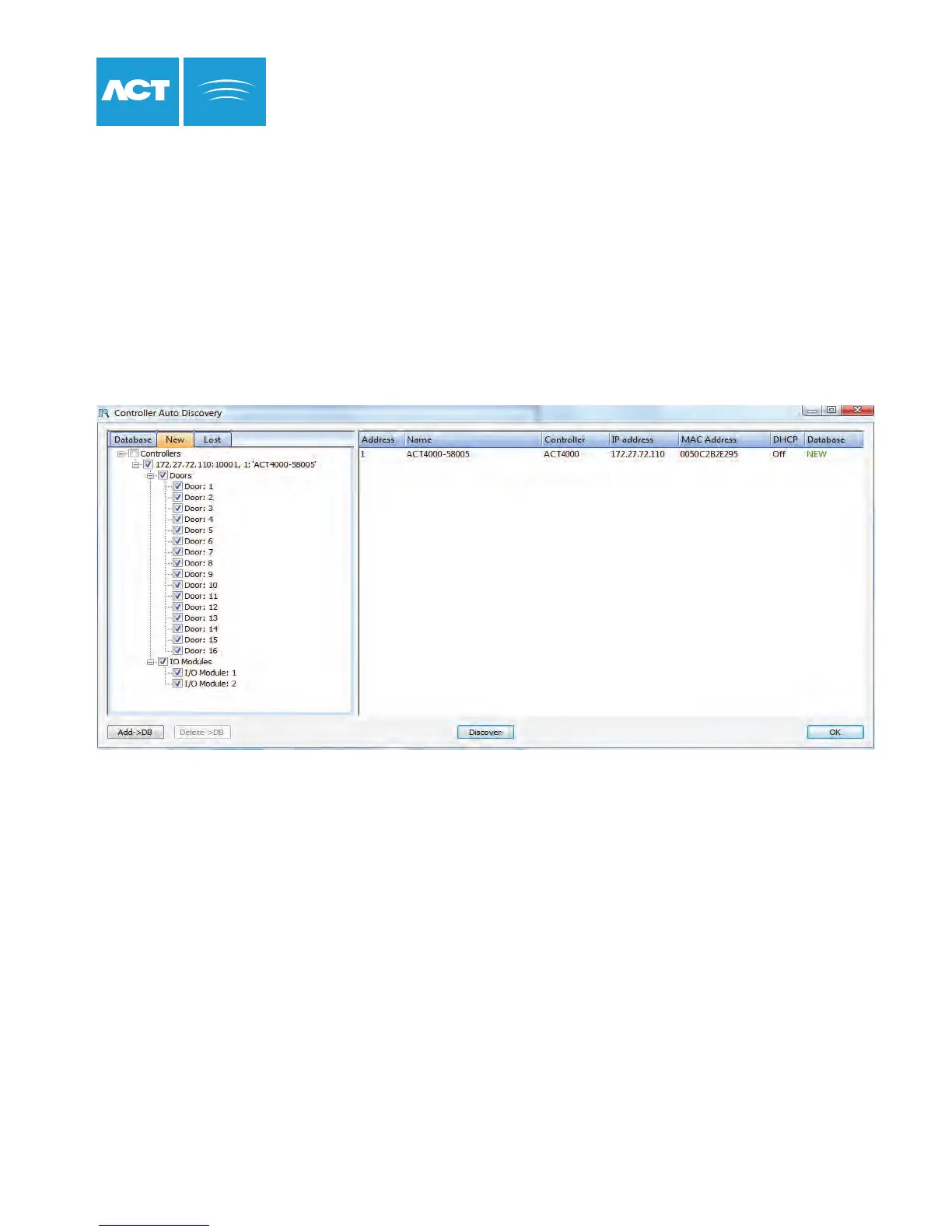
ACTpro 4000 supports the autodiscover function in ACTWin 2.8 and later. New ACTpro 4000 controllers on an IP
network may be found by ACTWin and automatically added to the database. Any doors or I/O modules may
be added also. Controllers and doors do not have to be added ‘by hand’, speeding up installation time.
For existing databases click on Database->AutoDiscover
For new databases, click on the AutoDiscover button from the wizard.
1. Click the Discover button. ACTWin will search for any ACTpro 4000s on the network.
2. Newly discovered controllers are shown under the New tab.
3. Click on the items to add.
4. Click on Add>DB button to add the devices to the database.



 To Next Page