SERIAL NETWORK
ENTRY/EXIT READER
OP1
TAMPER
MAINS
+12V
0V
N/C C
OP2
N/ON/C C N/O
SENSE
CLOCK
DATA
+5V
0V
RED
GREEN
5A 250VAC
5A 30VDC
5A 250VAC
5A 30VDC
IP3
IP2
IP1
0V
OP4
OP3
1 2 3 4 5 6 7 8
Address
On
Interlock Configuration
SERIAL NETWORK
ENTRY/EXIT READER
OP1
TAMPER
MAINS
+12V
0V
N/C C
OP2
N/ON/C C N/O
SENSE
CLOCK
DATA
+5V
0V
RED
GREEN
5A 250VAC
5A 30VDC
5A 250VAC
5A 30VDC
IP3
IP2
IP1
0V
OP4
OP3
1 2 3 4 5 6 7 8
N
Address
On
Fire Override Configuration
1A 250VAC
1A 30VDC
0V
DOOR
CONTACT
PUSH
BUTTON
AUX
INPUT
RELAY 1
N/C N/O
C
OP2
OP3
5A 250VAC
5A 30VDC
1A 250VAC
1A 30VDC
5A 250VAC
5A 30VDC
OUTPUTS 1 INPUTS
0V
DOOR
CONTACT
PUSH
BUTTON
AUX
INPUT
OP2
OP3
OUTPUTS 2 INPUTS
TAMPER
MAINS
PRESENT
+12V DC
AUX RLY 1
N/C N/O
C
RELAY 2
N/C N/O
C
AUX RLY 2
N/C N/O
C
- DC
FIRE
N/C N/O
C
FIRE ALARM PANEL
While the 0V signal is maintained
at the AUX input on Door 1, the
doors in the Fire Doors group
maintain normal operation.
When the 0V signal is removed,
the doors are opened, and remain
open until, the 0V is restored.
To set the Fire Doors group, go to
Installer Menu > System Settings >
Fire Doors.
From ACTWin pro, go to View >
Options > Doors and select a door
group for the Fire Override doors.
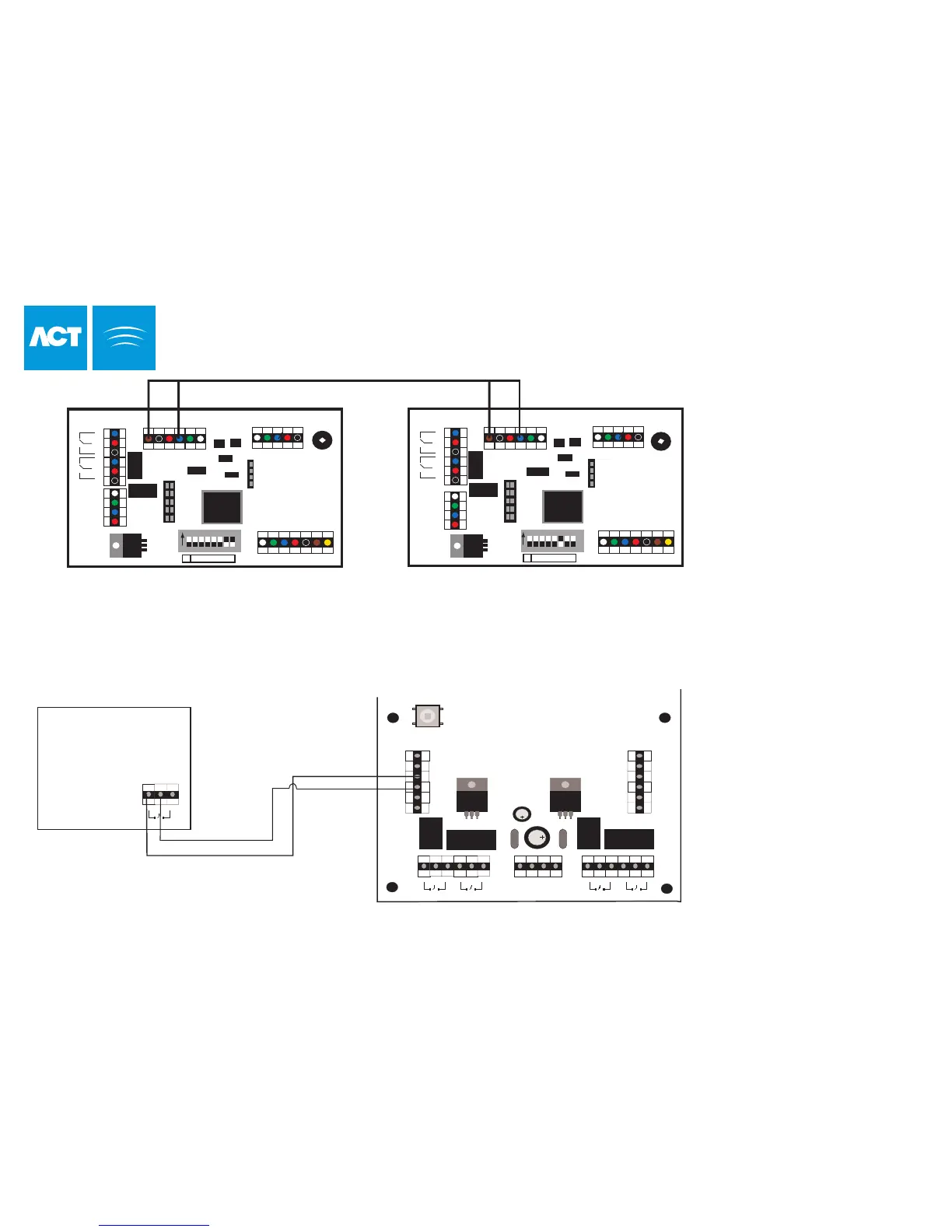
The diagram above shows how to interlock 2 doors. When Door 3 is open, Door 4 is locked and vice versa.
Remember to set Interlock for each door to Yes (See Installer Menu > Door Settings > Operation).
To Interlock more doors, simply continue linking OP3 and AUX for each new door, as above.
Door 3
Door 4
When Interlock is enabled on a door,
the door is locked when the AUX
input is active. When the door is
open, OP3 is active.
41
ACTpro 3000
N
OP1 = Main Relay
OP2 = Aux Relay
IP1 = Aux Input
IP2 = Door Contact
IP3 = Push Button



 To Next Page