ENGLISH
PSPIX² • User manual
7
Stage 3: Deleting the image data
• After reading, the IP passes through the delete module, where the image data is deleted.
• It then falls into the IP receptacle (3) of the PSPIX system and can be directly used for a new X-ray image.
• The PSPIX system is now ready to read the next IP.
Stage 4: Additional X-rays
• If the IPs are not reused immediately they must be stored in the storage box, kept away from exposure
to ambient light.
The IPs must not be exposed to sunlight, UV rays or X-rays outside their period of acquisition.
When used correctly the IPs are reusable hundreds or even thousands of times. Before every new use it
is important to check that the IP is not scratched or damaged. Never use IPs that are damaged, creased,
modifi ed and/or discolored.
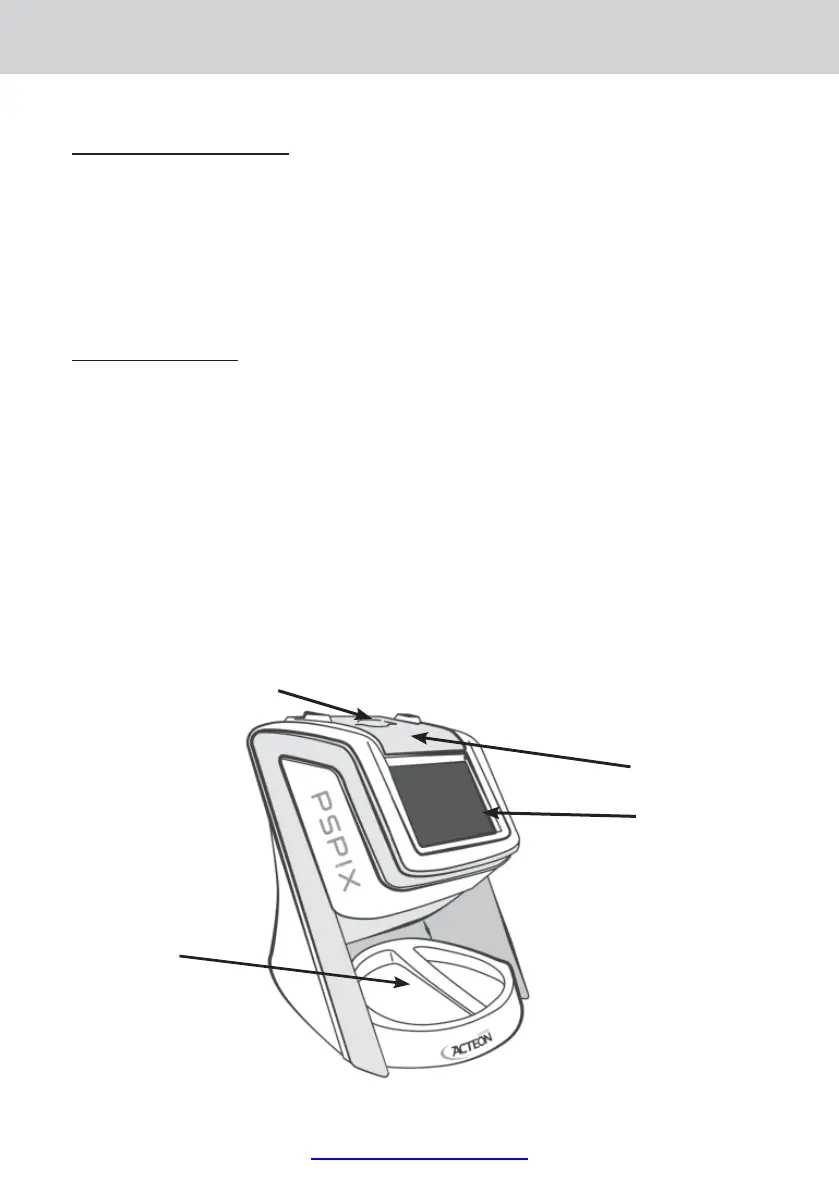
2.4 MAIN COMPONENTS
IP insertion slot (1)
IP insertion slot (1)
IP insertion part (4)
Touch screen (2)
IP receptacle (3)
Front















 To Next Page