NVR 3.0 User’s Manual
10
Log in to the System
There are two types of clients in NVR 3.0 system: Web Client and Workstation Client.
Both clients will enjoy the same user interface and functions. A web client can access NVR 3.0
system via the Windows default browser: Internet Explorer; while a workstation client
requires the NVR3 Worksation pre-installed on the computer. This section will include the said
methods to access your NVR 3.0 system.
Access via Internet Explorer Browser
The computer where NVR server is installed is called Server Computer. You may access the
server directly via Internet Explorer or NVR3Workstation on any other client computer.
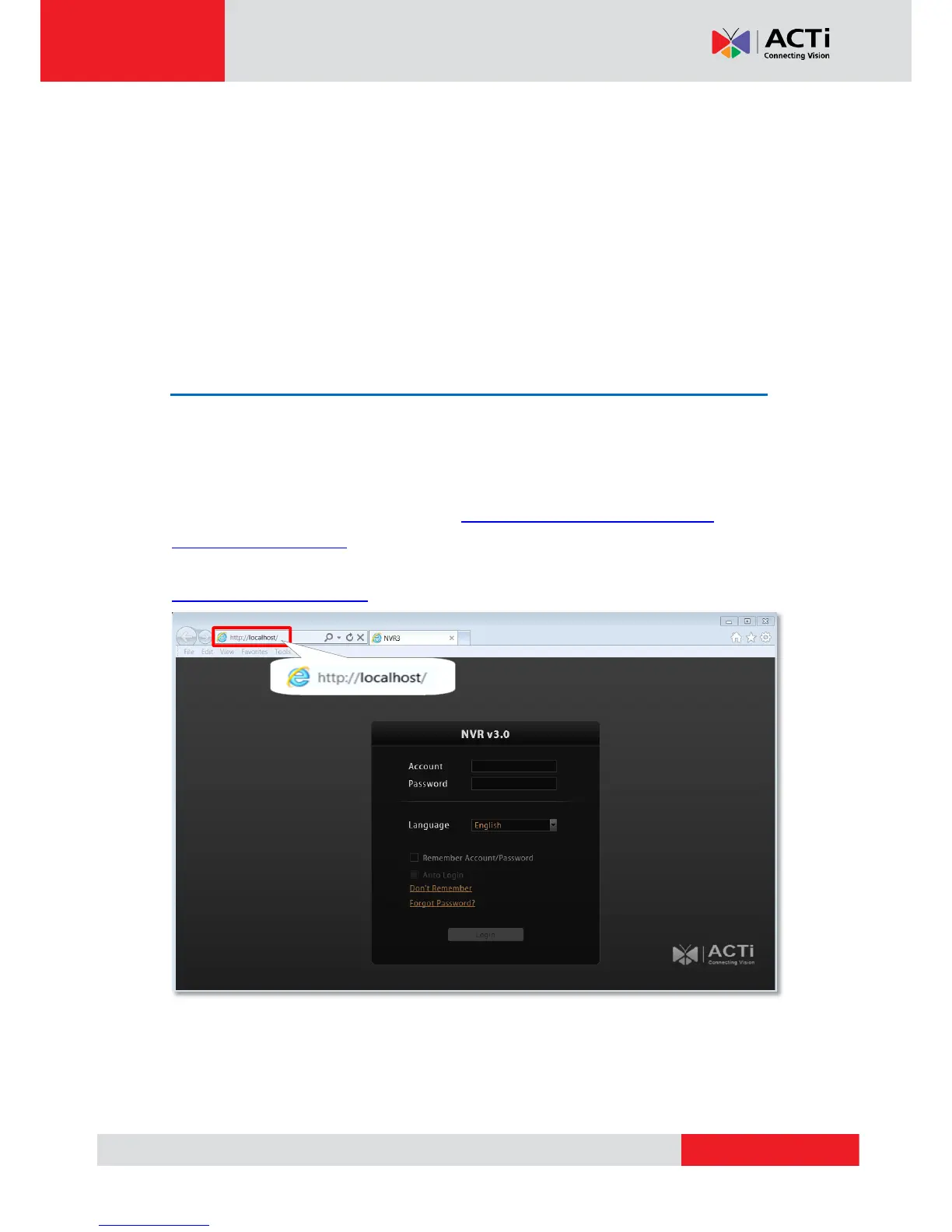
Please open your browser, in URL box, type http://server ip address:port number, e.g.
http://220.228.146.22:8888 (generally, the port number is 80 and can be ignored in the URL).
If your computer is exactly where the NVR server is installed, you may simply type
http://localhost:port number.



 To Next Page