NVR 3.0 User’s Manual
24
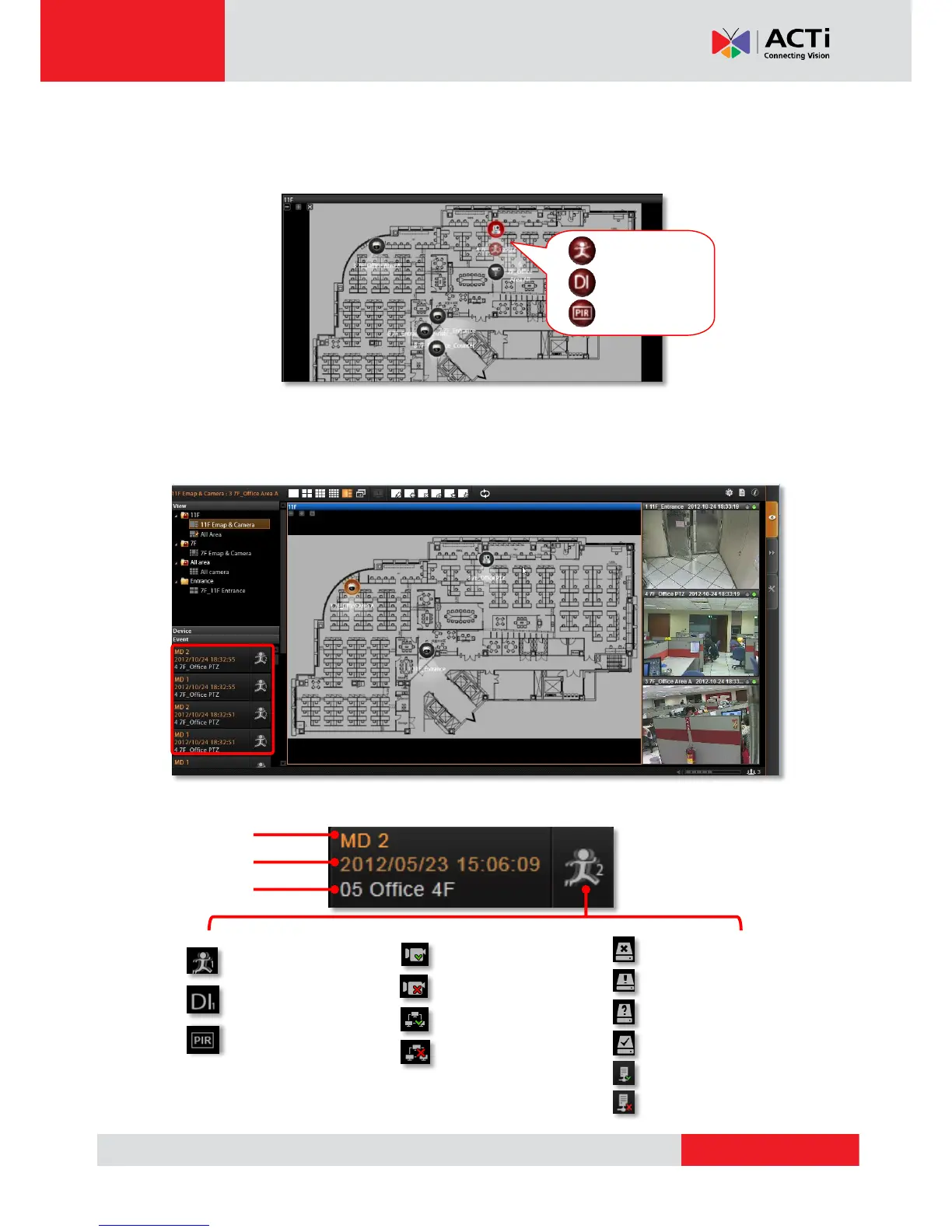
On a map channel, if a device is triggered by events such as video motion, PIR motion or
digital input device, an event icon will blibk besided the device icon for a few seconds.
Click on the device icon to see mini live view window on the map.
Event Panel
It is important to check out the messages pushed into Event panel all the time. These
messages are arranged in a reverse-time order (newest on top, oldest on bottom).
The messages notify you of the following device or system status:



 To Next Page