NVR 3.0 User’s Manual
43
View Search Results
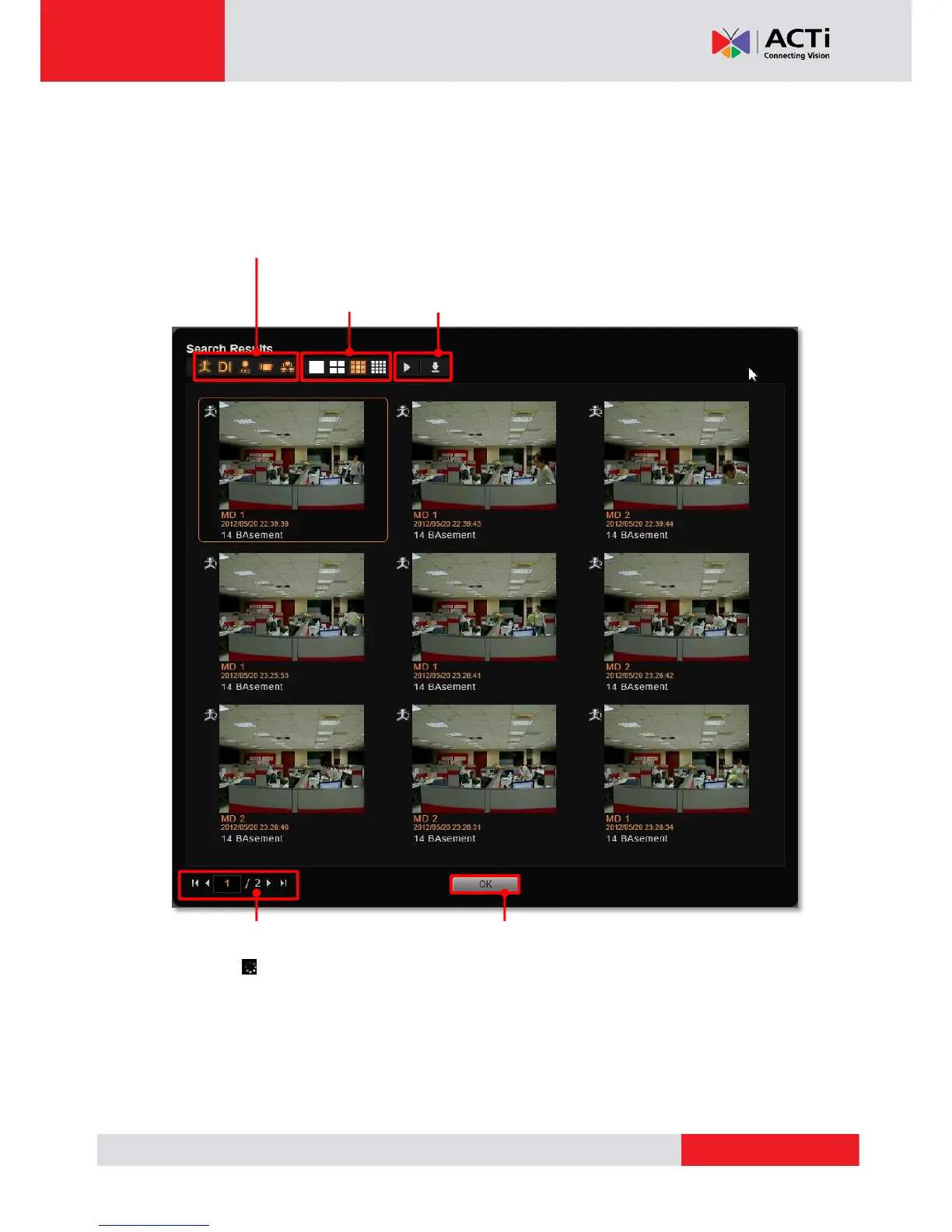
The search results will then start being generated in thumbnails in Search Result window.
However, it might take a few seconds if a large number of results are found. The thumbnails
are listed in sequential order, left-to-right and top-to-bottom.
Your last performed search result will be kept in the Search panel on the left screen. You may
focus on specific result view while watching the playback in the mean time.
Choose different
thumbnail layout
Do advanced sorting by enabling
different event type filters.
Focus on certain view, and then you may play this
recording or download this snapshot.
Click to return to Playback screen.
The page number will keep increasing
until all the results are found.
This icon will show to display that
searching is still in process.



 To Next Page