NVR 3.0 User’s Manual
29
Trigger Digital-out Device
If a camera is connected with a digital-out device such as a door contact or an alarm, you may
trigger it via NVR server on Live View screen. Do either of the following:
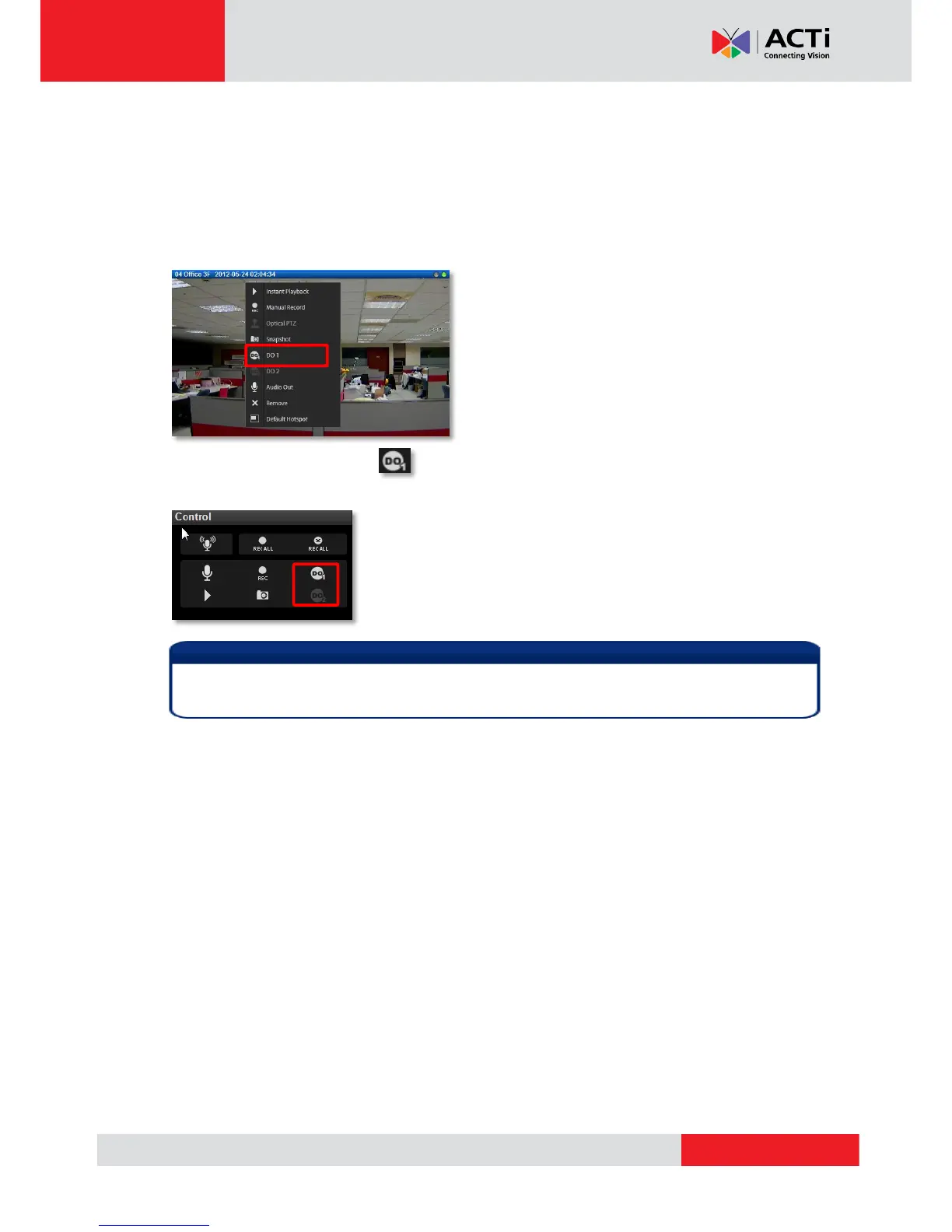
On the channel, right-click to bring up the quick menu, the DO icon will appear available if the
corresponding DO device is connected. Click “DO” to trigger it, click again to stop triggering.
As a channel is focused, click on Live view Control panel, click again to stop
triggering.
Trigger DO and sending audio to a specific device are only available on a single camera
channel. On a map channel, you may do “Audio Broadcast” to all devices in this view.



 To Next Page