NVR 3.0 User’s Manual
27
Live View Operations
Aside from pure watching, there are more benefits provided by NVR server to accomplish
more tasks. For example, you may make use of the audio function to commutate with people
on camera side, look into more details with PTZ devices, or navigate the whole scene on the
maps.
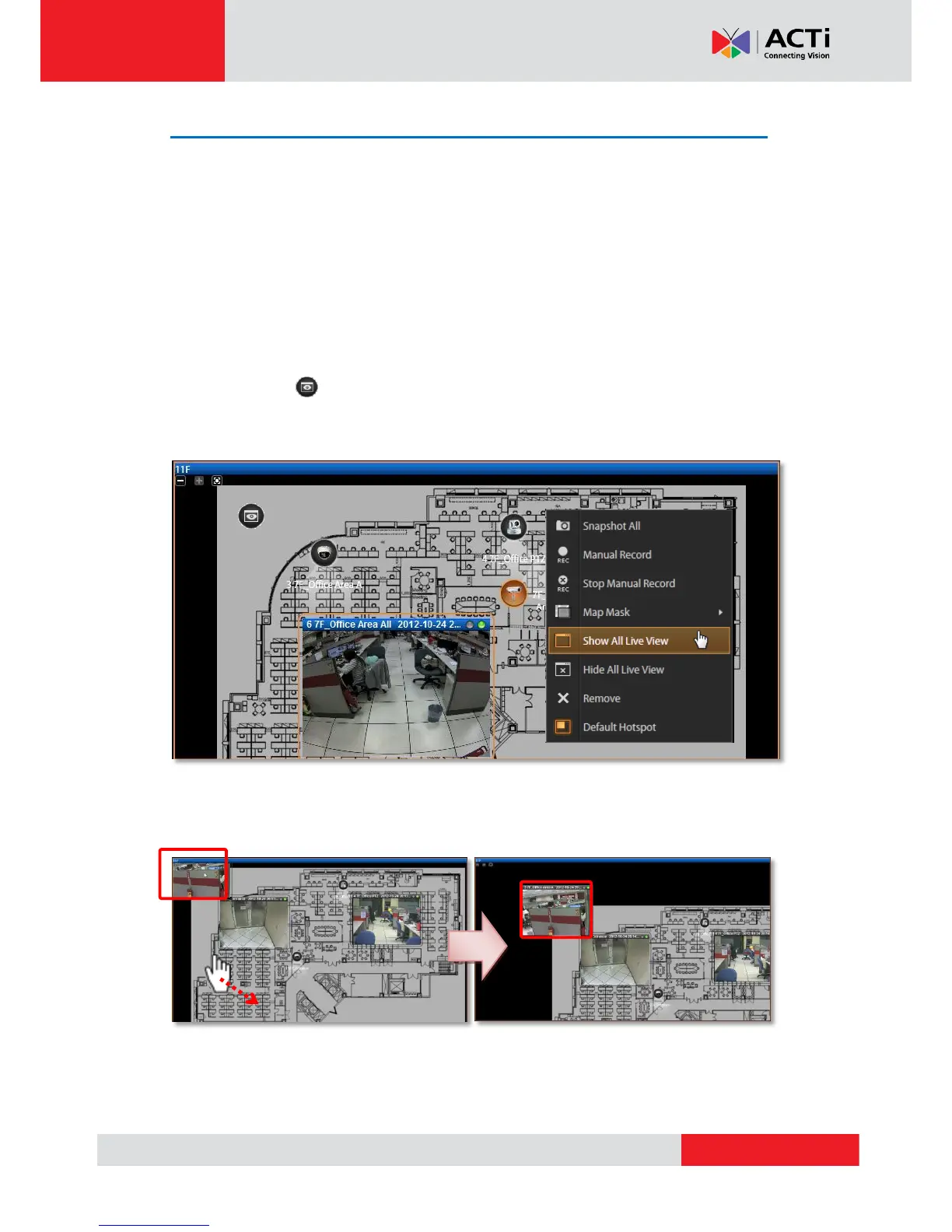
Show Mini Live View Windows on a Map
You may open mini live view windows of all devices on a map channel to get an overview of
what is happing on this map.
Click on the icon to enter another linked map.
Double-click on a device icon to open its live view window.
On the map channel, right-click and select “Show All Live View”.
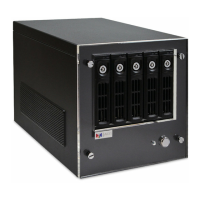
If certain mini windows appear out of view, you can drag on anywhere on the map to move the
image until the window reveals.



 To Next Page