NVR 3.0 User’s Manual
22
Enable View Patrol
You may have the saved Views patrol in turns. In this way, the views in different areas in your
site may cycle through themselves for you automatically.
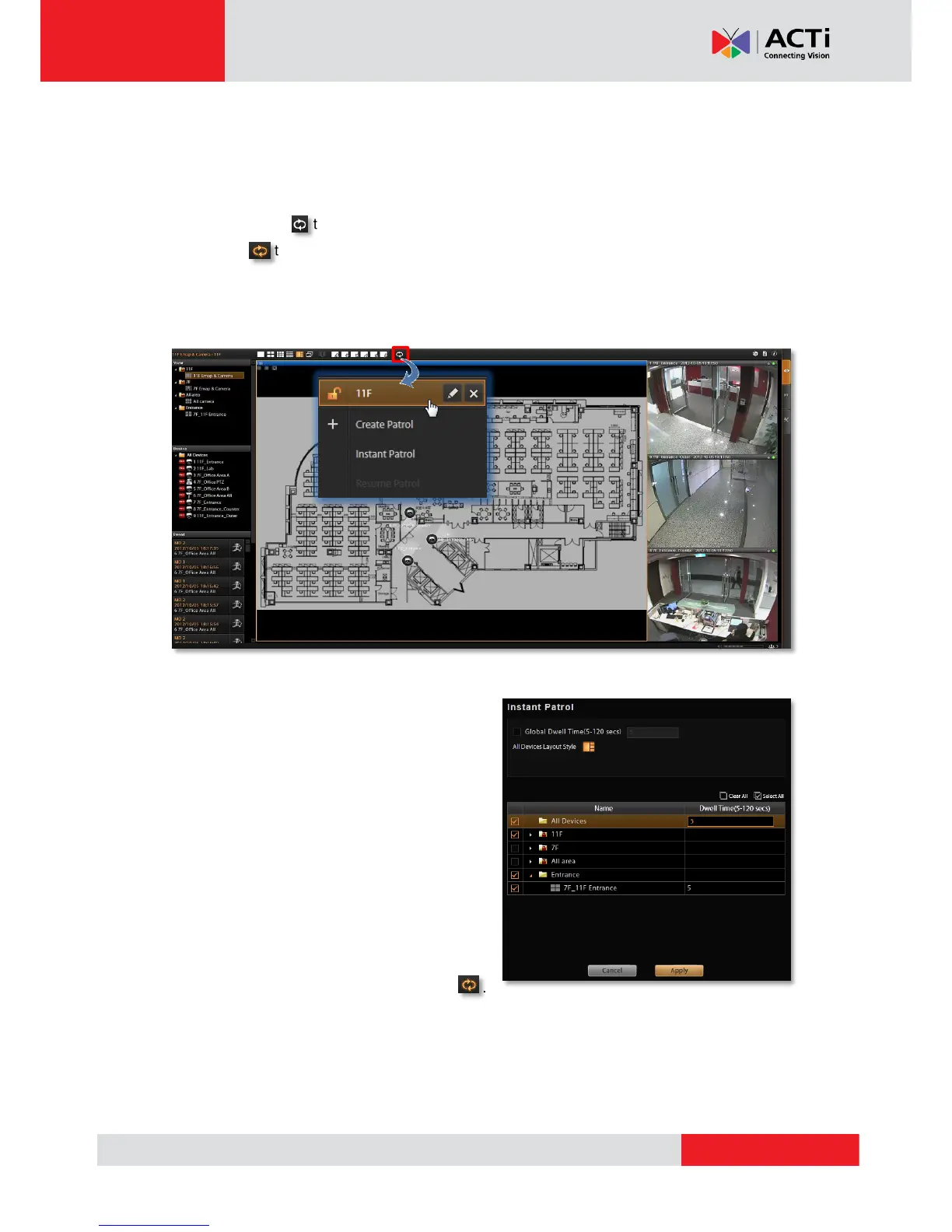
On title bar, click to select a saved patrol. As patrolling is running on Live View is doing
patrol, click to stop.
You may create an Instant Patrol, which will only temporarily take effect during your current
login.
To configure the instant patrol, please:
1. Define the Global Dwell Time between the
views. If you want to set different dwell time
length for individual Views, do not check this
option, and configure them separately in
below table.
2. Choose the Views to display in patrol. If you
select the All Device group, you will also
need to select “All Device Layout Style” for
it.
3. Click “Apply” to save the settings. This patrol
will instantly start running until you click .



 To Next Page