NVR 3.0 User’s Manual
35
Playback
NVR Playback is the NVR module that processes recorded clips, where you may search,
playback and export video. Multiple channels can be played synchronizedly, and video clips
may also be exported in either RAW or AVI formats.
Playback UI Introduction
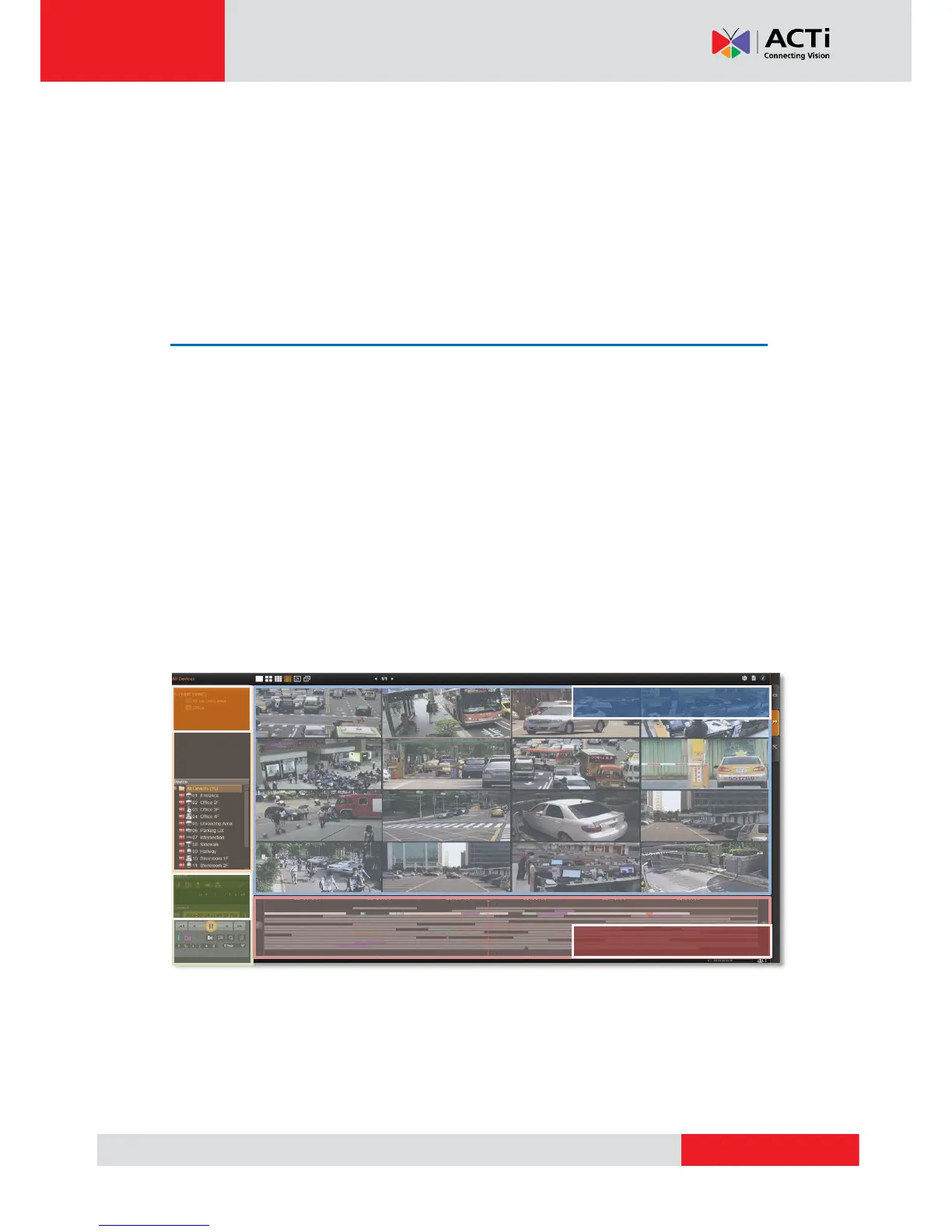
Playback screen consists of four function areas: Video Source, Playback Display, Time Bar
and Search Panel.
Video Source Area: Provides both saved Views and Device Tree, you may drag a view or
device to Playback Display Area to view the recordings.
Playback Display Area: You may have multiple-channel synchronized playback in this area
Time Bar Area: The time bar of the video source in Playback Display Area will be shown
here. You may drag on the time bar back and forth to your desired time spot.
Search Tool Area: The Search results and Control panels are shown here. You may find
the playback controls, search tool and export options in Control panel. The Search results
will display your search results in thumbnails; with the help of event filter and pagination, it is
easier for you to find the target moment.



 To Next Page