NVR 3.0 User’s Manual
42
Search by Filter
If you are clear about (1) When (2) as which event type (3) Where the incident happened, you
will not need to drag on time bar all the way to the spot. The search filter can sort out the video
clips that match your criteria.
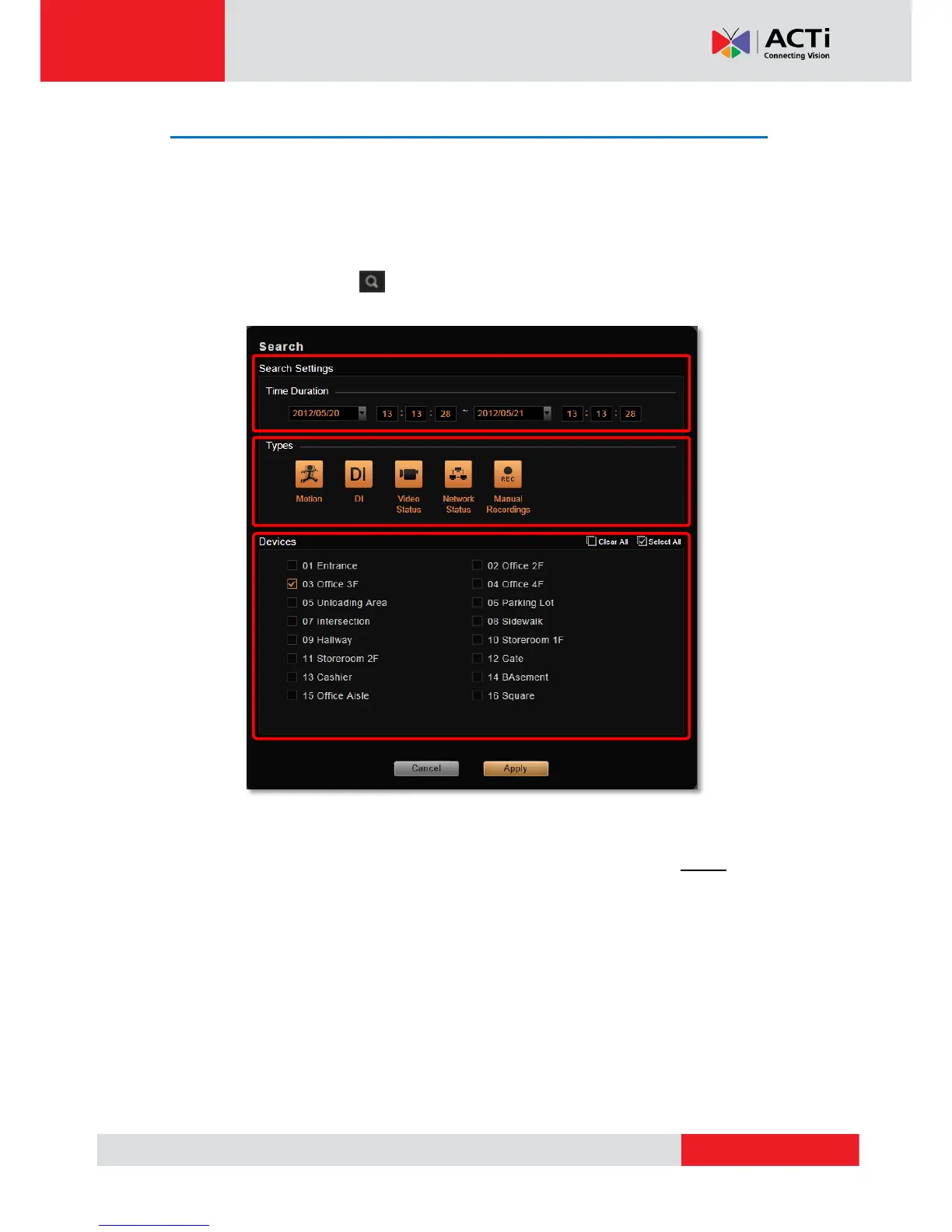
1. On Control panel, click to bring up the Search filter settings window.
2. Set the criteria.
Set Time Duration:
Put the start date/time and the end date/time, the maximum duration is 3 days.
Set Event Types:
Click on the event type buttons to highlight, only the selected event types will displayed
in results.
Set Device Types:
Click on the device names to select.
3. Click “Apply” to start searching.



 To Next Page