EasyManua.ls Logo

ActiveEye K9504L-W - Page 18

Default Icon
35 pages
Print Icon
To Next Page IconTo Next Page
To Previous Page IconTo Previous Page
Loading...
Net Video Recorder Instructions
17
Name
Description
SMTP Server
Email server address. It could be an IP address or domain name.
Port
25 (Most of then are 25, please check from your mail server)
Username
Your full Email address
Password
Your Email password
Encryption Type
Choose SSL.(Default setting is none, if you click the 'test' failure,
please change to SSL)
Sender
Your full Email address
Sendee 1
The full mail address which you want to receive the alarm
Sendee 2
The full mail address which you want to receive the alarm
Subject
The alarm subject
Interval
Time interval for receiving mail.
Health Mail
Interval
Time interval for sent mail when the machine is running.
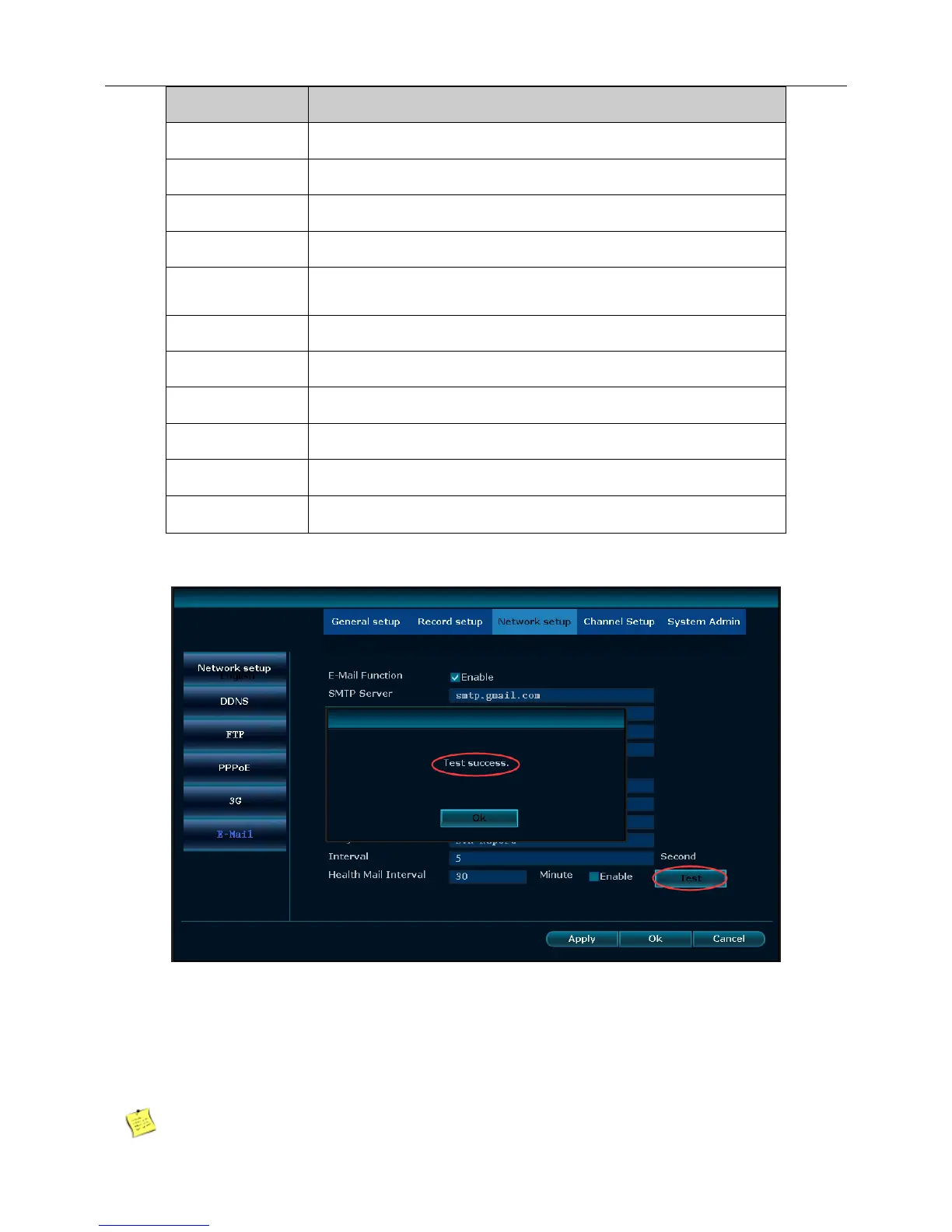
4The above settings are completed, click on the “Test”, the display is successful, as shown below:
If the E-Mail test doesn’t work properly or prompt “test time out”, please make sure that the
SMTP service is enabled on the mailbox. Some mailbox servers default setting closed the
notification for SMTP service for security problem,you have to enable this setting so that the recorder
can send the notification to your email via the SMTP server. (some mailbox servers will request you
create a new password for this setting, you need to use this password for the email function)