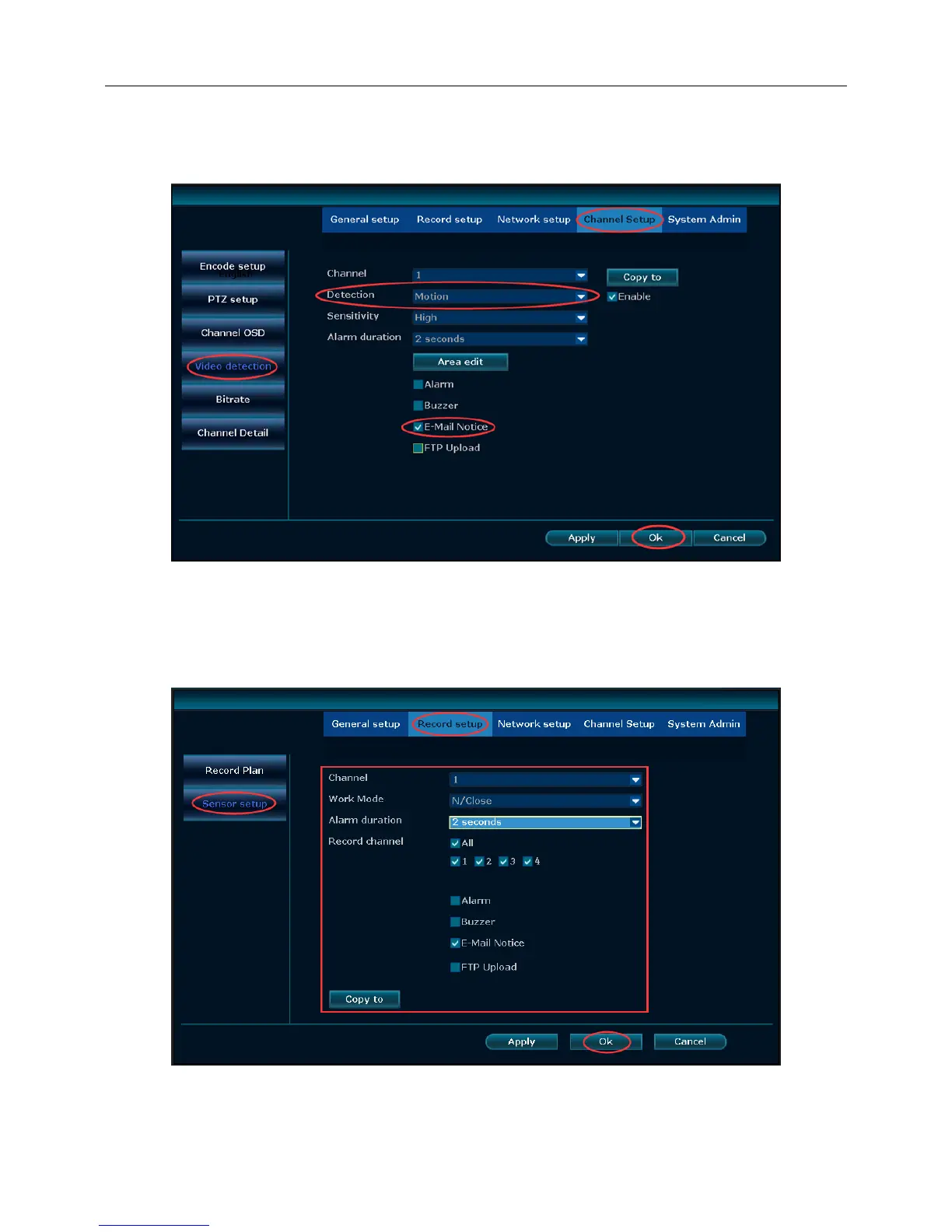
After E-Mail setup and test,you also need to set up in the alarm and the video detection.
Select "Motion Detection", "Video Loss" or "Video Mask", check "E-Mail Notice", and click on "E-Mail" to
select the type of detection you want to perform E-Mail triggering. OK, as shown below:
Alarm detection Trigger E-Mail, the main interface right-click "System Settings" -> "Video Settings" ->
"Alarm Settings" for "channel", "working mode", "alarm", "video channel" , Check "E-Mail notification", click
"OK",
as shown below:
After you have completed the setup, you can receive the message in the mailbox when there is event.



 To Next Page