109
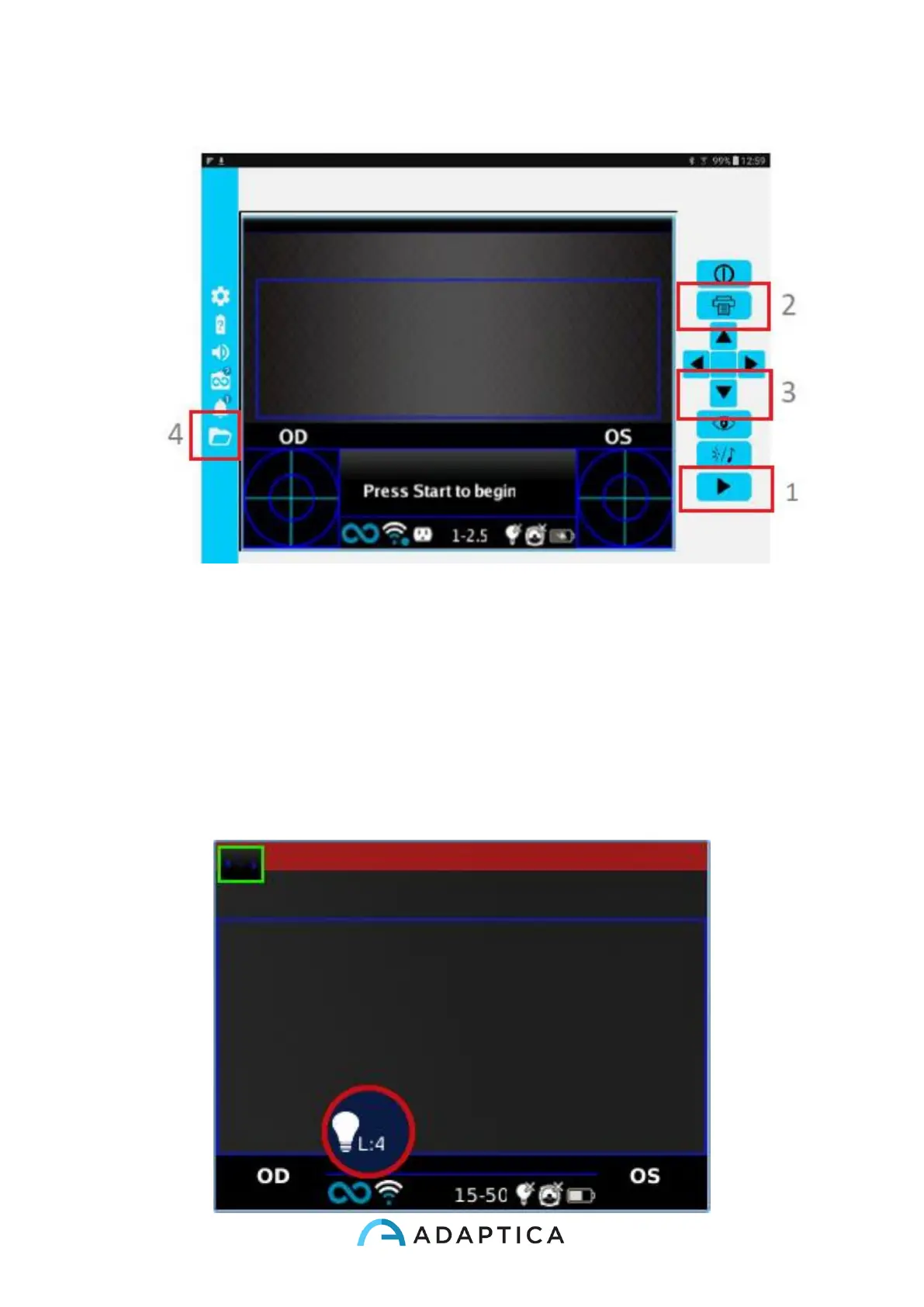
4. The report is saved in the EXAM folder. Open the folder tapping on the folder icon.
Live Mode Function
When used in KALEIDOS mode, the BUTTON D (see Paragraph 8.6 - Interfaces) has a
different function: short pressing BUTTON D a live mode visualization starts and it is possi-
ble to see the live of the video, looking at the pupils. You can adjust the pupils size dimension
with CROSS BUTTON up/down arrows, modifying the 2WIN’s white LED intensity. A bubble
with an intensity level appears on the display.



 To Next Page