136
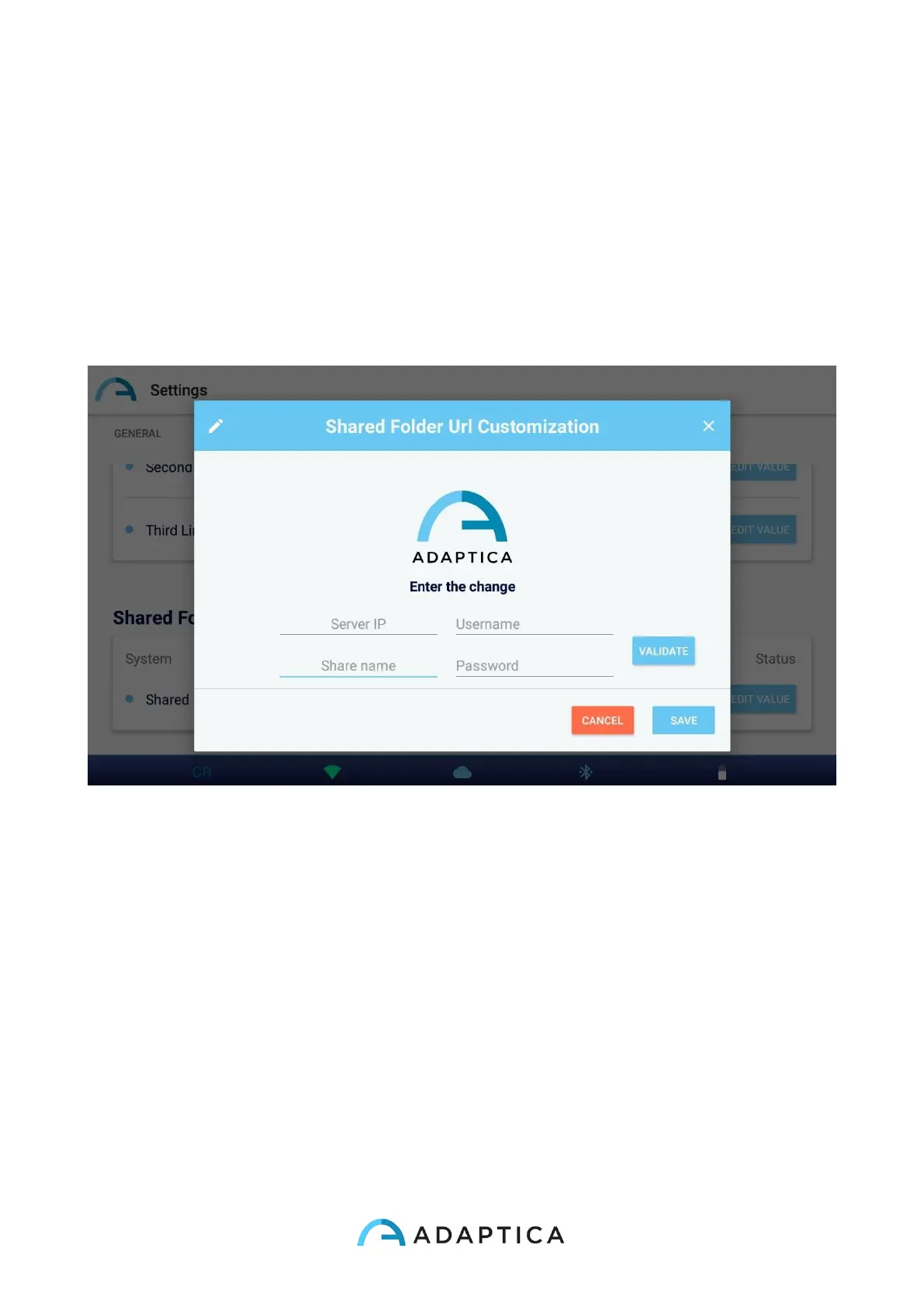
4. In the Shared Folder section, set the following values:
o Server IP: the EMR system PC’s IP address
o Share name: the name of the Shared Folder to be paired to the current
2WIN-S
o Username: a network user having read/write permissions on the Shared
Folder
o Password: the password for the selected user.
Pressing VALIDATE button you can check if the inserted data are correct.
Pressing SAVE button you will confirm the Shared Folder configuration.
5. Setup your EMR system so that it generates a CSV input file in the Shared Folder,
containing the selected patient’s data. Please refer to Appendix C of this Operator
Manual for the CSV input file specifications.
6. Setup your EMR system so that it accepts data from the CSV output file created by
KALEIDOS App after the measurement. Please refer to Appendix C of this Operator
Manual for the CSV output file specifications.
Once the EMR connection setup is completed, follow these steps to start a measurement:
1. Select a patient in your EMR system. The CSV input file is automatically created in
the Shared Folder.



 To Next Page