153
2. Press and hold BUTTON S1 or S2, in order to start the measurement.
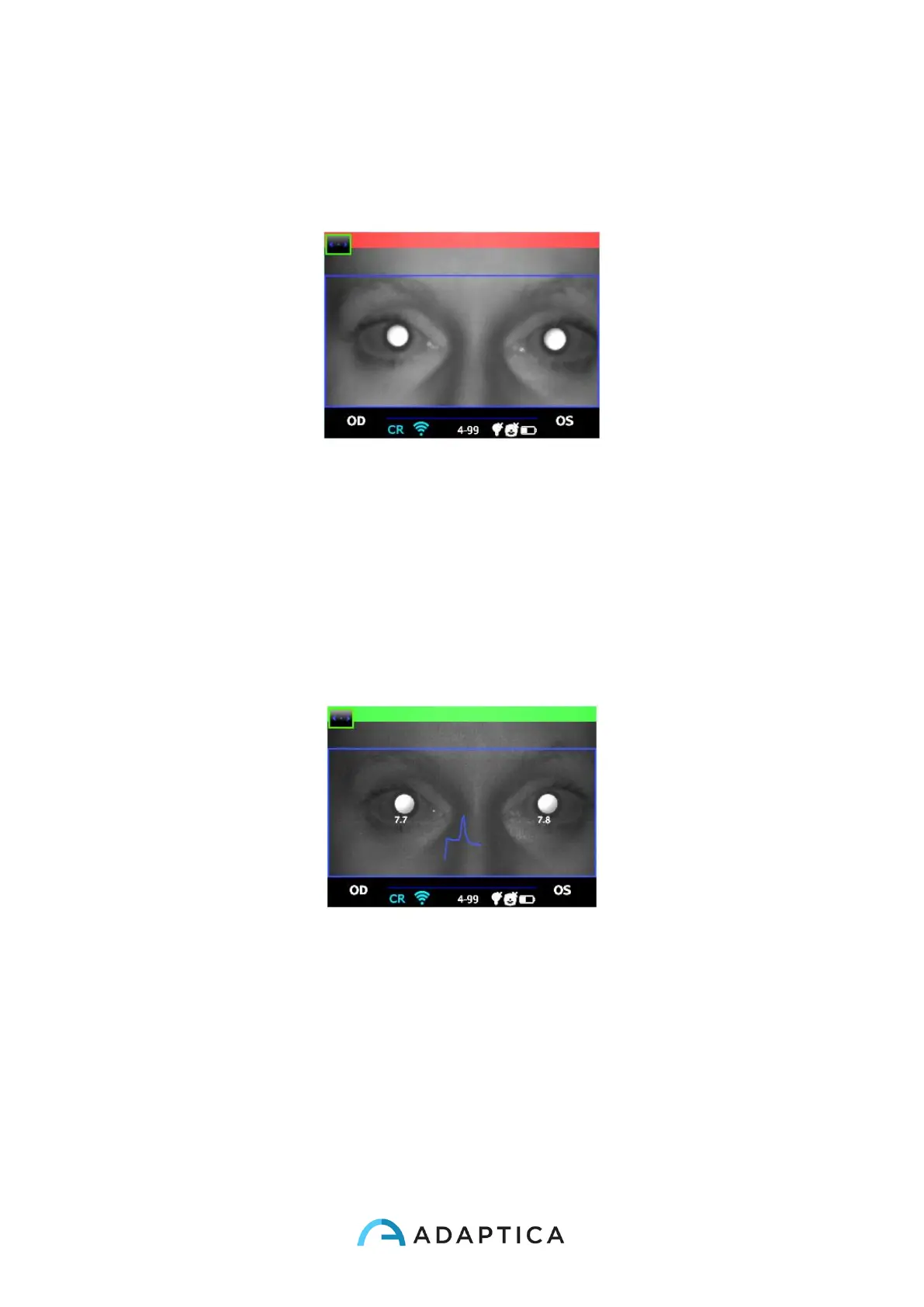
3. Center the eye/s of the patient in the display live area, inside the blue rectangle
(measurement area) – the message “FOCUSING” will appear.
Examination screen – bad focus
4. Adjust the distance to focus the image until the top bar is green (for details on screen
tips also see: Verify the position of the subject in 2WIN Operator Manual).
5. When the top bar is STEADILY green release the BUTTON S1/S2 – the message
"MEASURING" " will appear. PLEASE hold the 2WIN position until the message
DATA PROCESSING appears on the display.
Examination screen, top bar green - focus OK



 To Next Page