155
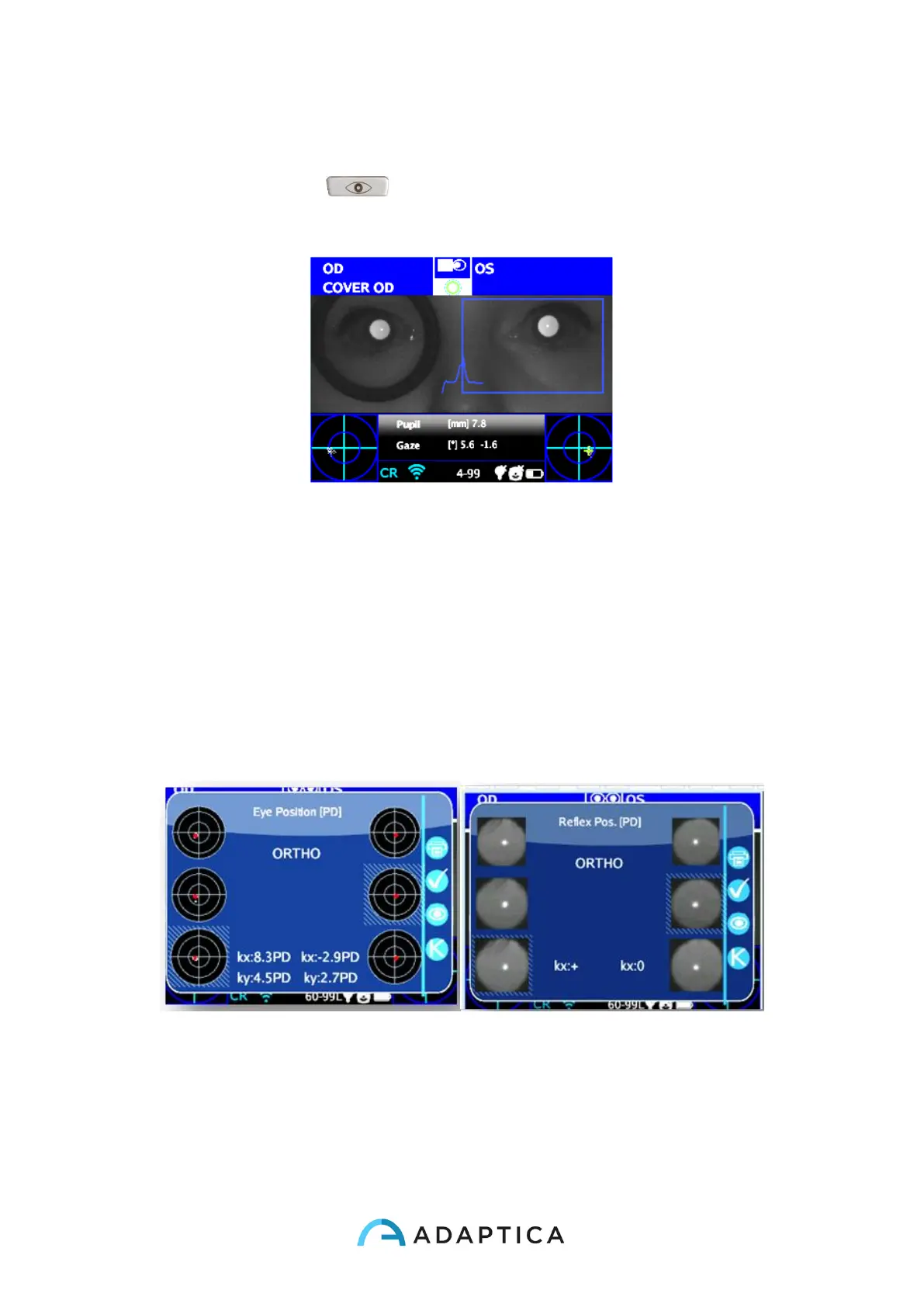
Cover OD
8. Repeat the steps 1 to 6 to get the measurement.
9. Click the BUTTON C ( ) and repeat the procedure on the other eye, moving
the eye occluder onto the contralateral eye.
Cover OS
10. Repeat the steps 1 to 6 to get the measurement.
Exam Results from ‘Corneal Reflexes’ App
Once completed the test, auxiliary window for the corneal reflexes analysis is opened
automatically (Menu > Functions > 2WIN Applications > Corneal Reflexes > Options > Show
at End).
This is an example of exam results of Reflex Symmetry Application:
There are 2 columns with 3 circles, on the left and right side, related to the left and the right
eye information.
The circles on the columns display the position of the corneal reflex with respect to the
pupillary geometrical center. The size of the circle is proportional to the pupil size.



 To Next Page