165
NOTE: in the case T value is missing in the configuration file, then the standard mode will
be used by the 2WIN. On the other hand if any of the other numerical values (P,A,B,C,D)
are missed in the configuration file (or written in the wrong format), then 2WIN will use the
calibration mode with a default sequence of: T=4, P=10, A=8, B=16, C=32, D=64.
Exam display
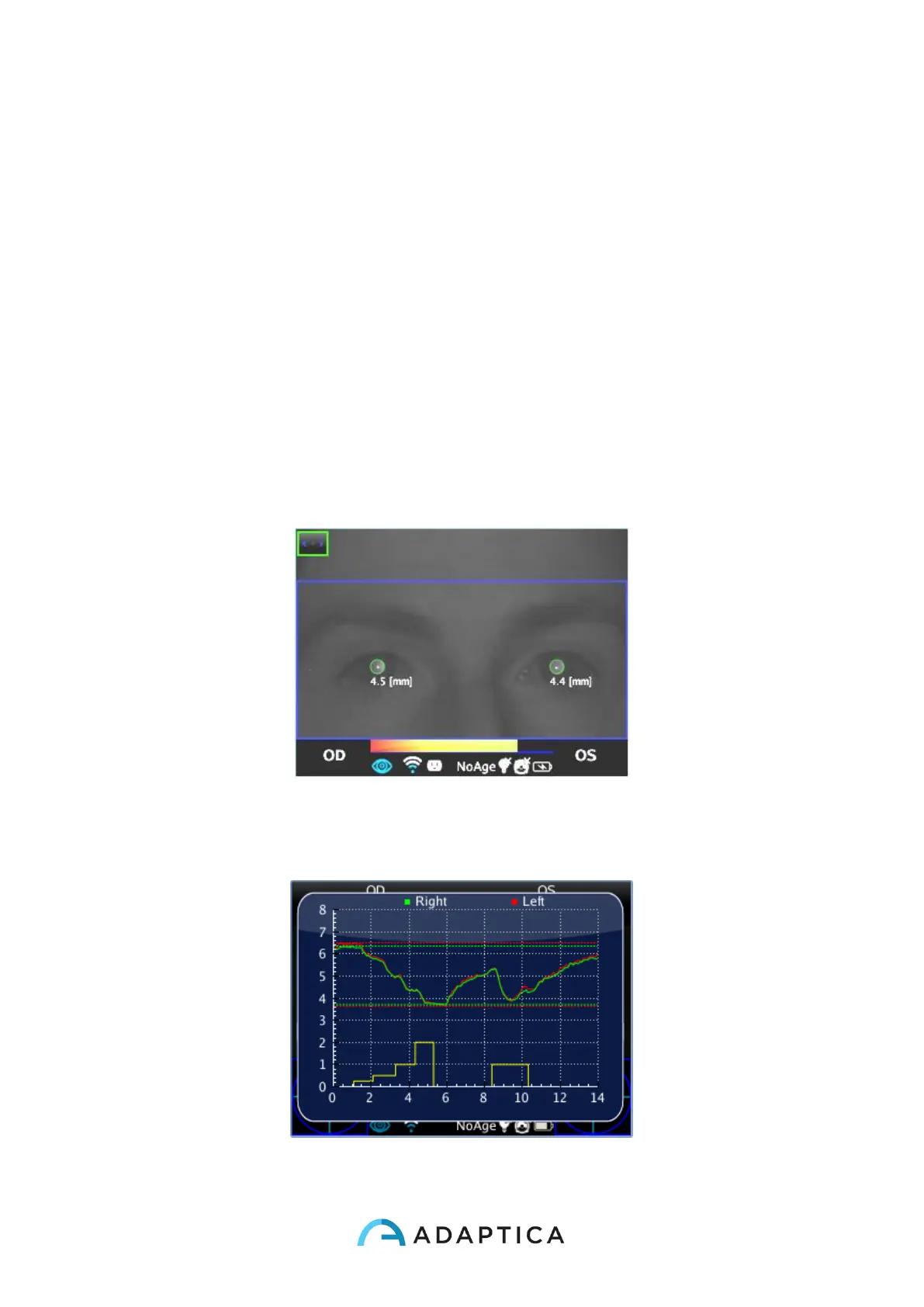
While the examination is running 2WIN will show the pupil diameter value closed to the
pupils of the patient, this will happen after a small time after the release the S1/S2 button.
The exam will finish after 14 seconds.
After that, the main window of the 2WIN will display in the upper part the maximum and
minimum pupil diameter for each OD and OS. By pressing the RIGHT button in the 2WIN
Joystick it’s possible to analyze the complete result of the exam.
In the following image an example of the auxiliary window showing the full analysis of the
examination.



 To Next Page