35
INSTALLATIONCONFIGURATIONOPERATION
FURTHER
INFORMATION
INDEX
RX Security
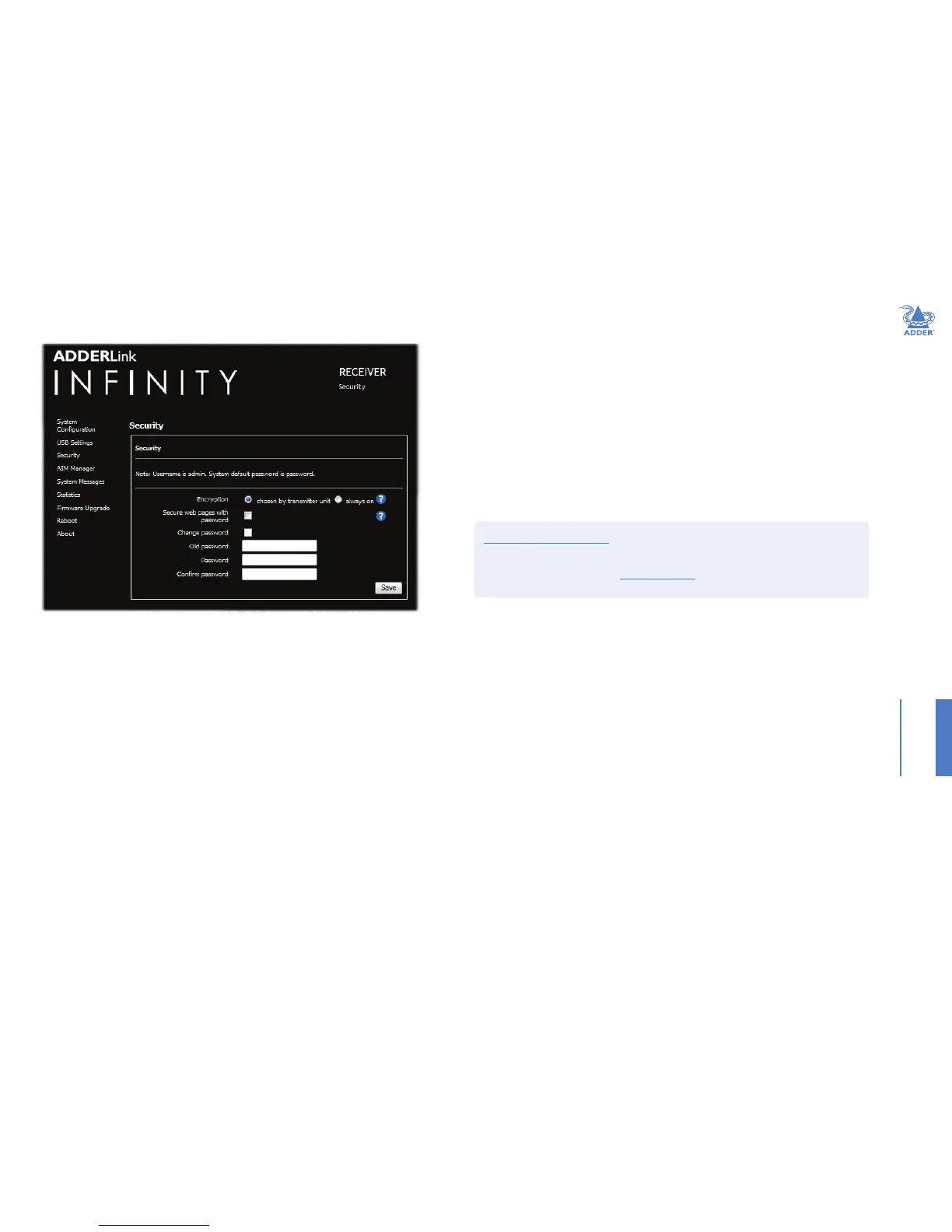
Encryption
This setting allows you to apply encryption to the USB and control data passed across the link. Note that video
data is never encrypted.
Secure Web pages with password
When ticked, this option enables https security so that the conguration pages are only accessible to the admin
user with a password.
Change/conrm password
These options allow you to change the admin password for the system.
To get here
1 Connect your computer to a port on the front panel.
2 Run a web browser and enter the IP address of the Management (ALIF dual only) or System port used:
http://192.168.1.42 (management port) or http://169.254.1.32 (system port)
If the address is unknown, perform a manual factory reset.
3 Click the Security link.


 To Next Page