Using Help | Contents | Index Back 353
Adobe Illustrator Help Producing Color Separations
Using Help | Contents | Index Back 353
method reduces the darker object by stroking its boundaries with the lighter
background color.
3 Choose Window > Show Stroke.
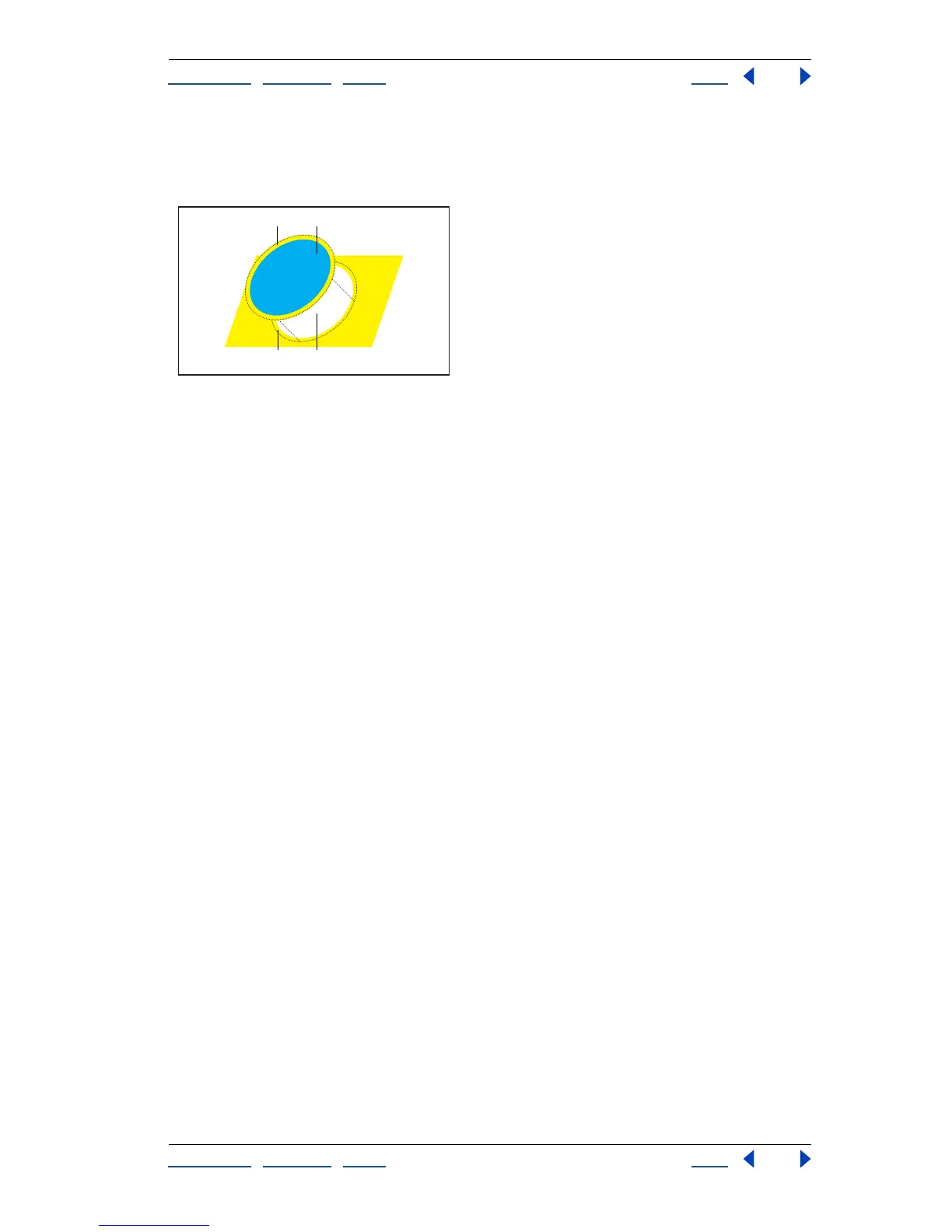
Object stroked with 1-point stroke of background color
A. Stroke creates choke trap B. Fill creates knockout C. Area of trap D. Area of knockout
4 In the Stroke palette, in the Weight text box enter a stroke width of between 0.6 and
2.0 points.
A stroke weight of 0.6 point creates a trap of 0.3 point. A stroke weight of 2.0 points
creates a trap of 1.0 point. Check with your print shop to determine what value to use.
5 Choose Window > Show Attributes.
6 Select Overprint Stroke.
In a spread, the lighter object traps into (overprints) the darker background. In a choke,
overprinting the stroke causes the lighter background to trap into the darker object.
To trap a line:
1 Select the line to be trapped.
2 In the Stroke box in the toolbox or the Color palette, assign the stroke a color of white.
3 In the Stroke palette, select the desired line weight.
4 Copy the line, and choose Edit > Paste in Front. The copy is used to create a trap.
5 In the Stroke box in the toolbox or the Color palette, stroke the copy with the desired
color.
6 In the Stroke palette, choose a line weight that is wider than the bottom line.
7 Choose Window > Show Attributes.
A
B
CD



 To Next Page