EasyManua.ls Logo

Adobe ILLUSTRATOR 10 - Page 6

Adobe ILLUSTRATOR 10
431 pages
Print Icon
To Next Page IconTo Next Page
To Previous Page IconTo Previous Page
Loading...
U
sing Help | Contents | Index Back 6
Adobe Illustrator Help Looking at the Work Area
U
sing Help | Contents | Index Back 6
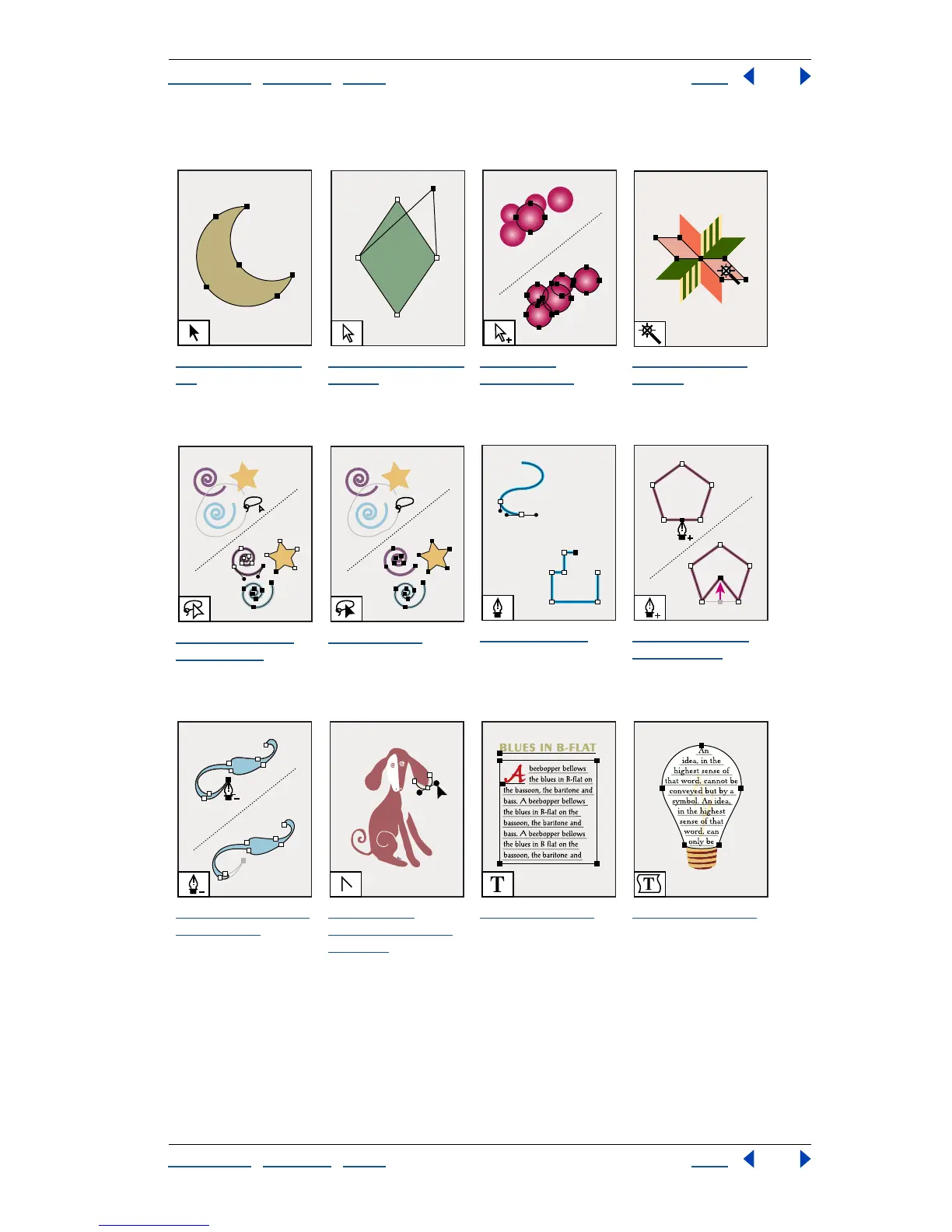
To olbox overview (1 of 5)
The selection tool
(V)
selects entire
objects.
The direct-selection
tool (A)
selects
points or path
segments within
objects.
The group-
selection tool
selects objects and
groups within
groups.
The magic wand
tool (Y)
selects
objects of similar
attributes.
The direct-select
lasso tool (Q)
selects
points or path
segments within
objects.
The lasso tool
selects entire
objects.
The pen tool (P)
draws straight and
curved lines to create
objects.
The add-anchor-
point tool (+)
adds
anchor points to
paths
.
The delete-anchor-
point tool (-)
deletes
anchor points from
paths.
The convert-
anchor-point tool
(Shift+C)
changes
smooth points to
corner points and
vice versa.
The type tool (T)
creates individual
type and type
containers and lets
you enter and edit
type.
The area type tool
changes closed
paths to type
containers and lets
you enter and edit
type within them.

Table of Contents

Related product manuals