EasyManua.ls Logo

Adobe ILLUSTRATOR 10 - Page 7

Adobe ILLUSTRATOR 10
431 pages
Print Icon
To Next Page IconTo Next Page
To Previous Page IconTo Previous Page
Loading...
U
sing Help | Contents | Index Back 7
Adobe Illustrator Help Looking at the Work Area
U
sing Help | Contents | Index Back 7
To olbox overview (2 of 5)
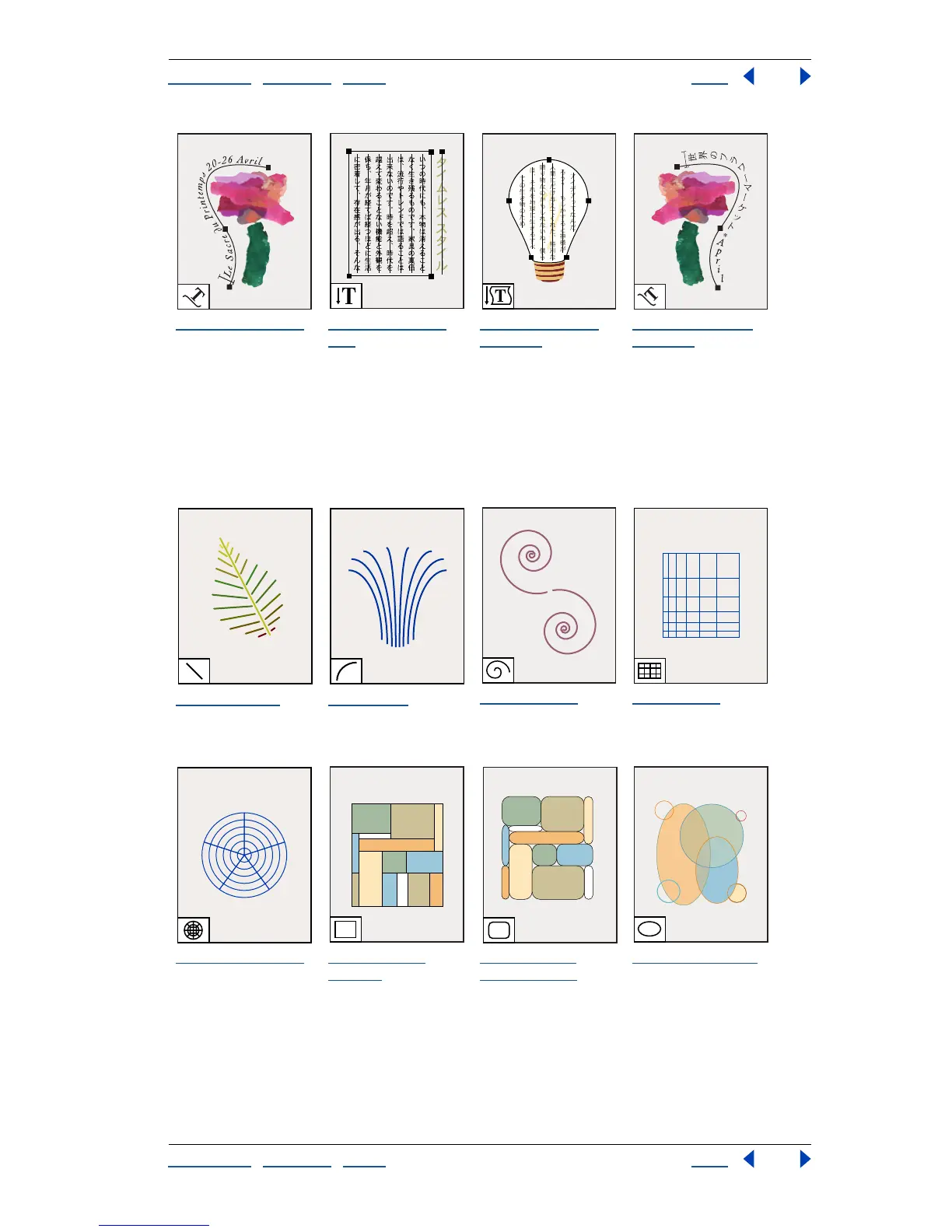
The path-type tool
changes paths to
type paths, and lets
you enter and edit
type on them.
The vertical type
tool
creates vertical
type and vertical
type containers and
lets you enter and
edit vertical type.
The vertical area-
type tool
changes
closed paths to
vertical type
containers and lets
you enter and edit
type within them.
The vertical path-
type tool
changes
paths to vertical type
paths and lets you
enter and edit type
on them.
The line tool (\)
draws individual
straight line
segments.
The arc tool
draws
individual concave or
convex curve
segments.
The spiral tool
draws clockwise and
counterclockwise
spirals.
The grid tool
draws
rectangular grids.
The polar grid tool
draws circular chart
grids.
The rectangle
tool (M)
draws
squares and
rectangles.
The rounded-
rectangle tool
draws squares and
rectangles with
rounded corners.
The ellipse tool (L)
draws circles and
ovals
.

Table of Contents

Related product manuals