EasyManua.ls Logo

Adobe ILLUSTRATOR 10 - Page 8

Adobe ILLUSTRATOR 10
431 pages
Print Icon
To Next Page IconTo Next Page
To Previous Page IconTo Previous Page
Loading...
U
sing Help | Contents | Index Back 8
Adobe Illustrator Help Looking at the Work Area
U
sing Help | Contents | Index Back 8
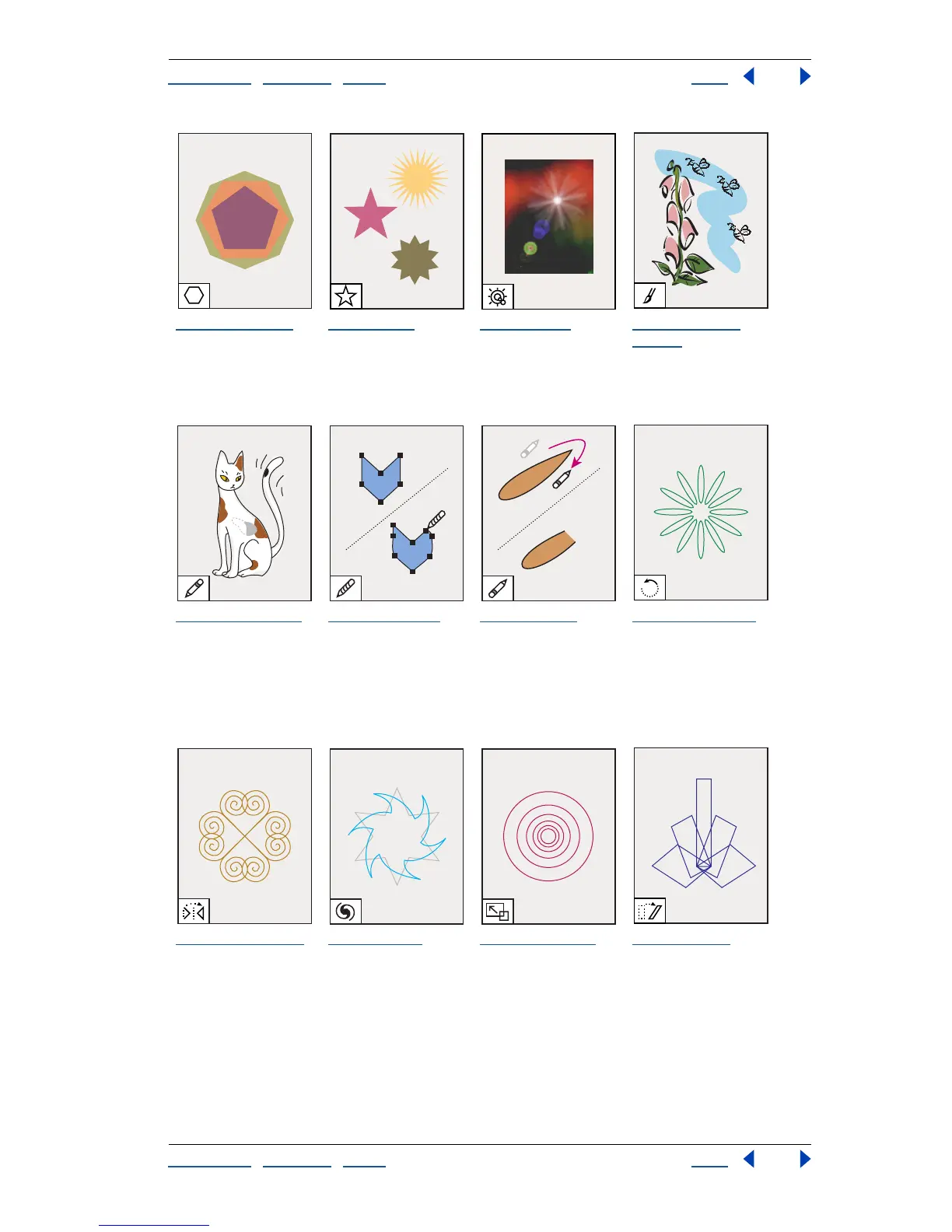
To olbox overview (3 of 5)
The polygon tool
draws regular, multi-
sided shapes.
The star tool
draws
stars
The flare tool
creates lens-flare or
solar-flare-like
effects.
The paintbrush
tool (B)
draws
freehand and calli-
graphic lines, as well
as art and patterns
on paths.
The pencil tool (N)
draws and edits
freehand lines.
The smooth tool
smooths bezier
paths.
The erase tool
erases paths and
anchor points from
the artwork.
The rotate tool (R)
rotates objects
around a fixed point.
The reflect tool (O)
flips objects over a
fixed axis.
The twist tool
twirls
objects around a
fixed point.
The scale tool (S)
resizes objects
around a fixed point.
The shear tool
skews objects
around a fixed point.

Table of Contents

Related product manuals