EasyManua.ls Logo

Adobe ILLUSTRATOR 10 - Page 9

Adobe ILLUSTRATOR 10
431 pages
Print Icon
To Next Page IconTo Next Page
To Previous Page IconTo Previous Page
Loading...
U
sing Help | Contents | Index Back 9
Adobe Illustrator Help Looking at the Work Area
U
sing Help | Contents | Index Back 9
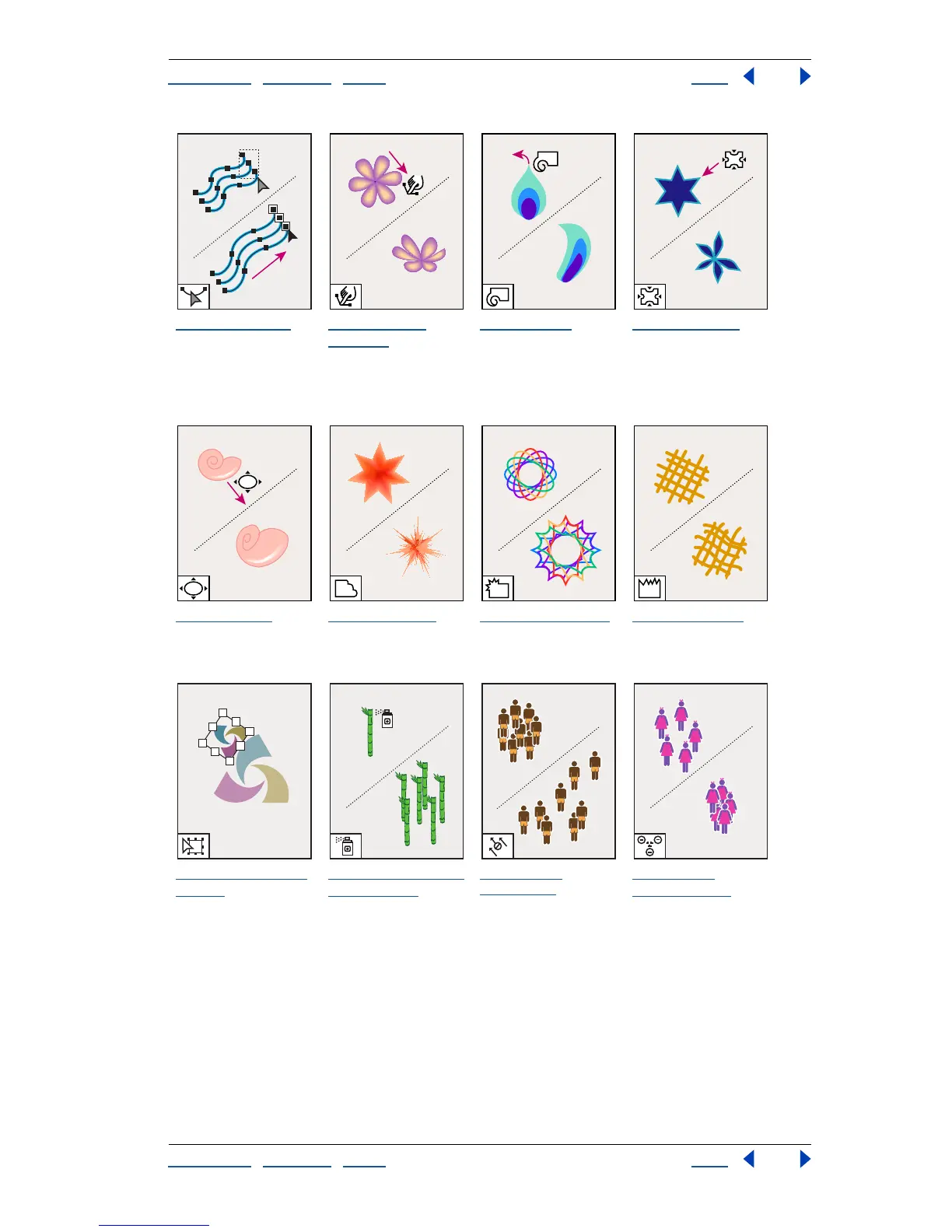
The reshape tool
smooths or changes
a path while
retaining the paths
overall shape.
The warp tool
(Shift+R)
molds
objects with the
movement of the
cursor (like molding
clay, for example).
The twirl tool
creates swirling
distortions within an
object.
The pucker tool
deflates an object.
The bloat tool
inflates an object.
The scallop tool
adds many curved
details to the outline
of an object.
The crystallize tool
adds many spiked
details to the outline
of an object.
The wrinkle tool
adds wrinkle-like
details to the outline
of an object.
The free transform
tool (E)
scales,
rotates, or skews a
selection.
The symbol sprayer
tool (Shift+S)
places
multiple symbol
instances as a set on
the artboard.
The symbol
shifter tool
moves symbol
instances.
The symbol
scruncher tool
moves symbol
instances away from
each other.

Table of Contents

Related product manuals