EasyManua.ls Logo

Adobe ILLUSTRATOR 10 - Page 10

Adobe ILLUSTRATOR 10
431 pages
Print Icon
To Next Page IconTo Next Page
To Previous Page IconTo Previous Page
Loading...
U
sing Help | Contents | Index Back 10
Adobe Illustrator Help Looking at the Work Area
U
sing Help | Contents | Index Back 10
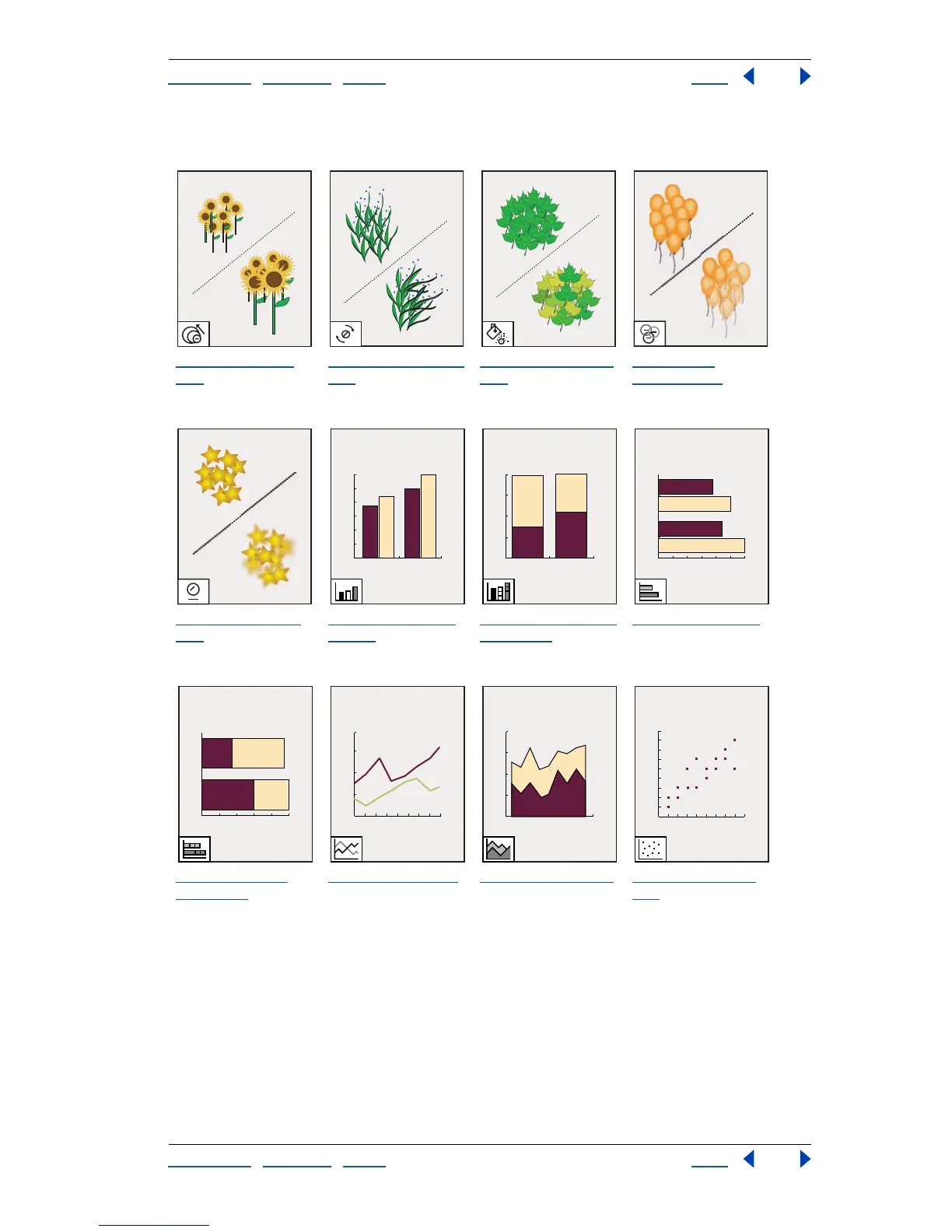
To olbox overview (4 of 5)
The symbol sizer
tool
resizes symbol
instances.
The symbol spinner
tool
rotates symbol
instances.
The symbol stainer
tool
colorizes
symbol instances.
The symbol
screener tool
applies opacity to
symbol instances.
The symbol styler
tool
applies the
selected style to
symbol instances.
The column graph
tool (J)
positions
columns vertically.
The stacked column
graph tool
stacks
columns on top of
one another.
The bar graph tool
positions columns
horizontally.
The stacked bar
graph tool
stacks
columns and
positions them
horizontally.
The line graph tool
shows the trend of
one or more subjects
over time.
The area graph tool
emphasizes totals as
well as changes in
values.
The scatter graph
tool
plots data as
paired sets of x and y
coordinates.

Table of Contents

Related product manuals