3.13 Testing
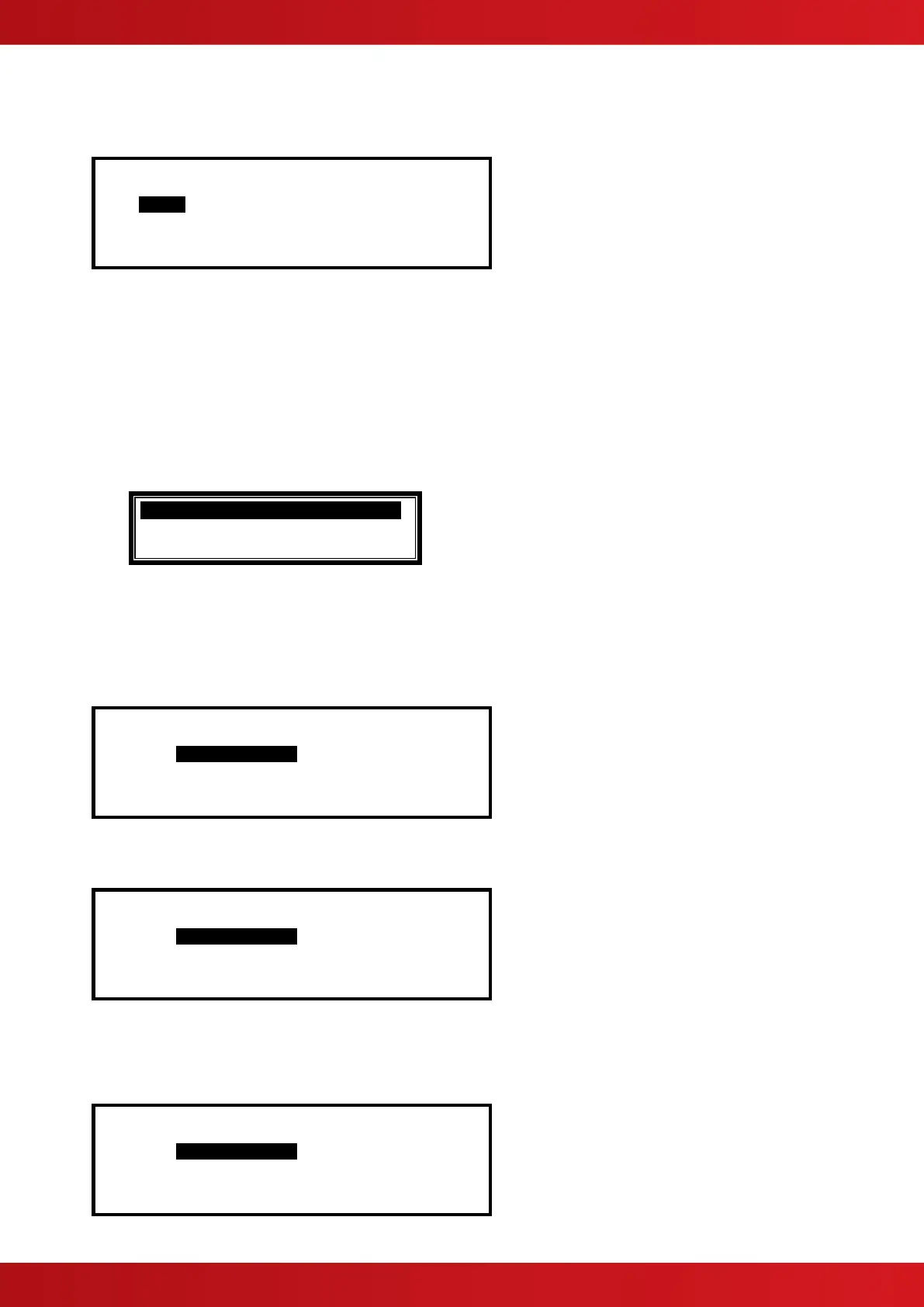
[Test Menu] User 1 Node 1
ZONES DISPLAY BUZZER PRINTER
OUTPUTS
Press the buttons to highlight the required menu option and then press the ✔ button to select it.
3.13.1 Test - Zones
The Test Zones function provides the means to implement a one-person walk test in order to test specific call
points or detectors in one or more zones.
If the current User ID does not have the necessary permission, the display prompts for entry of a password to
guard against inadvertent changes.
When the Test Zones option is selected, a pop-up window is shown on the display to select whether the
sounders will activate (for about 10-seconds) when an input device is activated. For example:
Press the buttons to scroll through and highlight the required option and then press the ✔ button to select
it.
Note that the panel will have been programmed during commissioning to define which of the sounders are
activated during a test.
The display then shows a list of the available Zones and their current test status. For example:
[ 0 Zones in Test ]
Zone Test State Location
>0001 - BASEMENT WEST
0002 - BASEMENT EAST
0100 - MAIN RECEPTION
Press the buttons to scroll through and highlight the required zone and then press the ✔ button to change
the Test State. For example:
[ 1 Zone in Test ]
Zone Test State Location
0001 IN TEST BASEMENT WEST
0002 - BASEMENT EAST
0008 - GROUND FLOOR
0009 - MAIN RECEPTION AREA
When one or more Zones are placed in a Test State, the Test Indicator will be illuminated. When an input device
is activated (i.e. break glass test on a call point or introducing test smoke into a smoke detector), the bells will
ring (if selected) and the display will indicate that a zone is registering a test condition by showing an
exclamation mark (!) on the display.
[ 2 Zones in Test ]
Zone Test State Location
0001 IN TEST ! BASEMENT WEST
0002 - BASEMENT EAST
0008 - GROUND FLOOR
0009 IN TEST MAIN RECEPTION AREA
www.acornfiresecurity.com
www.acornfiresecurity.com


 To Next Page