35
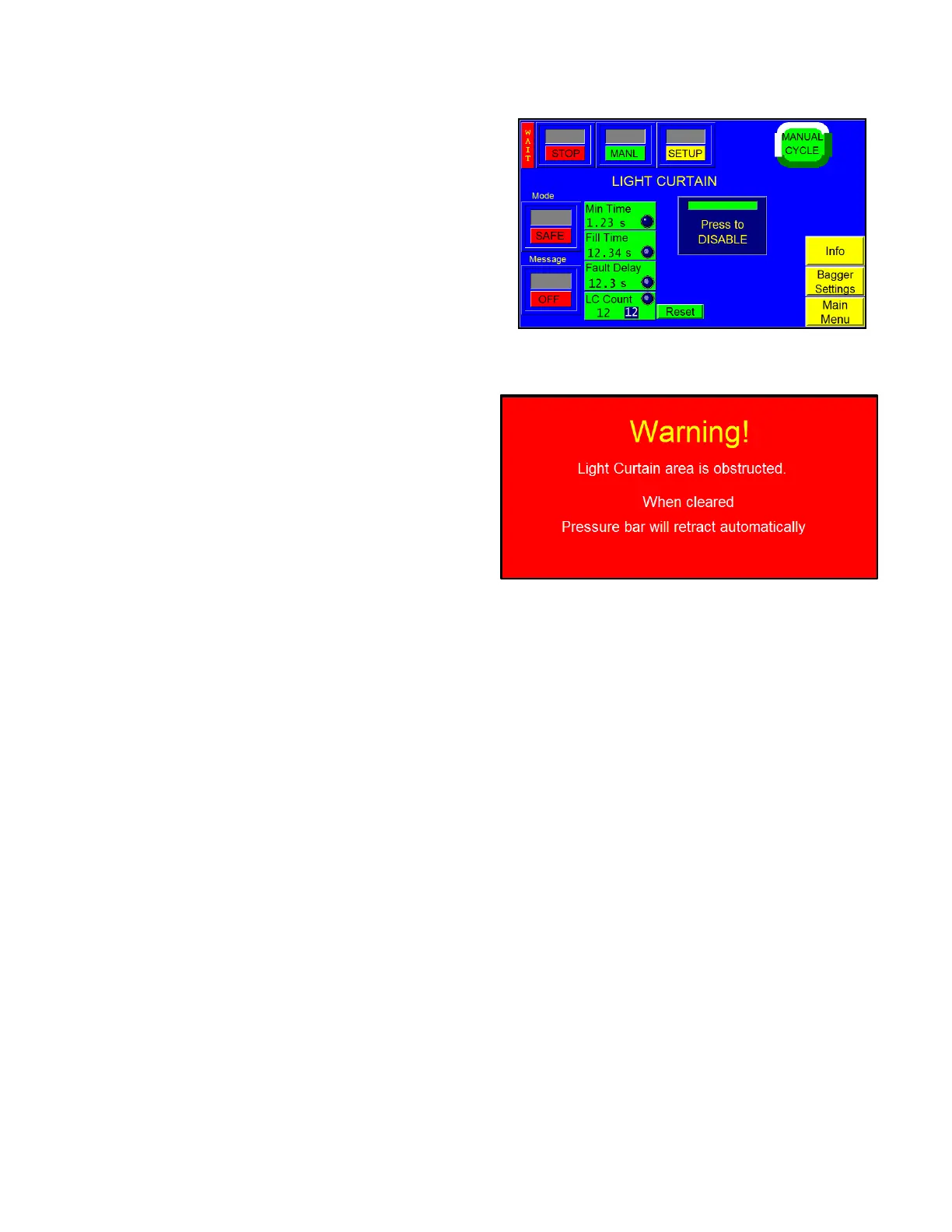
To enable the Light Curtain option, press the button labeled
<Press to Enable>. Once enabled, you will not be able to
disable the option without knowing the correct pass code.
This prevents unauthorized personnel from enabling /
disabling the option. Please refer to 3.38 Pass Code Setup
Screen” for more information.
The Light Curtain option can be used as a means of initiating
the cycle operation of the T-1000. To cycle the bagger
automatically after the light curtain sensing area is cleared,
press the <Mode> toggle button to change from Safe to
Auto.
Message ON / OFF button: If this button is toggled to
ON, a message is displayed every time the Light Curtain
area is blocked. The message tells operators to check for
an obstruction. See Figure 3 - 18. Remove the obstruction
to continue operation. If this button is toggled to OFF, a
message will not be displayed when the Light Curtain
area is blocked.
Once in the Auto mode, the Min Time can be set to
prevent starting a cycle until the light curtain area is
obstructed for a longer period of time. A typical setting for
Min Time is 0.5 seconds.
Fill Time: In Automatic mode, Fill Time is the amount of time, in seconds, before the machine cycles after the
detection area is clear. For example, if the mode is set to Automatic and the Fill Time is set to one second, the
machine will cycle only after the operator has removed his or her hands and after one second has elapsed. To set
Fill Time, press the Fill Time button, enter a value using the numeric keypad and then press the ENT button.
Fault Delay: The amount of time, in seconds, the Light Curtain can be blocked before a warning message is
displayed and machine operation is stopped. For operation to continue after a blockage occurs, the Light Curtain
must either be unblocked or deactivated. To set Fault Delay, press the Fault Delay button, enter a value using the
numeric keypad and then press the ENT button.
LC Count: a function that counts how many times the Light Curtain beam has been broken before the bagger will
cycle. For example, if there are three parts that need to be entered into the bag individually, set the LC Count to
3. The bagger will cycle once the beam has been broken for the third time.
To deactivate the light curtain to install a funnel, press the button labeled <Press to Disable>. A keypad will be
displayed which will require a special code. Unless you know this code, you cannot deactivate the light curtain
option. Contact APPI Service Dept. for the pass code to disable the option.



 To Next Page