19 ARK-2150 User Manual
Chapter 2 H/W Installation
ARK-2150F
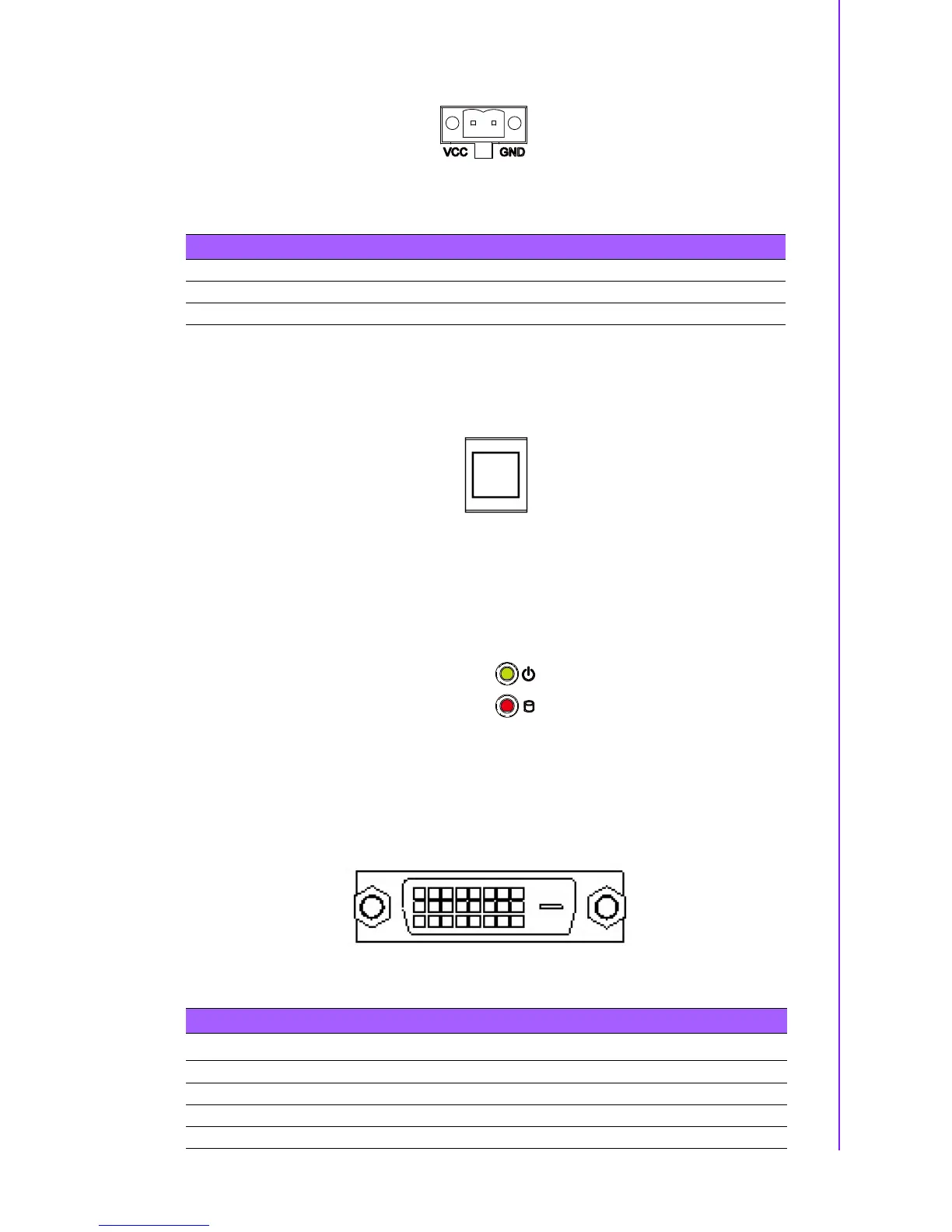
Figure 2.15 Power Input Connector (ARK-2150F)
2.3.1.10 Power ON/OFF Button
ARK-2150 comes with a Power On/Off button, that supports dual functions of Soft
Power -On/Off (Instant off or Delay 4 Second), and Suspend.
Figure 2.16 Power Button
2.3.1.11 LED Indicators
There are two LEDs on ARK-2150 front metal face plate for indicating system status:
PWR LED is for power status; and HDD LED is for HDD & Cfast flash disk status.
Figure 2.17 LED Indicators
2.3.1.12 DVI-D Connector (ARK-2150F only)
ARK-2150F offers a Digital Visual Interface connector by a D-sub 24-pin female DVI-D
connector; it’s only for digital video signal. This interface supports high-speed, high
resolution digital displays.
Figure 2.18 DVI-D Connector
Table 2.14: Power connector Pin Assignments (ARK-2150F)
Pin Signal Name
1GND
2 +12~24 V
DC
Table 2.15: DVI-D Connector Pin Assignments
Pin Signal Name Pin Signal name
1 TMDS Data 2- 2 TMDS Data 2+
3 TMDS Data 2/4 shield 4 TMDS Data 4-
5 TMDS Data 4+ 6 DDC clock
7 DDC data 8 Analog vertical sync














 To Next Page