UNO-2484G_V2 User Manual 42
– Intel(R) Speed Shift Technology
To enable or disable Intel(R) Speed Shift Technology support. Enabling will
expose the CPPC v2 interface to allow for hardware controlled P-state.
– HDC Control
This option allows HDC configuration.
Disabled: Disable HDC.
Enabled: Can be enabled by OS if OS native support is available.
Turbo mode.
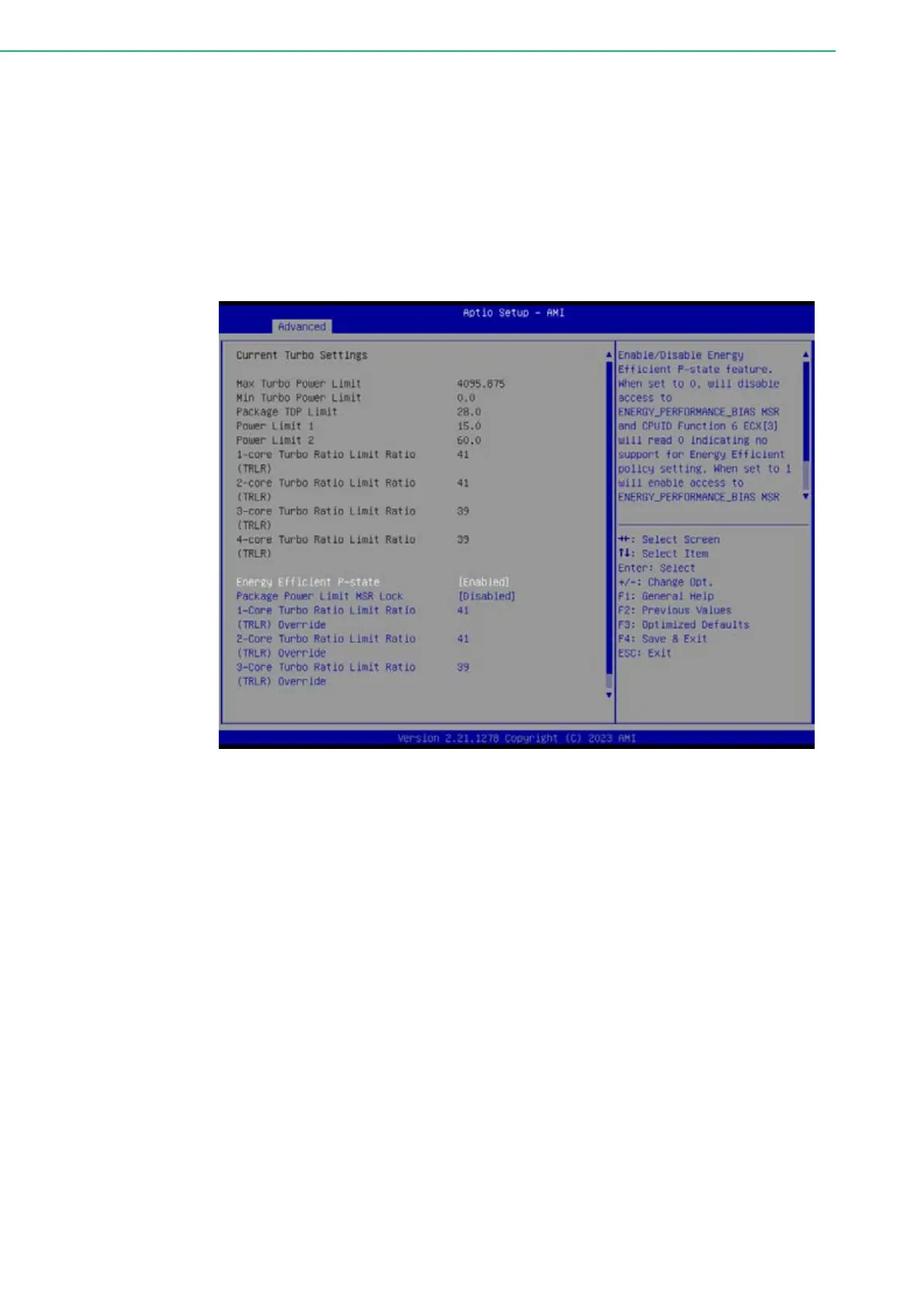
View/ Configure Turbo option
Figure 4.10 View/configure Turbo option -2
– Energy Efficient P-state
Enable/ Disable Energy Efficient P-state feature. When set to 0, will disable
access to ENERGY_PERFORMANCE_BIAS MSR and CPUID Function 6
ECX[3] will read 0 indicating no support for Energy Efficient policy setting.
When set to 1, will enable access to ENERGY_PERFORMANCE_BIAS
MSR.
– Package Power Limit MSR Lock
Enable/ Disable locking of Package Power Limit settings. When enabled,
PACKAGE_POWER_LIMIT MSR will be locked and a reset will be required
to unlock the register.
– 1/2/3/4-Core Turbo Limit Ratio (TRLR) Override
x-core Turbo Ratio Limit Ratio (TRLR) with range of MAX Non-Turbo Ratio
up to 120. This x-Core Turbo Ratio Limit Must be greater than to equal to
other Turbo Core Ratio Limit.
– Energy Efficient Turbo
Enable/ Disable Energy Efficient Turbo feature. This feature will opportunisti-
cally lower the turbo frequency to increase efficiency. Recommended only to
disable in overclocking situations where turbo frequency must remain con-
stant. Otherwise, leave enabled.



 To Next Page