41 WISE-4610(P) User Manual
Chapter 4 Software Functions
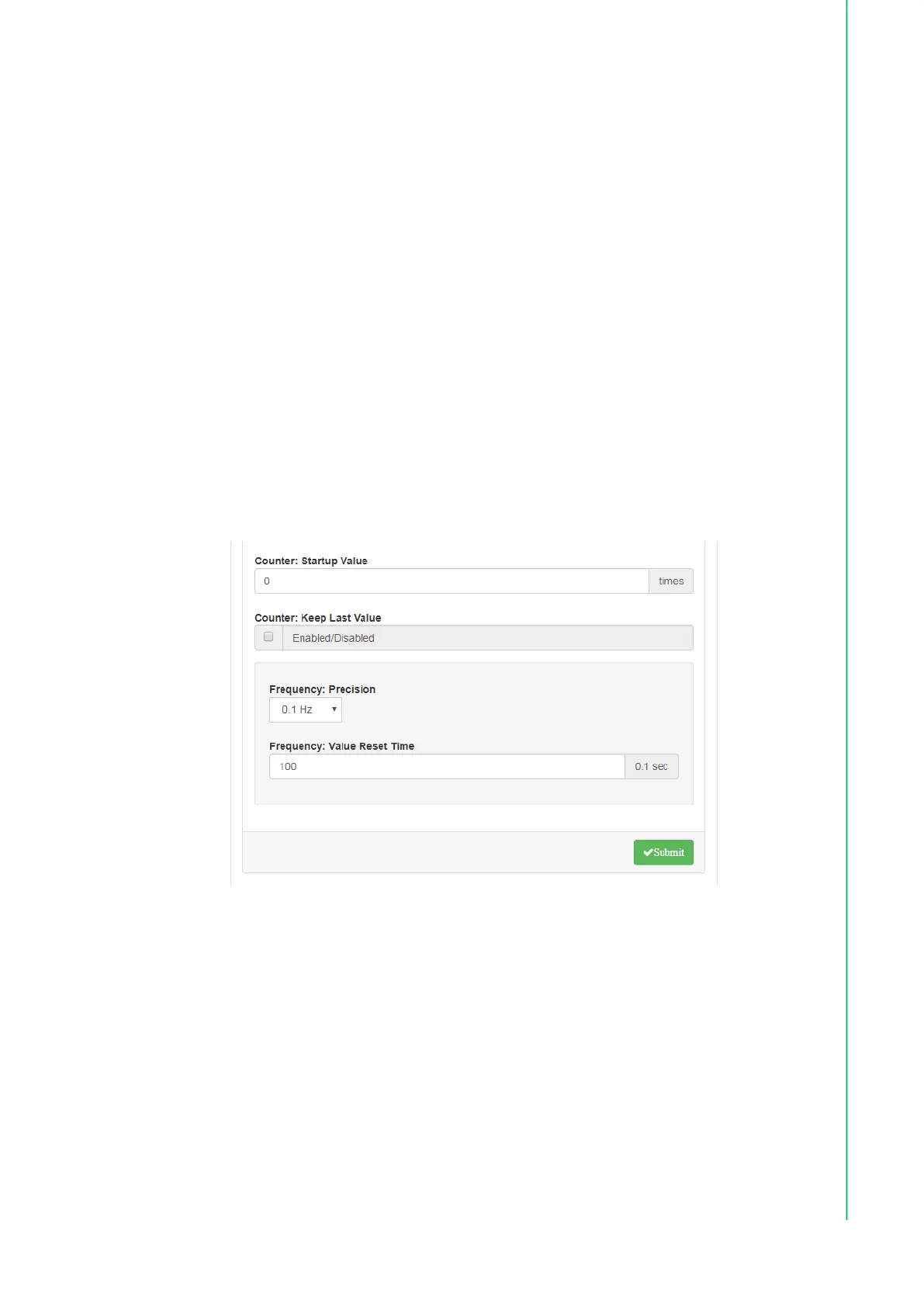
Counter: When counter mode is selected for a given channel, the number of
pulses in the digital signal from that channel are counted and recorded to the
register. On the Status page, the current count value of the selected channel is
displayed in the Counter Value field. The counter can be started/stopped by
pressing Start/Stop. The counter can be reset (the value stored in the register
will be reset to the default, which is zero) by clicking Reset. The predefined
startup value is the value shown in the Counter value field. When this is reset,
either by pressing Reset on the Status page or by issuing a command, the
default settings will be restored (the default value for this field is zero).
If Keep Last Value is enabled, the last counter value will be retained in the reg-
ister when the module is powered OFF. When the module is powered ON, the
counter will continue to count from that value. When this function is disabled,
powering off the module will cause the counter to be reset and the count value
in the register to be reset to zero.
Frequency: For pure digital input channels, WISE modules support frequency
mode, which calculates the frequency of the digital input signal of the selected
channel. The frequency value will be displayed in the Frequency value field on
the DI Status page. The Precision settings can be configured to specify the fre-
quency for different input ranges. The Value Reset Time function allows users
to specify when the frequency value is reset to zero if the pulse bandwidth is
greater than expected.



 To Next Page