Operating the Oven24
Countdown
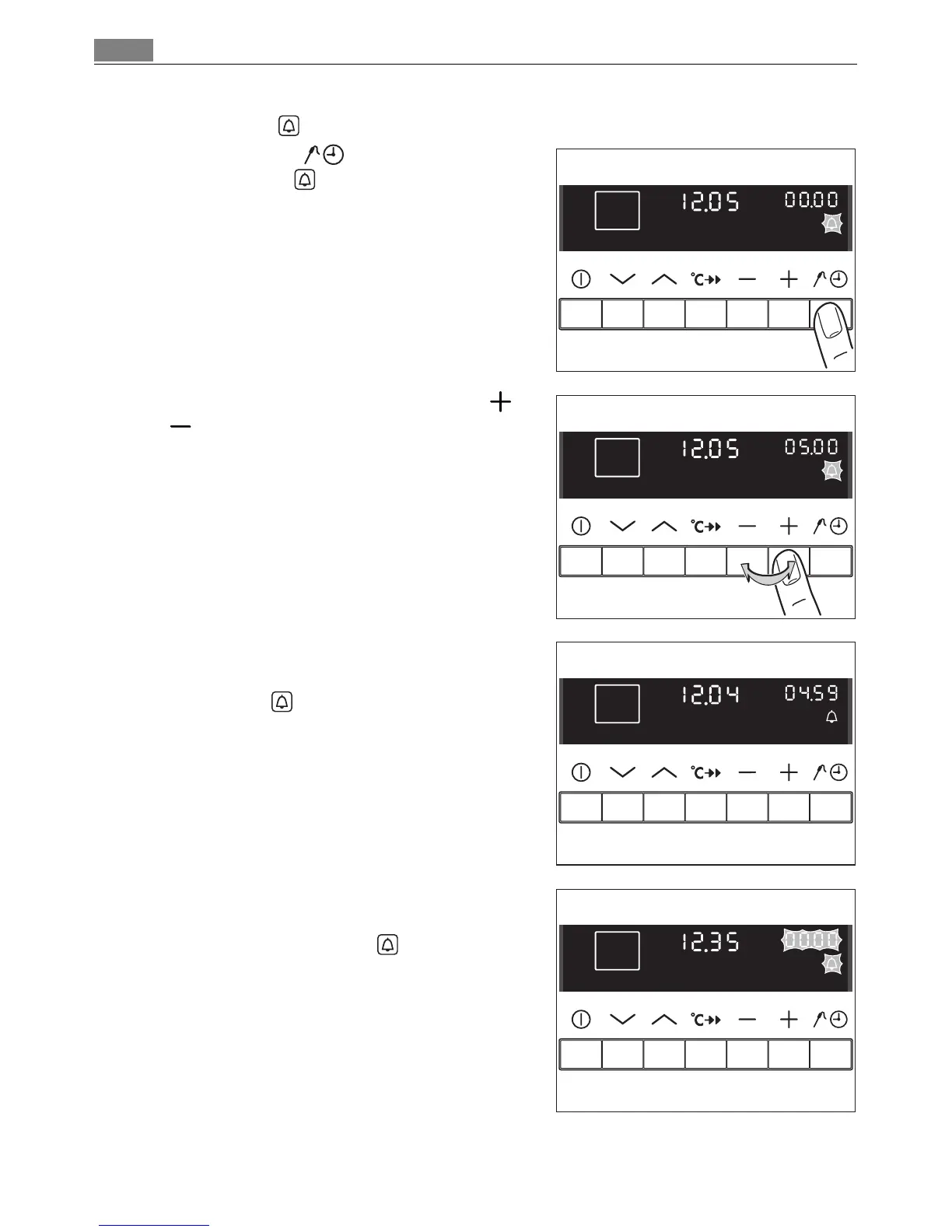
1. Press the Select button repeatedly un
til Countdown flashes.
2. Set the desired Countdown using the or
button.
After about 5 seconds the display shows
the time remaining.
Countdown lights up.
When 90% of the time set has elapsed, an
audible signal sounds.
When the time has elapsed, an audible sig
nal sounds for 1 minute.
“00.00” and Countdown flash.
To stop the flashing and the audible signal:
Press any button.












 To Next Page