25Operating the Oven
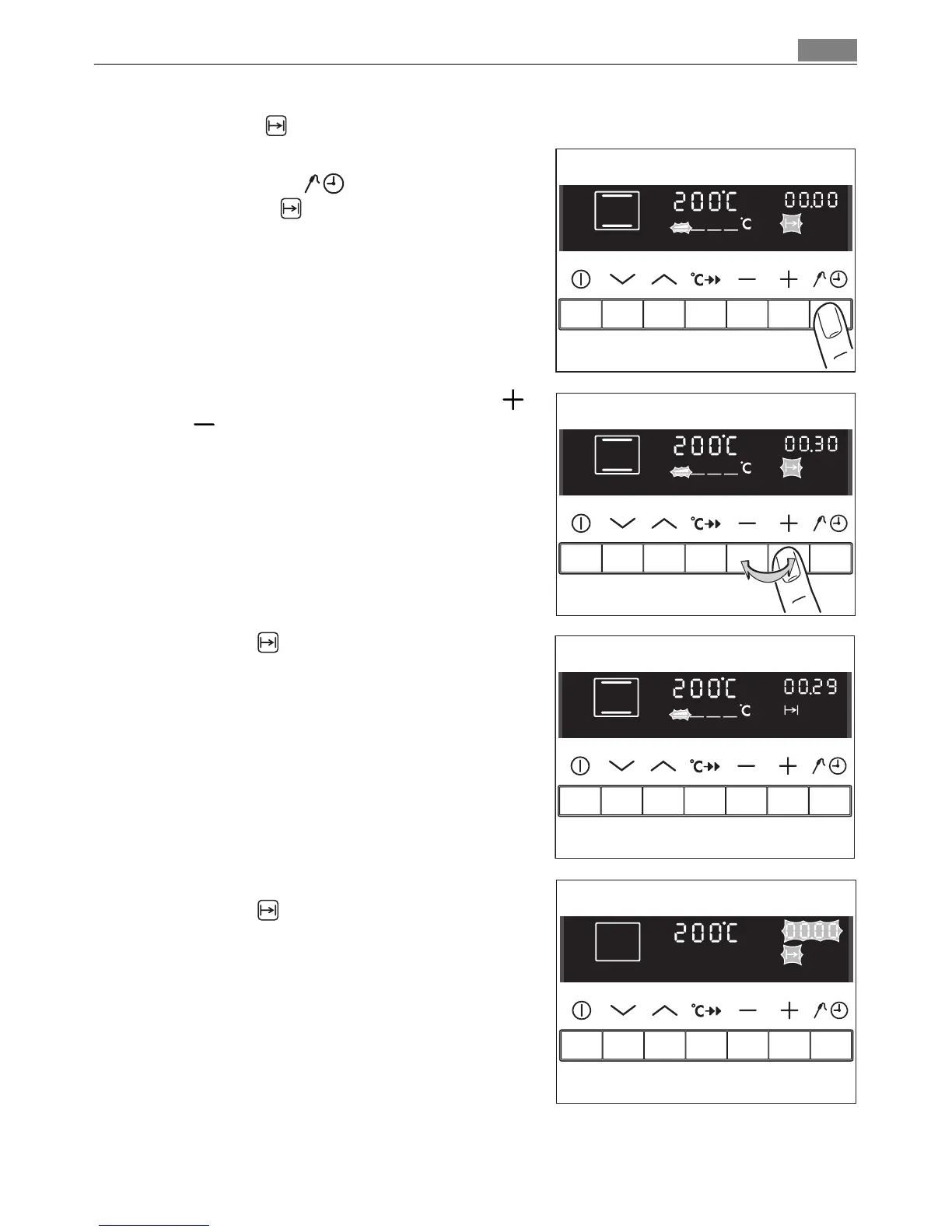
Cook time
1. Select the oven function and temperature.
2. Press the Select button repeatedly un
til Cook time flashes.
3. Set the desired cooking time using the
or button (max. 09.59 hours).
Cook time lights up.
When the time has elapsed, “00.00” and
Cook time flash.
An audible signal sounds for 2 minutes.
The oven switches itself off.
To stop the flashing and the audible signal:
Press any button.












 To Next Page