SHIFT
Indicates that the next keystroke will have its shifted value. The legends
printed on the panel indicated the shifted function while the legend on the
key caps indicated the normal (unshifted) function.
COMM-OK
Indicates that the connection between the panel and controller is secure.
ENTER
Indicates that data is being changed. When the ENTER pushbutton is
pressed, the data that is displayed on the programmer is entered into the
controller. The ENTER indicator remains on until the data is transferred
and entered into the processor. After the data is entered, the ENTER
indicator is extinguished and EXAMINE is illuminated.
EXAMINE
Informs the user that the logic element under the cursor’s position is being
viewed in the reference data, node display, and element display areas.
ELEMENT STATUS
A light emitting diode (LED) is located on the front panel and is illuminated
when power is flowing through the logic element under the cursor. This is
necessary because it is impossible to determine power flow through the
logic element at the cursor position because the cursor is constantly
blinking. The blinking is necessary for cursor identification and it overrides
any other indicator in a node.
6.3 KEYBOARD
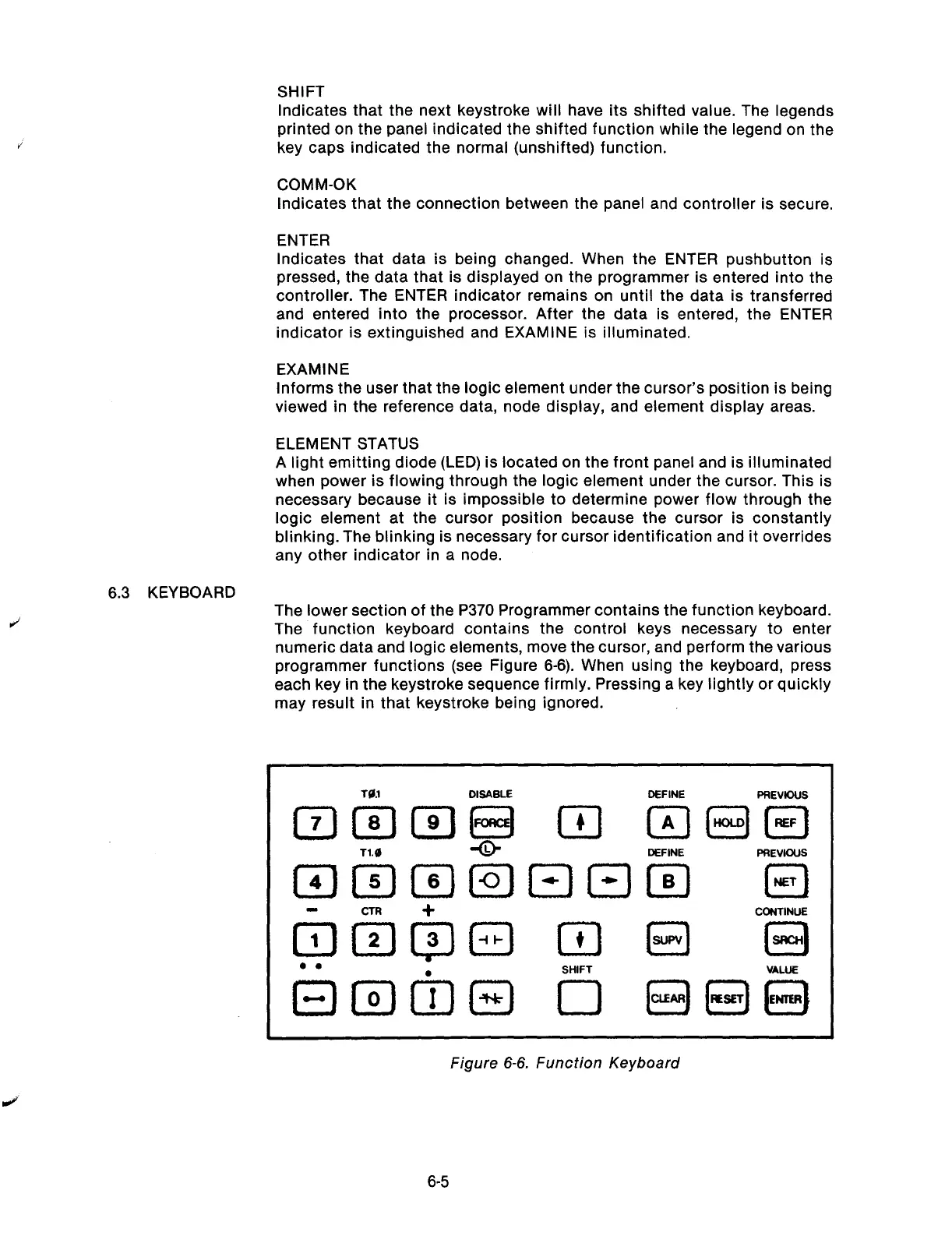
The lower section of the P370 Programmer contains the function keyboard.
The function keyboard contains the control keys necessary to enter
numeric data and logic elements, move the cursor, and perform the various
programmer functions (see Figure 6-6). When using the keyboard, press
each key in the keystroke sequence firmly. Pressing a key lightly or quickly
may result in that keystroke being ignored.
TI1
DISABLE
DEFINE
PREVKXIS
CONTINUE
Figure 6-6, Function Keyboard
6-5
Artisan Technology Group - Quality Instrumentation ... Guaranteed | (888) 88-SOURCE | www.artisantg.com



 To Next Page