18
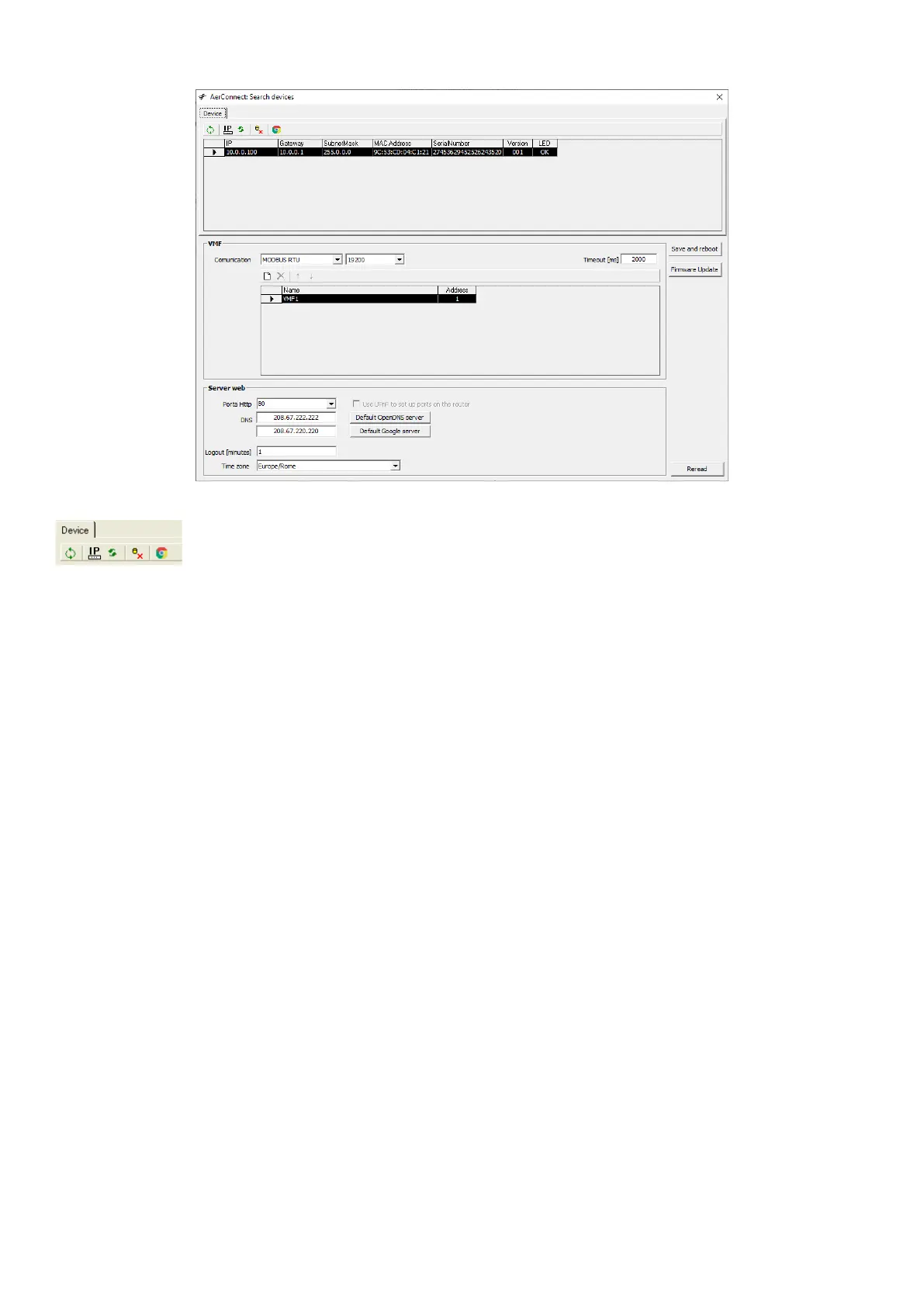
2. Once the search is completed, the list of web servers on the network will appear in the “Device” section.
The following functions can be activated by selecting the webserver in question, from the Tools menu:
— Update/search for VMF-E6 panels
— Conguration of the AerConnect device IP address
— Reboot the AerConnect device
— Reset the default conguration of AerConnect
— The network settings are set to:
— IP:10.0.0.100,
— subnetmask 255.0.0.0,
— gateway 10.0.0.1;
— Only one VMF-E6 is congured with modbus address 1, RTU connection at 38400; HTTP port 80, OpenDNS, timeout 60. Language “English” and “Europe/Rome” time zone.
— Opening the Chrome browser (if installed on the PC)


 To Next Page