32
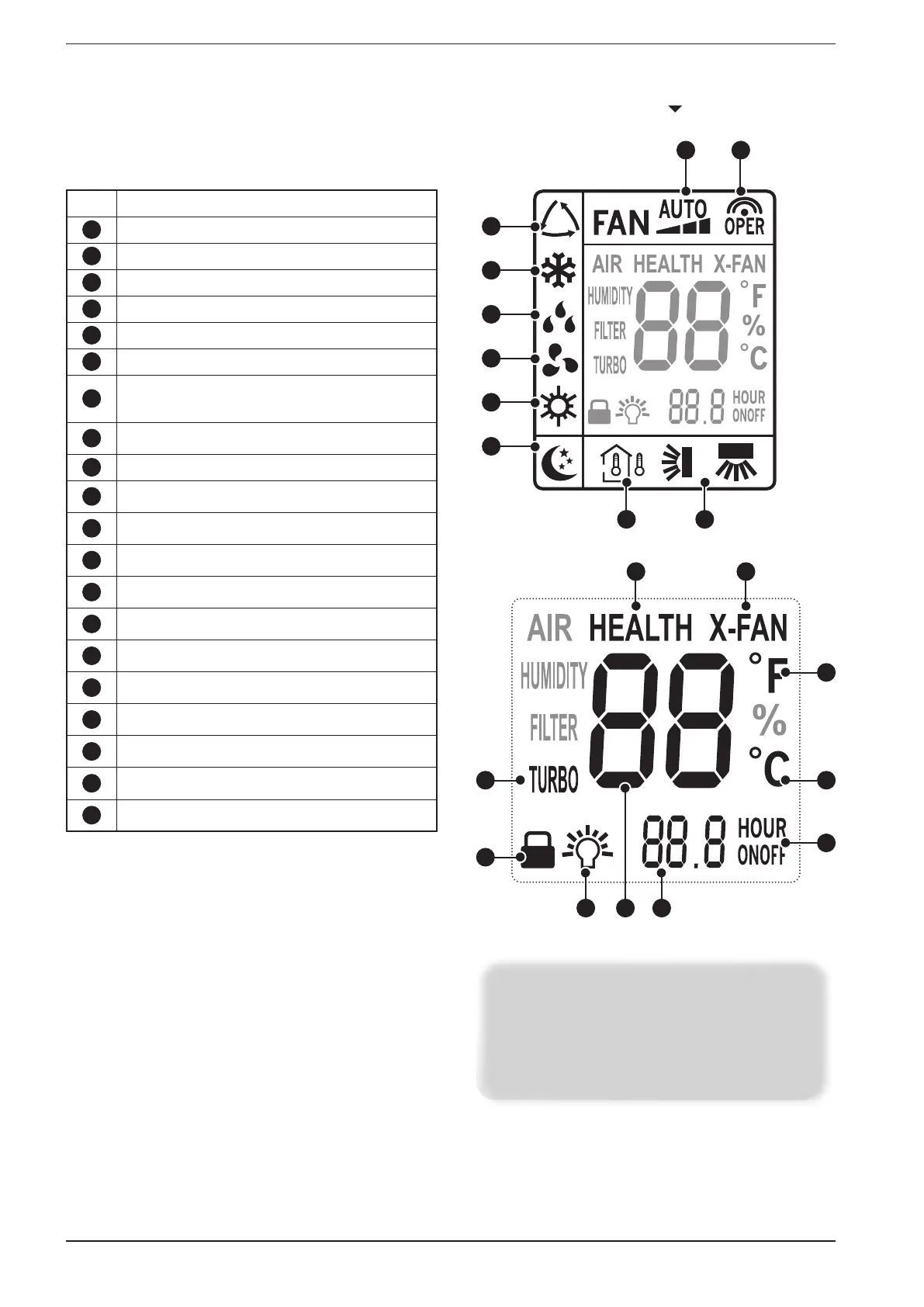
remote control display icons available
NOTE:
Some icons are unnecessary for the remote control and
the air conditioner, therefore will not be described in these
instructions. The display of any of these icons will not affect
the operation of the air conditioner in any way.
Alarm Functions represented by the icons:
1
Indicates the AUTOMATIC mode is active
2
Indicates the COOLING mode is active
3
Indicates the DEHUMIDIFICATION mode is active
4
Indicates the VENTILATION mode is active
5
Indicates the HEATING mode is active
6
Indicates the SLEEP function is active
7
Indicates which temperature is shown on the
display of the indoor unit (internal temperature or
set-point temperature)
8
Indicates the state of the SWING function (vertical
or horizontal)
9
Indicates the actual fan speed
10
Indicates the setting has been transmitted to the
receiver located on the indoor unit
11
Indicates that the air ionizer is active
12
Indicates the extended ventilation function is active
(only in cooling or dehumidification)
13
Indicates the TURBO function is active (the fan
speed is forced by this function)
14
Indicates that all the buttons of the remote control
are locked
15
Indicates the room air and set-point temperatures
are active on the display of the indoor unit
16
Indicates the operating set-point temperature in the
various modes
17
Indicates the on or off time programmed by the
user
18
Indicates if a timer is set for On or Off
19
Indicates that the unit of measurement set for the
temperature set-points are °C or °F
20
Indicates that the unit of measurement set for the
temperature set-points is °F
1
2
3
4
5
6
7 8
9 10
11 12
13
14
15 1716
19
18
20


 To Next Page