33
17. FUNCTIONS AVAILABLE THROUGH THE REMOTE CONTROL
17.1. SWITCHING THE UNIT ON OR OFF
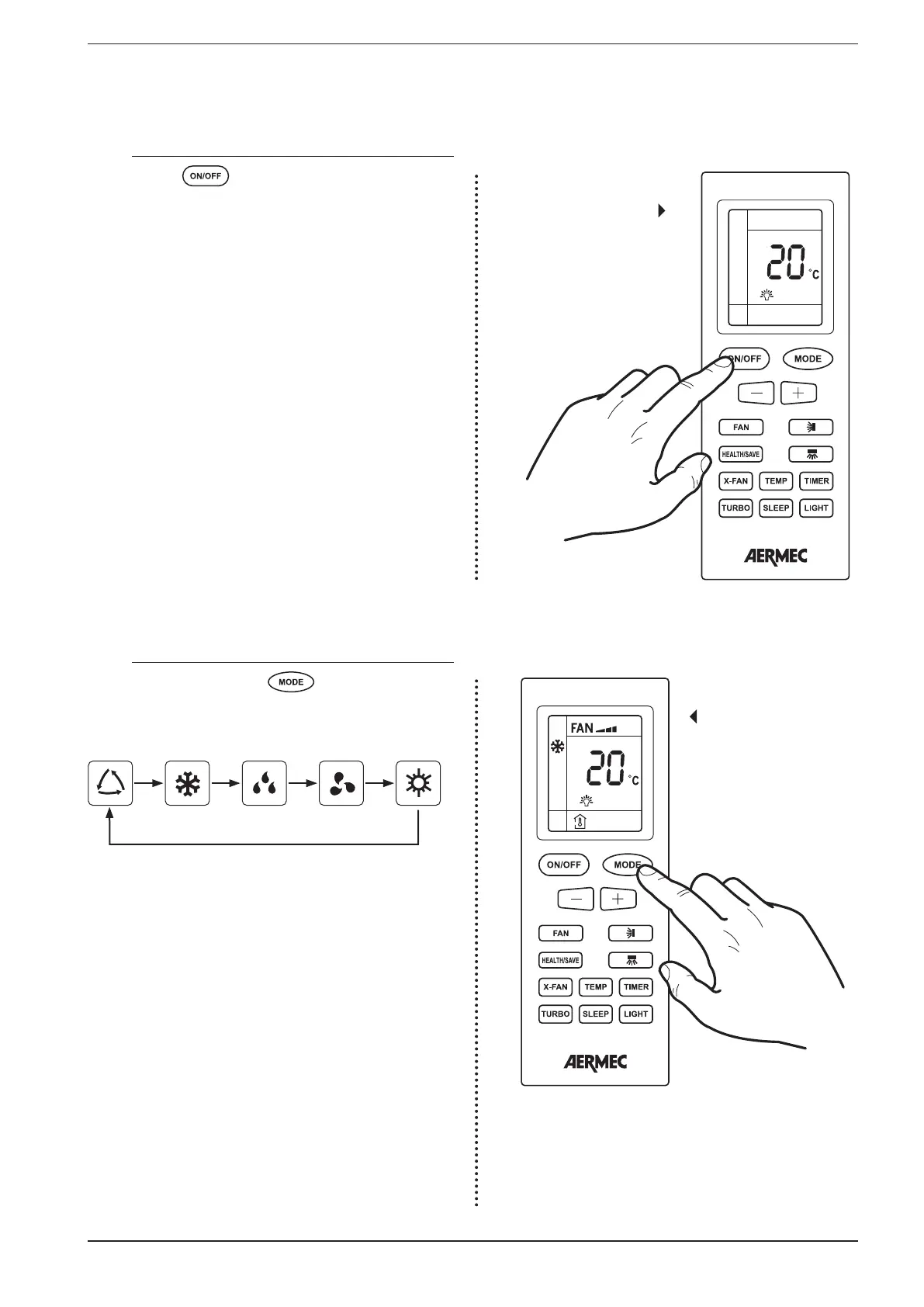
By pressing the button it is possible to switch the unit
on or off. When off some information is still displayed on the
remote control: the operating set-point of the last operating
mode used, and switch on timers programmed (HOURS ON)
and any icons tied to the function active during the last switch
on of the unit (X-FAN function, enabling the display of the in-
door unit, enabling of the air ionizer, etc.) Once switched on
the unit uses the settings selected during the last operating
session.
Switching on
17.2. SELECTING AN OPERATING MODE
If the unit is on, pressing the button allows passing
from one operating mode to the next, in this sequence:
Operating mode selec-
tion
Automatic
Cooling
Dehumidification
Ventilation
Heating
The various operating modes have different features and
ranges:
• AUTOMATIC mode: in this mode no set-point value is dis-
played on the remote control and the fan speed setting
is AUTO. During the AUTOMATIC mode the unit calculates
whether to cool (room temperature > 25°C), heat (room
temperature < 20°C) or just ventilate (room temperature
between 20°C and 25°C);
• COOLING mode: in this mode the user must set the op-
erating set-point and a fan speed. If the room air tem-
perature is higher than the set-point the unit is switched
on until the room temperature drops below the set-point
value.
• DEHUMIDIFICATION mode: in this mode the user must set
the operating set-point but not the fan speed (which re-
mains fixed at minimum). If the room air temperature is
higher than the set-point the unit is switched on until the
room temperature drops below the set-point value.


 To Next Page